EasyManua.ls Logo

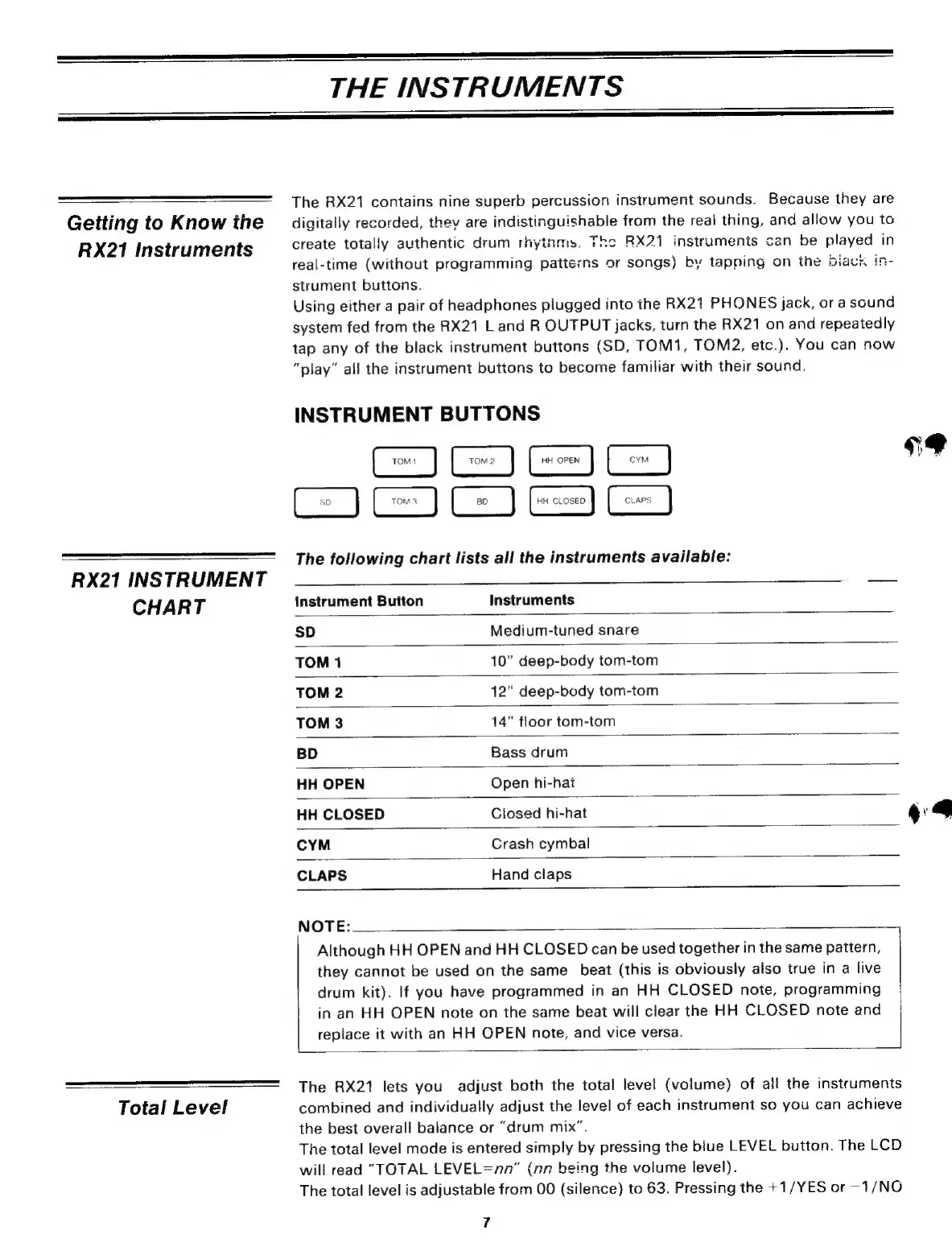
Yamaha RX21 - Instrument Buttons

Yamaha RX21
59 pages
Print Icon
To Next Page IconTo Next Page
To Previous Page IconTo Previous Page
Loading...
THE
INSTRUMENTS
=——oWpəlak—[
kmDN
Oo
sdh
t
Getting
to
Know
the
RX21
Instruments
RX21
INSTRUMENT
CHART
Total
Level
The
RX21
contains
nine
superb
percussion
instrument
sounds.
Because
they
are
digitaily
recorded,
thev
are
indistinguishable
from
the
real
thing,
and
allow
you
to
create
totally
authentic
drum
rhytnms.
The
RX21
instruments
can
be
played
in
real-time
(without
programming
patterns
or
songs)
by
tapping
on
the
biack
in-
strument
buttons.
Using
either
a
pair
of
headphones
plugged
into
the
RX21
PHONES
jack,
ora
sound
system
fed
from
the
RX21
L
and
R
OUTPUT
jacks,
turn
the
RX21
on
and
repeatedly
tap
any
of
the
black
instrument
buttons
(SD,
TOM1, TOM2,
etc.).
You
can
now
“play”
all
the
instrument
buttons
to
become
familiar
with
their
sound.
INSTRUMENT
BUTTONS
TOM!
IS
The
following
chart
lists
all
the
instruments
available:
TOM2
HH
OPEN
У
HH
CLOSED
CLAPS
=
Instrument
Button
Instruments
SD
Medium-tuned
snare
TOM
1
10"
deep-body
tom-tom
TOM
2
12"
deep-body
tom-tom
TOM
3
14”
floor
tom-tom
BD
Bass
drum
HH
OPEN
Open
hi-hat
HH
CLOSED
Closed
hi-hat
CYM
Crash
cymbal
CLAPS
Hand
claps
NOTE:
Although
HH
OPEN
and
HH
CLOSED
can
be
used
together
in
the
same
pattern,
they
cannot
be
used
on
the
same
beat
(this
is
obviously
also
true
in
a
live
drum
kit).
If
you
have
programmed
in
an
HH
CLOSED
note,
programming
in
an
HH
OPEN
note
on
the
same
beat
will
clear
the
HH
CLOSED
note
and
replace
it
with
an
HH
OPEN
note,
and
vice
versa.
The
RX21
lets
you
adjust
both
the
total level
(volume)
of
all
the
instruments
combined
and
individually
adjust
the
level
of
each
instrument
so
you
can
achieve
the
best
overall
balance
or
"drum
mix".
The
total level
mode
is
entered
simply
by
pressing
the
blue
LEVEL
button.
The
LCD
will
read
"TOTAL
LEVEL
=лл”
(nn
being
the
volume
level).
The
total level
is
adjustable
from
00
(silence)
to
63.
Pressing
the
+1/YES
or
-1/NO
7
«s.
T

Related product manuals