EasyManua.ls Logo

Yamaha RX21 - Song Operations; Song Playback

Yamaha RX21
59 pages
Print Icon
To Next Page IconTo Next Page
To Previous Page IconTo Previous Page
Loading...
—=——————..————._.—_..—.
SONG
OPERATIONS
-i—i
In
the
RX21
the
term
“song”
refers
to
a
number
of
patterns
connected
together
to
form
the
complete
rhythm
track
fora
musical
piece—for
example,
intro
pattern,
verse
pattern,
chorus
pattern,
fills,
ending,
etc.
When
used
in
a
song,
the
individual
patterns
are
referred
to
as
“parts”
of
the
song.
The
RX21
has
a
song
memory
which
is
separate
from
the
pattern
memory,
and
is
capable
of
storing
up
to
4
different
songs
(numbered
0
through
3).
The
total
number
of
parts
that
can
be
allocated
to
the
four
songs
is
512
parts
(i.e.,
128
parts
per
song,
or
any
other
combination).
Song
Playback
Repeat
Playback
of
Songs
To
playback
a
song,
press
the
SONG
PLAY
button
while
the
RX21
is
in
the
select
pattern
mode
(the
song
mode
cannot
be
entered
while
a
pattern
is
playing
or
being
written).
The
LCD
will
show
"SELECT
SONG
5"
(where
"s"
is
the
song
number,
0—3).
Select
a
song
number
with
the
numeric
keys.
You
can
now
play
back
a
song
in
exactly
the
same
way
a
pattern
is
played
back.
The
START
and
STOP/CONTINUE
buttons
function
in
the
same
way
as
they
do
in
the
pattern
mode,
except
that
while
a
pattern
keeps
playing
until
you
press
the
STOP/CONTINUE
button,
a
song
will
stop
automatically
when
the
end
is
reached.
At
any
time,
after
halting
playback
by
pressing
the
STOP
key,
the
-1/NO
and
*1/YES
keys
allow
you
to
move
backwards
or
forwards
through
the
song,
re-
spectively,
in
the
usual
press-once-for-single-step
or
hold-down-for-continu-
ous-movement
actions.
You
can
then
playback
the
song
from
any
selected
point
by
pressing
the
STOP/CONTINUE
key
again.
If
you
have
selected
a
song
that
contains
no
data,
nothing
will
happen
when
you
press
the
START
key,
and
you
shouid
enter
another
song
number.
During
playback,
the
LCD
will
first
show
"SONG
s
PART
001",
and
the
cursor
will
move
from
left
to
right
at
the
bottom
of
the
LCD.
As
each
part
is
played
back,
it
will
be
displayed
on
the
LCD,
until
the
song
is
finished,
at
which
point
the
LCD
Will
revert
to
the
"SONG
s
PART
001"
display.
You
can
now
play
the
song
back
again,
or
select
another
song
simply
by
pressing
the
appropriate
numeric
key.
At
any
time,
even
during
playback,
you
can
adjust
the
tempo,
total
level,
or
in-
strument
level,
just
as
you
can
in
the
pattern
mode.
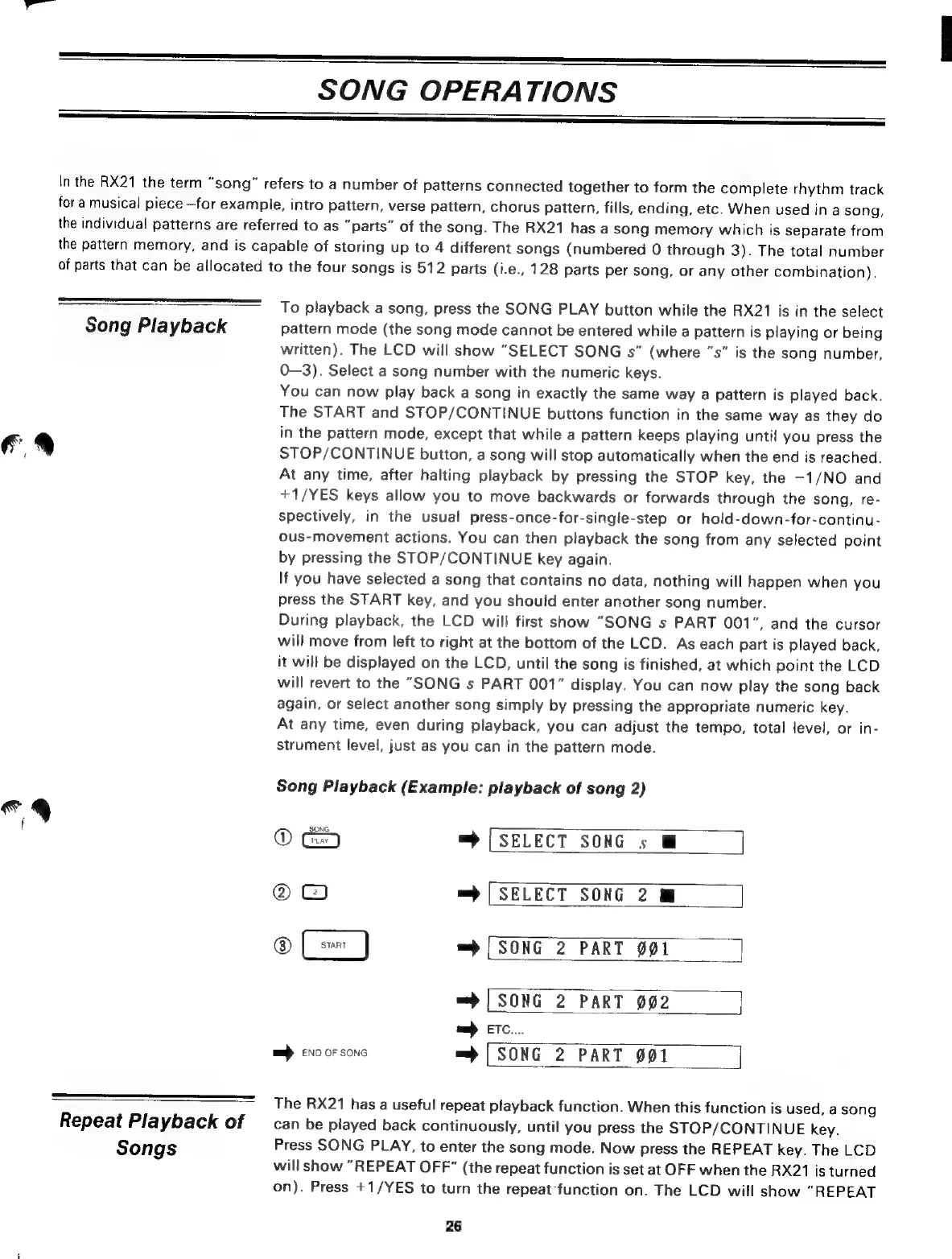
Song
Playback
(Example:
playback
of
song
2)
SONG
®
= |
SELECT
SONG
s
M
©
=
[SELECT
SONG
2
Nm
®
=
[SONG
2
PART
901
=>
|
SONG
2
PART
002
=
ETC...
mj
END
OF
SONG
=
|
SONG
2
PART
001
The
RX21
has
a
useful
repeat
playback
function.
When
this
function
is
used,
a
song
can
be
played
back
continuously,
until
you
press
the
STOP/CONTINUE
key.
Press
SONG
PLAY,
to
enter
the
song
mode.
Now
press
the
REPEAT
key.
The
LCD
will
show
"REPEAT
OFF”
(the
repeat
function
is
set
at
OFF
when
the
RX21
is
turned
on).
Press
*
1/YES
to
turn
the
repeat
function
on.
The
LCD
will
show
"REPEAT
26

Related product manuals