End Repeat
An End Repeat event must be inserted immediately after a part or group of
parts you want to repeat one or more times. An End Repeat event must always
be accompanied by a Begin Repeat event (see above) which defines the begin-
ning of the repeat segment.
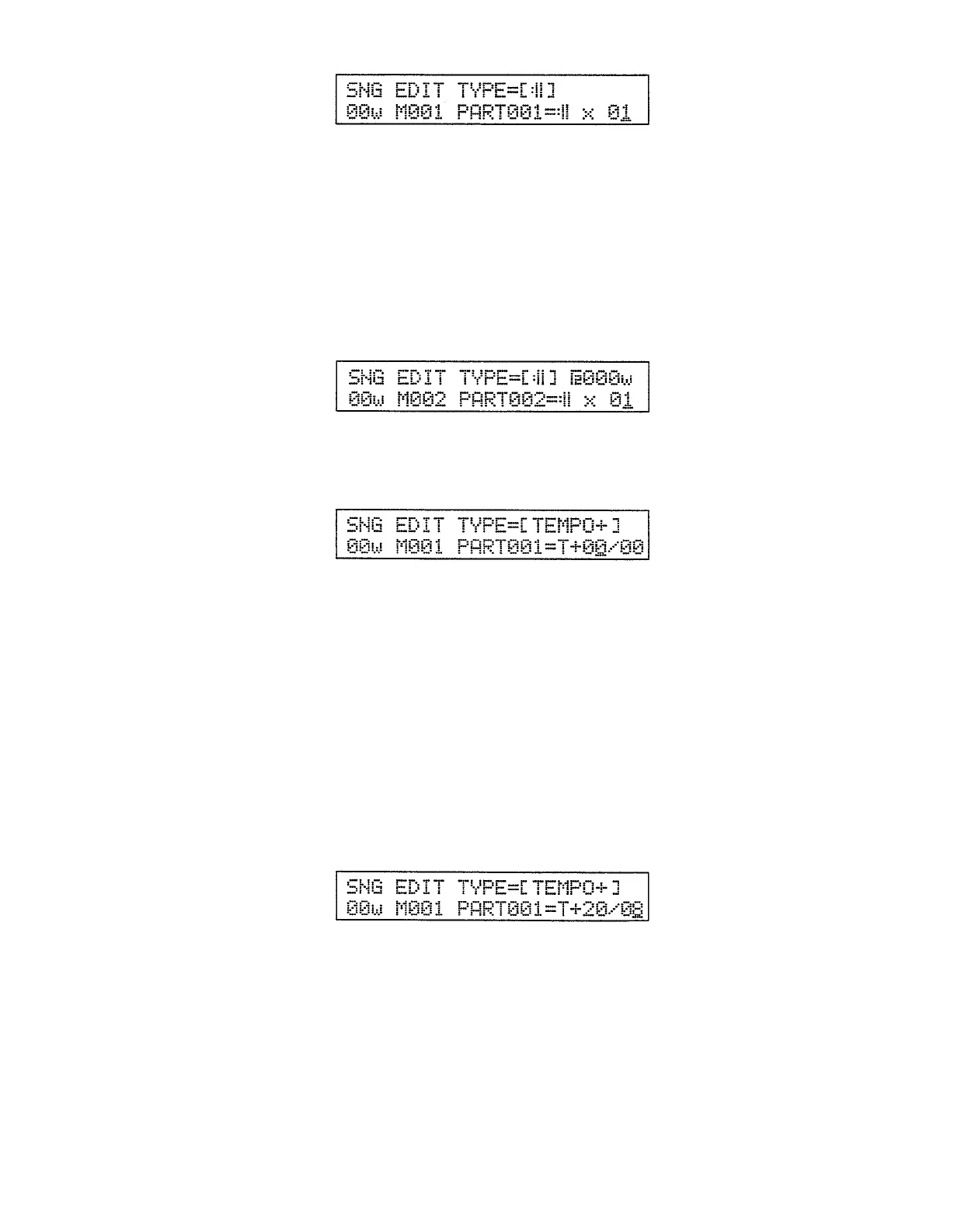
The number following the End Repeat symbol on the lower display line sets
the number of times the defined segment will be repeated (range: x 01 ... 99).
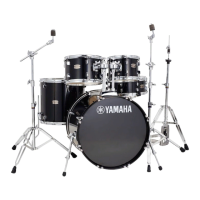
If the part immediately before the End Repeat event is a pattern, the pattern
number parameter that appears on the upper line of the display lets you specify a
second ending for the repeat segment — i.e. the pattern specified here will play
instead of the normal pattern at the end of the last repeat.
After selecting the Begin Repeat event and setting the parameters as re-
quired, press the [ENTER] key to actually enter it into the current part number
and advance to the next part number.
Increase Tempo
An Increase Tempo event can be used to create a sudden or gradual in-
crease in tempo — for an “accelerando” type effect.
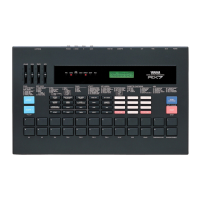
The number to the left of the slash is the amount by which the tempo is to be
increased in beats per minute (range: 00 ... 99). The number to the right of the
slash determines how long it takes to reach the specified new tempo in 1/4 notes
(range: 00 ... 99).
After selecting the Increase Tempo event and setting the parameters as re-
quired, press the [ENTER] key to actually enter it into the current part number
and advance to the next part number.
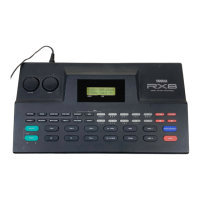
Example:
To increase the tempo by 20 beats per minute over a period of two 4/4 mea-
sures, for example, insert the following tempo increase event immediately
before the measure at which you want the tempo increase to begin:
39


 To Next Page