VOICE EDIT MODE
LEVEL
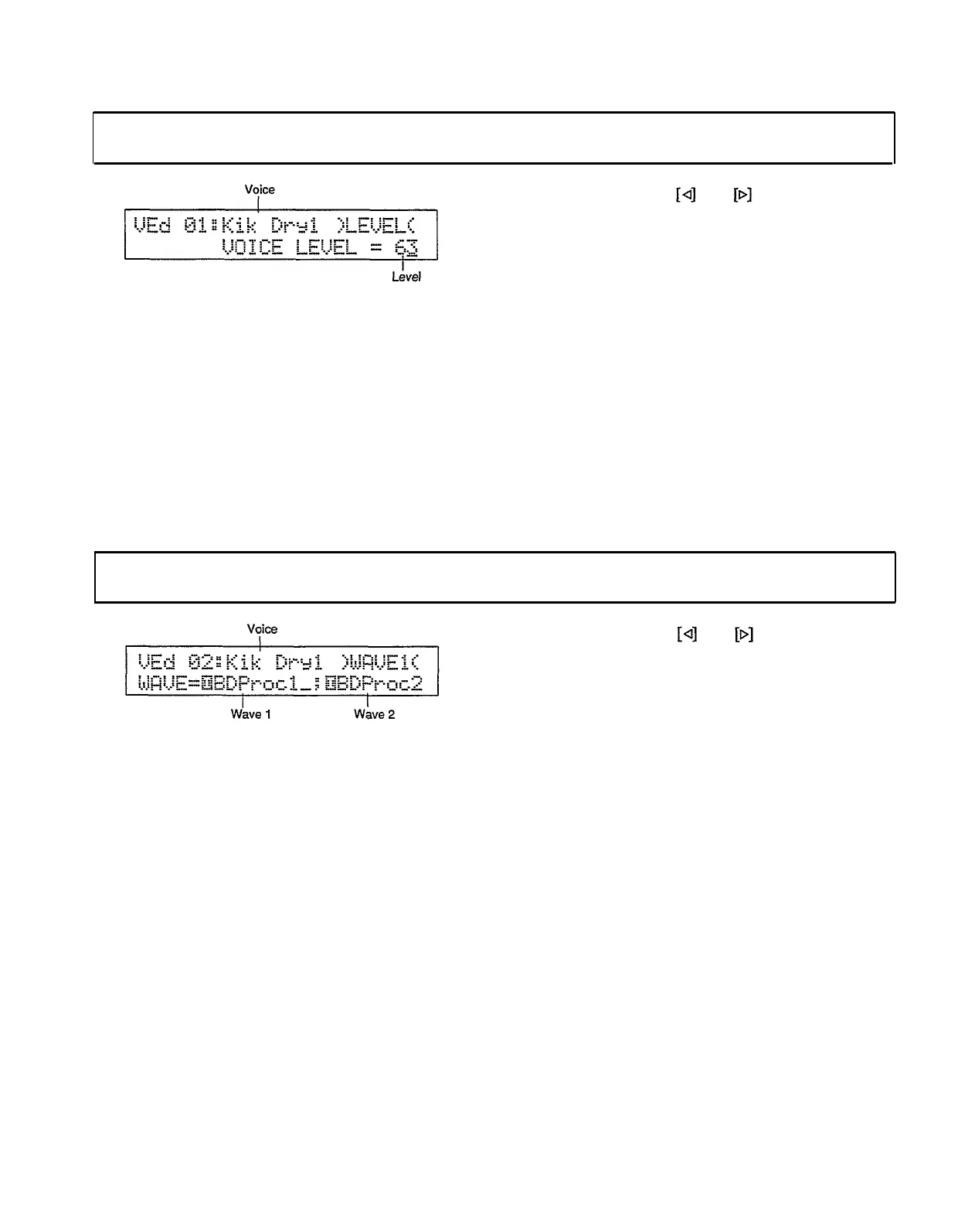
Voice edit mode/Page 01
Summary: Sets the level at which the selected
voice will be output via the RY30’s stereo out-
puts (i.e. the OUTPUT L/MONO and R jacks).
Settings:
Voice: I00 . . . I95 (internal), C00 . . . C31
(card)
Level: 00 . . . 63
Procedure: Use the and keys to move the
cursor to the voice name or level parameter. Use
the [INC] and [DEC] keys, the [DATA] slider,
or the numeric keys to set the level parameter.
The [INC] and [DEC] keys, the [DATA] slider,
or the instrument pads can be used to select the
voice.
Notes: A setting of “00” produces no sound while a
setting of “63” produces maximum volume.
The ability to independently adjust the vol-
ume of each voice makes it simple to set up the
optimum balance or “mix" between voices.
The level at which each voice will be output
via the INDIV OUT 1 and 2 jacks can be further
adjusted via the INDIVIDUAL LEVEL function
described on page 90.
WAVE ASSIGN
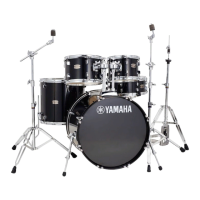
Voice edit mode/Page 02
Procedure:
Use the
and keys to move the
cursor to the voice name, wave 1, or wave 2
parameter, then use the [INC] and [DEC] keys
or the [DATA] slider to set as required. The
instrument pads can be used to select the voice.
Summary:
Each RY30 voice consists of one or two
“waves.” This function assigns any one or two
internal or cartridge waves to the selected voice.
Settings:
Voice: I00 . . . I95 (internal), C00 . . . C31
(card)
Wave 1: Any of 174 internal or card waves —
see list below.
Wave 2: Any of 174 internal or card waves,
off — see list below.
Notes: Completely different waves can be assigned
to wave 1 and wave 2, but it is also possible to
assign the
same wave to both. In this case the
waves can be filtered differently and/or have
different envelopes to create an endless range of
interesting effects.
A wave card must be inserted into the RY30
WAVE CARD slot in order to use the card waves.
81


 To Next Page