MULTI-FUNCTION DISPLAY
1-26
Setting the clock time
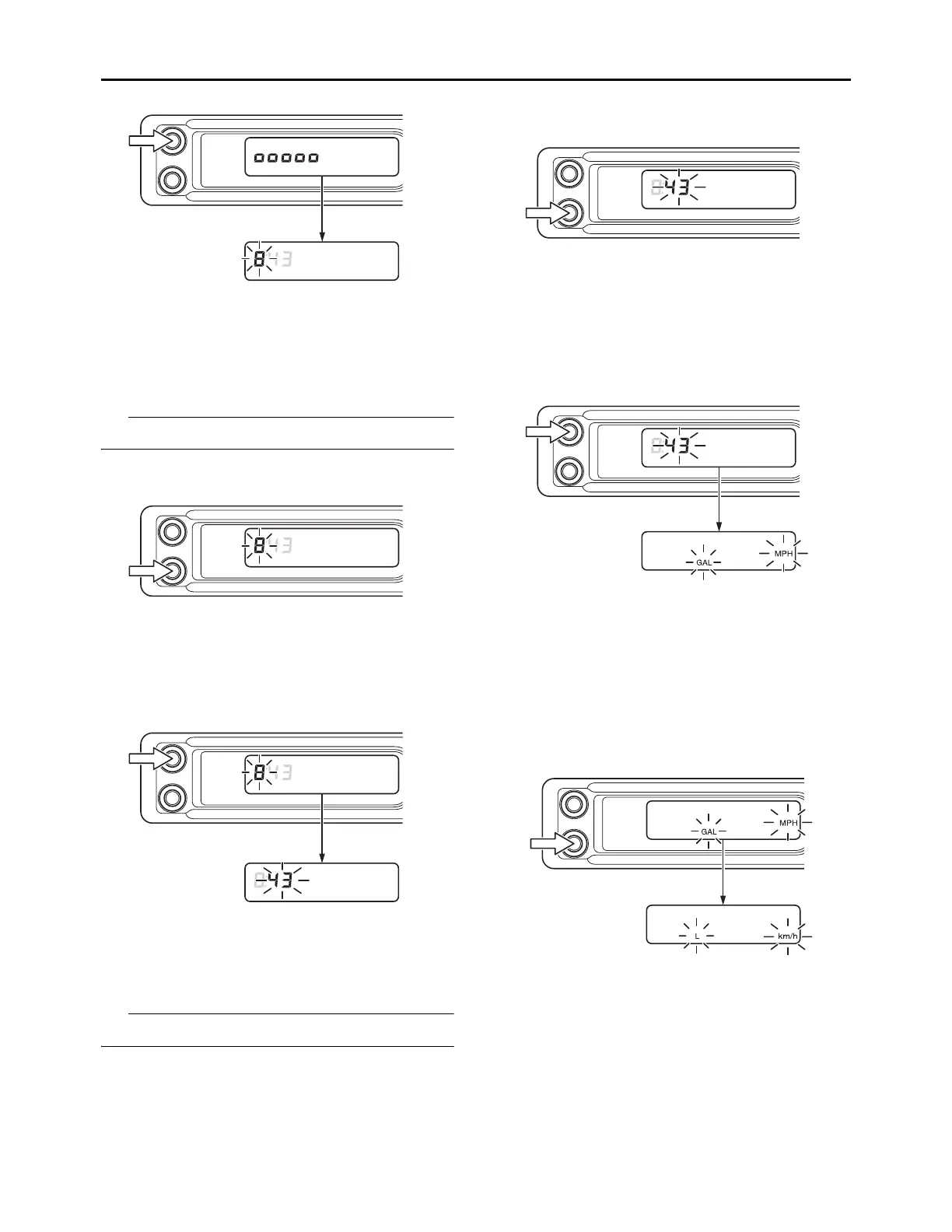
Setting the hour
1. Push the B button to adjust the hour.
A long push on the button will fast-forward the
time.
The digits capable of setting go on flashing.
2. Push the A button to set the hour, and then
shift to the minute setting.
Setting the minute
1. Push the B button to adjust the minute.
A long push on the button will fast-forward the
time.
The digits capable of setting go on flashing.
2. Push the A button to set the minute. The set-
ting of the time will then be kept and the dis-
play of the multifunction meter will shift to the
unit display setting.
Setting the unit change
1. Push the B button to change the units of the
speedometer and fuel.
The unit display will change in the following
order:
Accumulated fuel consumption meter: GAL
L GAL
Speedometer: MPH km/h MPH
2. Push the A button to set the unit. The unit set-
ting will then be kept and the display of the
multifunction meter will shift to the fuel con-
sumption correction setting.










 To Next Page