MULTI-FUNCTION DISPLAY
1-24
EAM30621
SETTING THE TIMER
Putting measurement on standby
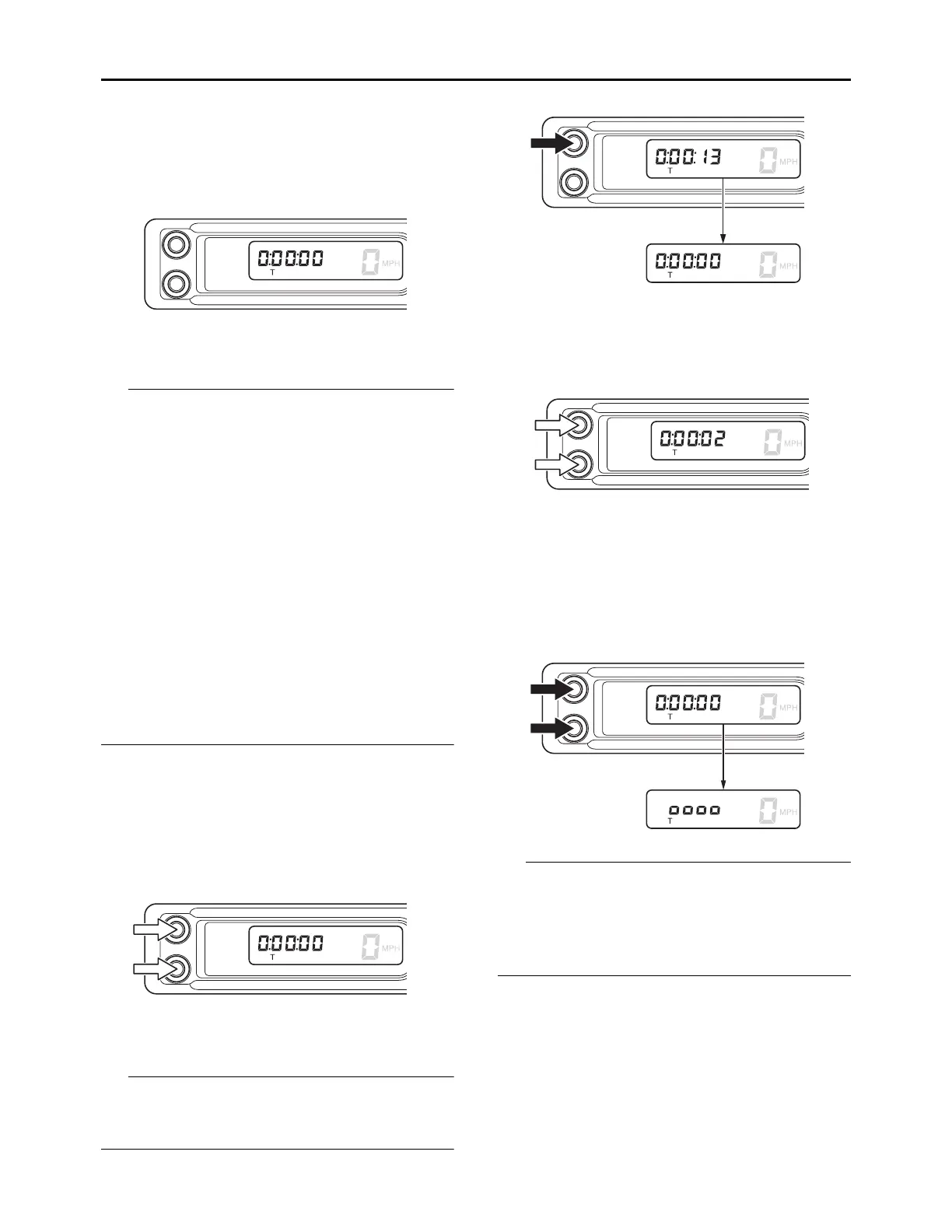
1. Change the meter display to the timer mode.
• Starting measurement consists of the following
two starts, either of which can be selected.
Manual start:
Starting measurement by the rider himself op-
erating the button.
Auto start:
Starting timer measurement automatically on
detection of the movement of the machine.
(When long pushing the A button and B button
simultaneously, the measurement will become
waiting status.)
• When the timer exceeds 19:59:59, the mea-
surement value will reset and stop.
• When the last traveled time remains in the tim-
er display and you want to perform a new mea-
surement, long push the A button for 1 second
or more to reset the timer.
Manual start
1. Push the A button and B button simultane-
ously to start the timer measurement.
2. Push the A button and B button simultane-
ously to stop the timer measurement.
Long pushing the A button for 1 second and
more while the timer measurement is being
stopped will reset the value.
3. Push the A button and B button simultane-
ously once again to restart the measurement.
Auto start
1. Push the A button and B button simultane-
ously for 1 second or more to set the auto tim-
er measurement.
• When the measurement is ready to begin by
auto starting, the timer display will turn on
scrolling from left to right.
• When the speed exceeds 6 mph (10 km/h), the
measurement will start.
2. Push the A button and B button simultane-
ously to stop the timer measurement.






 To Next Page