29
Operation Method
Other Functions
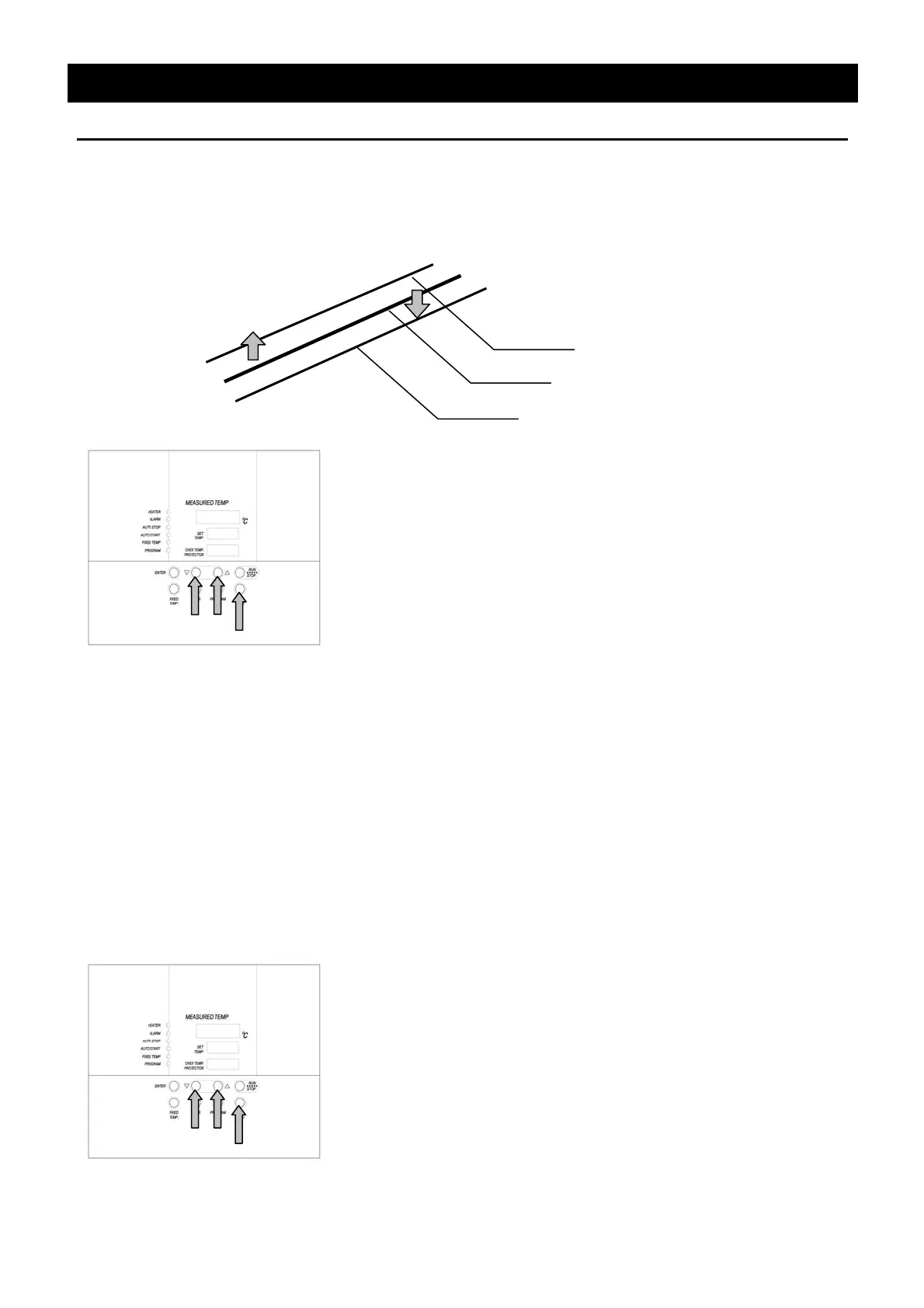
Use calibration offset function
Calibration offset is a function which corrects the difference between the temperature in furnace and
that of controller (sensor temperature) if arises. The function parallel corrects the difference either to
the plus or minus side within the whole temperature range of unit. The function can be set or
cancelled by the SUBMENU key.
① Start operation with the target setting temperature. Check the
temperature in furnace (temperature of sample) with a thermograph
after it is stabilized.
② Check the difference between the setting temperature and that in
furnace (temperature of sample).
③ Press the SUBMENU key. Select the character "cAL", which
indicates the calibration offset, using the "▲▼", and then press the
ENTER key.
④ Input the difference using the "▲▼" and then press the ENTER
key. This completes the setting.
The setting range of offset correction temperature is +99℃ to plus
side and -99℃ to minus side respectively.
When it is set to the minus side, the temperature on the measurement
temperature display screen falls by the setting temperature, while the
temperature on furnace rises.
When it is set to the minus side, the temperature on the measurement
temperature display screen rises by the setting temperature, while the
temperature on furnace falls.
The unit has two-point correction function, which performs offset
between low-temperature zone and high-temperature zone. Please
consult our local branch office when carrying out validation of
temperature controller.
Use lock function
This function locks the operation status previously set. The function can be set or cancelled by the
SUBMENU key.
① Press the SUBMENU key. Select the character" "Lock", which
indicates the lock of setting value, using the "▲▼", and then press
the ENTER key.
② The setting temperature screen displays "oFF". The setting value
is locked when it is turned to "on" using the "▲".
③ Press the SUBMENU key again to cancel the lock. Select the
character" "Lock", which indicates the lock of setting value, using
the "▲▼", and then press the ENTER key. Select "oFF" with the "
▼" and then press the ENTER key to cancel the function.
All keys other than the START/STOP and SUBMENU keys are lock
when the lock function is on.
Current temperature
Corrected temp. to plus side
Corrected temp. to minus side


 To Next Page