LUBRICATION SYSTEM
TNV IDI Service Manual
9-7
Checking Engine Oil Pressure
CHECKING ENGINE OIL
PRESSURE
Perform an engine oil pressure check if there is any
indication of low oil pressure such as the oil
pressure indicator is on or the oil pressure gauge
indicates low oil pressure. See Engine Oil Pressure
on page 9-4 for the engine oil pressure
specification.
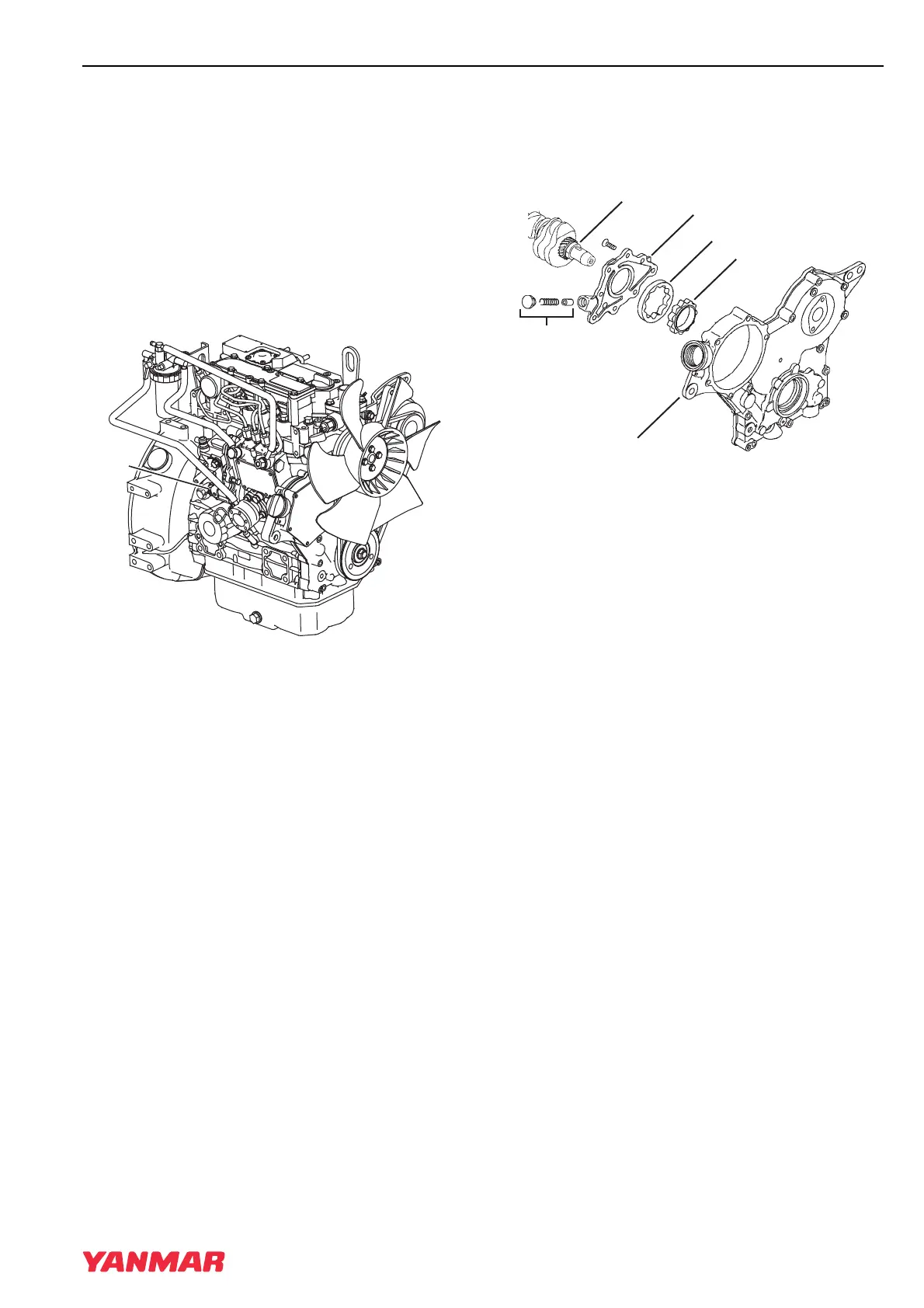
1. Disconnect the wire lead from the oil pressure
switch or sending unit (Figure 9-2, (1)).
Figure 9-2
2. Remove the oil pressure switch.
3. Install a mechanical oil pressure gauge in the
oil pressure switch port.
4. Start the engine:
• If the mechanical oil pressure test gauge
indicates good oil pressure, replace the faulty
oil pressure switch or sending unit or faulty
machine oil pressure gauge in instrument
panel.
• If the mechanical oil pressure test gauge
indicates low oil pressure, troubleshoot the
lubrication system to locate the cause of the
low oil pressure. See Troubleshooting Charts
on page 13-7. Repair as necessary.
TROCHOID OIL PUMP
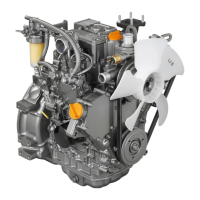
Oil Pump Components
1 –Crankshaft
2 –Oil Pump Cover
3 –Oil Pressure Regulator
4 –Gear Case Cover
5 –Outer Rotor
6 –Inner Rotor
Figure 9-3
0000020A
(1)
0001955A
(1)
(2)
(5)
(6)
(3)
(4)
TNV_IDI_ServiceManual_A4.book 7 ページ 2012年2月24日 金曜日 午前10時24分



 To Next Page