ALTERNATOR
11-14
TNV IDI Service Manual
Alternator
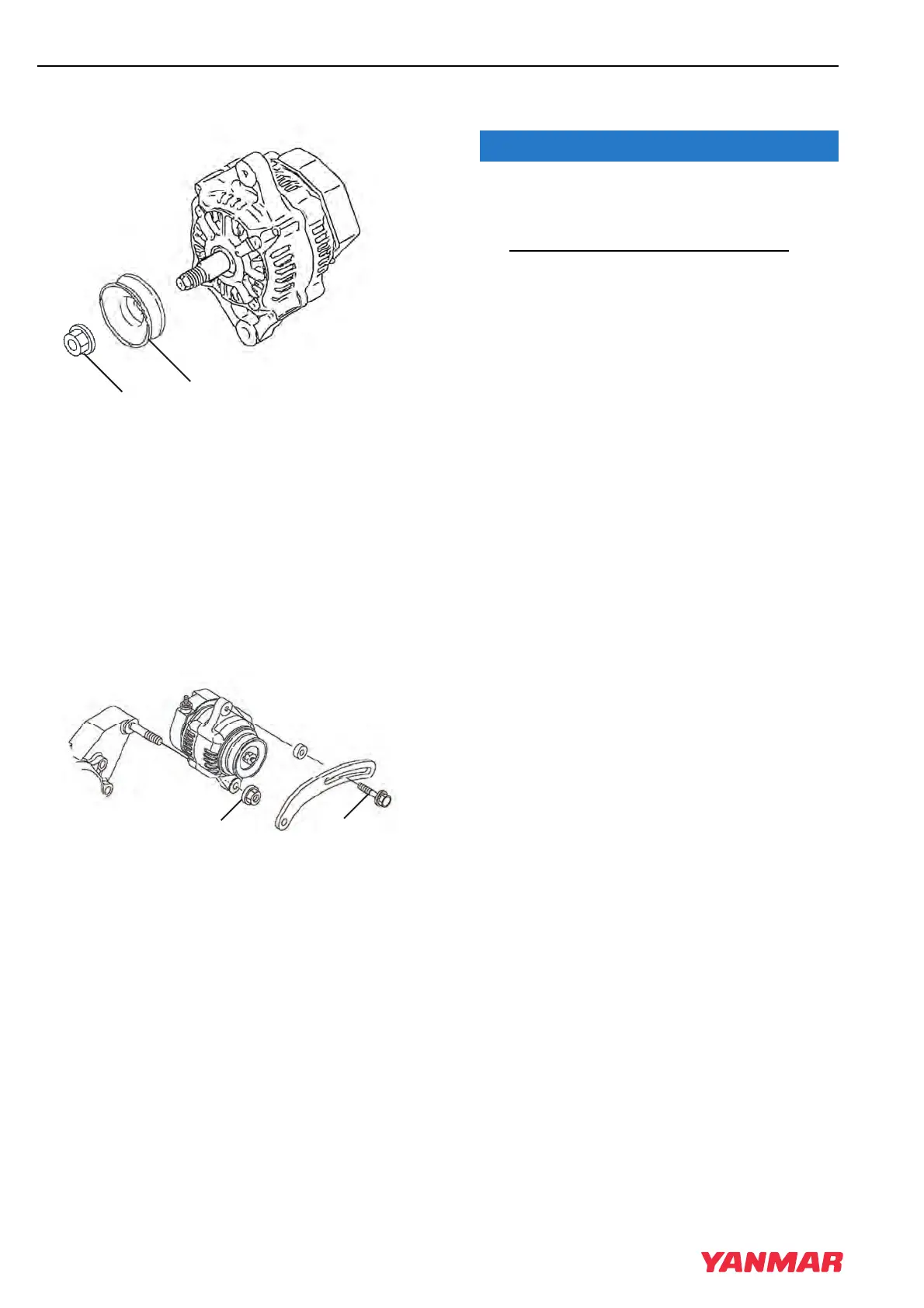
Figure 11-18
11. Reassemble the pulley (Figure 11-18, (2)) and
nut (Figure 11-18, (1)) to the shaft of the rotor
assembly. Tighten the nut.
Installation of Alternator
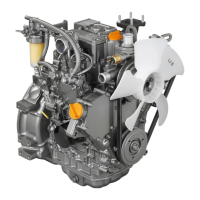
1. Position the alternator on the gear case.
Loosely reinstall the nut (Figure 11-19, (2)) on
the gear case stud and the V-belt adjuster bolt
(Figure 11-19, (1)).
Figure 11-19
2. Reconnect the electrical wires to the alternator.
Tighten the nuts to 15 - 20 in.-lb (1.7-2.3 N·m;
17-23 kgf·m).
3. Reinstall the V-belt. Tighten the V-belt to the
proper tension. See Check and Adjust Cooling
Fan V-Belt on page 5-15.
4. Start the engine. Listen for any unusual sounds
from the alternator.
Do not operate the engine if the alternator is
producing unusual sounds. Damage to the
alternator will result.
5. Verify that the charge indicator is ON while the
engine is operating. If the charge indicator is
not ON, repair the problem before operating the
engine.
TNV_IDI_ServiceManual_A4.book 14 ページ 2012年2月24日 金曜日 午前10時24分



 To Next Page