4.3 The Drive and Programming Modes
YASKAWA EUROPE SIEP YASKAWA AC Drive L1000V Technical Manual 71
Start-Up Programming
& Operation
4
n Drive Mode Details
The following actions are possible in the Drive Mode:
• Run and stop the drive
• Monitor the operation status of the drive (speed reference, output speed, output current, output voltage, etc.)
• View information on an alarm
• View a history of alarms that have occurred
Figure 4.5 illustrates how to change the speed reference from 0.00% to 10.00% while in the Drive Mode. This example
assumes the reference source is assigned to the digital operator (b1-02 = 0) and d1-01 is set to 0 or 3.
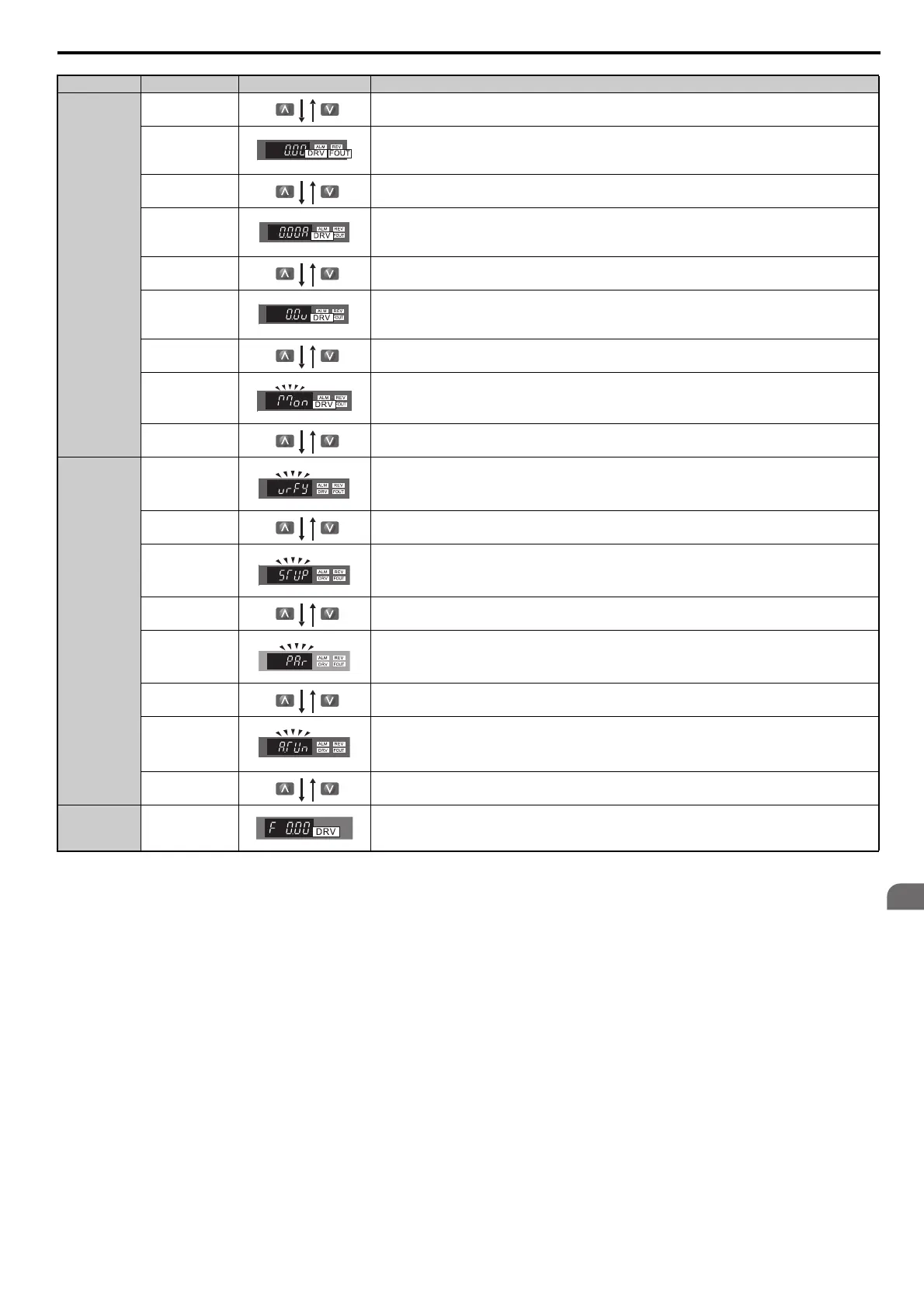
Drive Mode
Output Frequency Displays the drive output frequency.
Output Current Displays the drive output current.
Output Voltage Displays the drive output voltage. This monitor can be changed with the o1-01 parameter.
Monitor Display
Monitor menu with access to all drive monitors (U parameter group). Refer to U: Monitors on page 243 for more
details.
Programming
Mode
Verify Function
Lists all parameters that have been edited or modified from their default settings. Refer to Verifying Parameter
Changes: Verify Menu on page 73 for more details.
Setup Parameters
Lists commonly used parameters for quick drive commissioning. Refer to Simplified Setup Using the Setup Group
on page 74 for more details.
Parameter Setting Allows the user to access and edit all paramter settings. Refer to Parameter Details on page 101 for more details.
Auto-Tuning
Procedure that calculates and sets the motor parameters automatically. Refer to Auto-Tuning on page 80 for more
details.
Drive Mode Frequency Reference Returns to the frequency reference display screen.
Mode Contents Operator Display Description



 To Next Page