User Guide for SIP-T58V/A Smart Media Phone
282
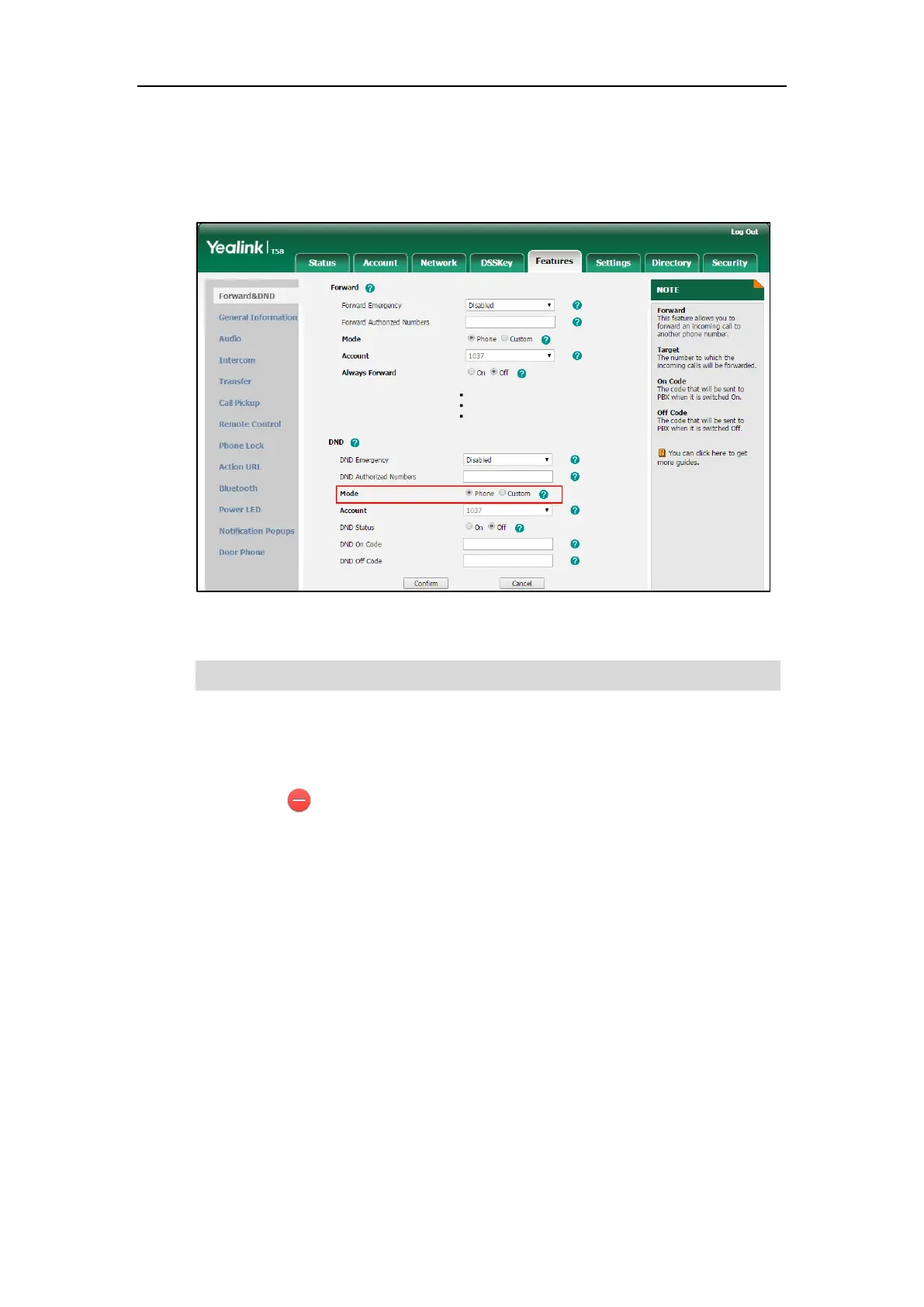
To configure the DND mode via web user interface:
1. Click on Features->Forward & DND.
2. In the DND block, mark the desired radio box in the Mode field.
3. Click Confirm to accept the change.
Note
To enable DND in phone mode:
1. Swipe down from the top of the screen to enter the control center and toggle DND on.
The icon on the status bar indicates that DND is enabled.
DND mode is configurable via web user interface only.



 To Next Page
 Loading...












