3. The casing of the display is scratched or damaged after leaving the factory.
4.The lead wire of the display is scratched or broken
5. Failure or damage caused by force majeure (such as fire, earthquake, etc.) or natural disasters
(such as lightning, etc.)
6. The product is out of warranty
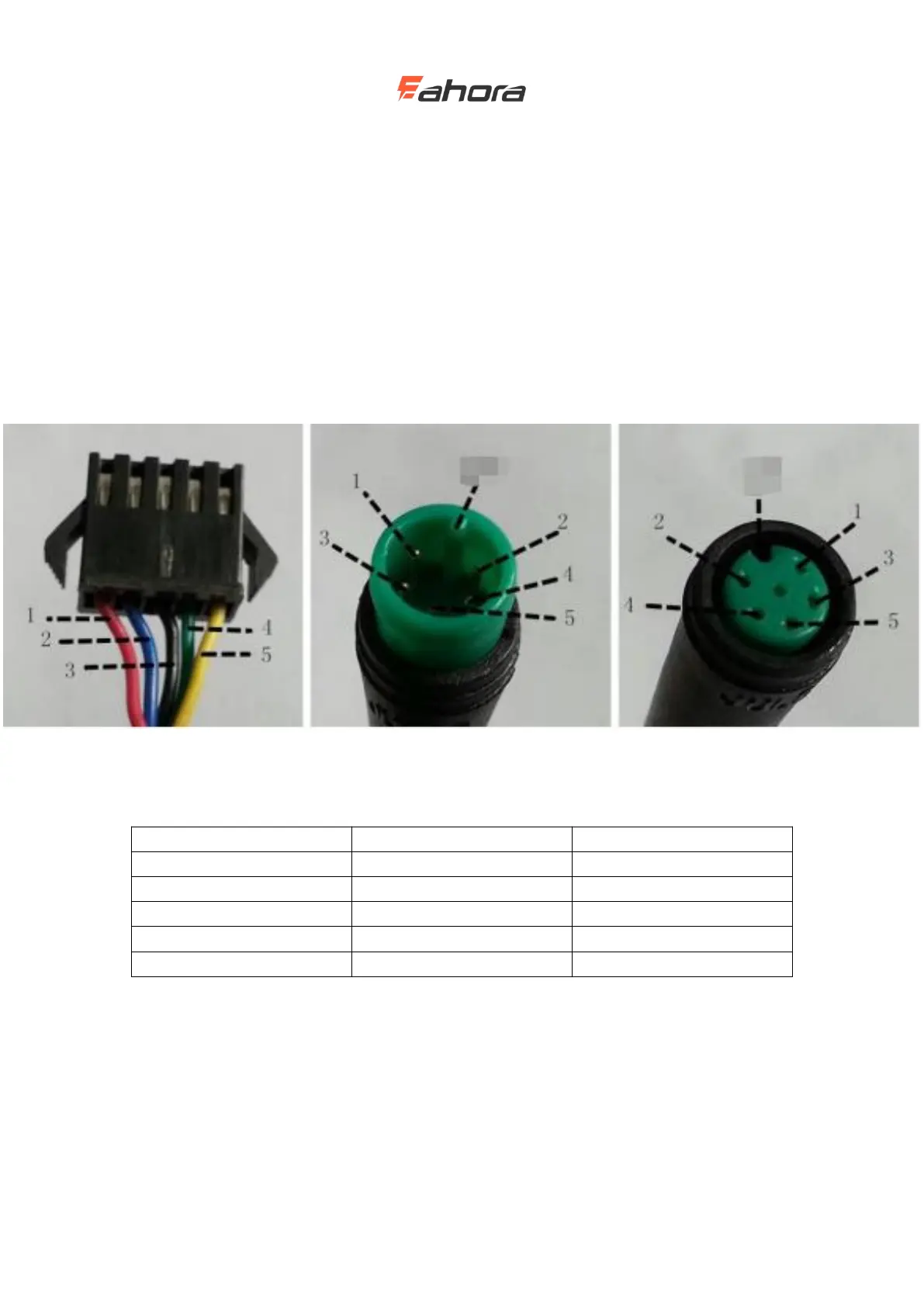
Lead connection diagram
Standard connector cable sequence
Connection with the controller Meter outlet Butt terminal
Table: Wire sequence table of standard connectors
Controller power control line
Display data receiving line
Display data transmission line
The leads of some products use waterproof connectors, and users cannot see the color of
the leads in the harness.
Precautions
Pay attention to safety during use. Do not plug or unplug the monitor while it is powered on.
Try to avoid bumping the display.



 To Next Page