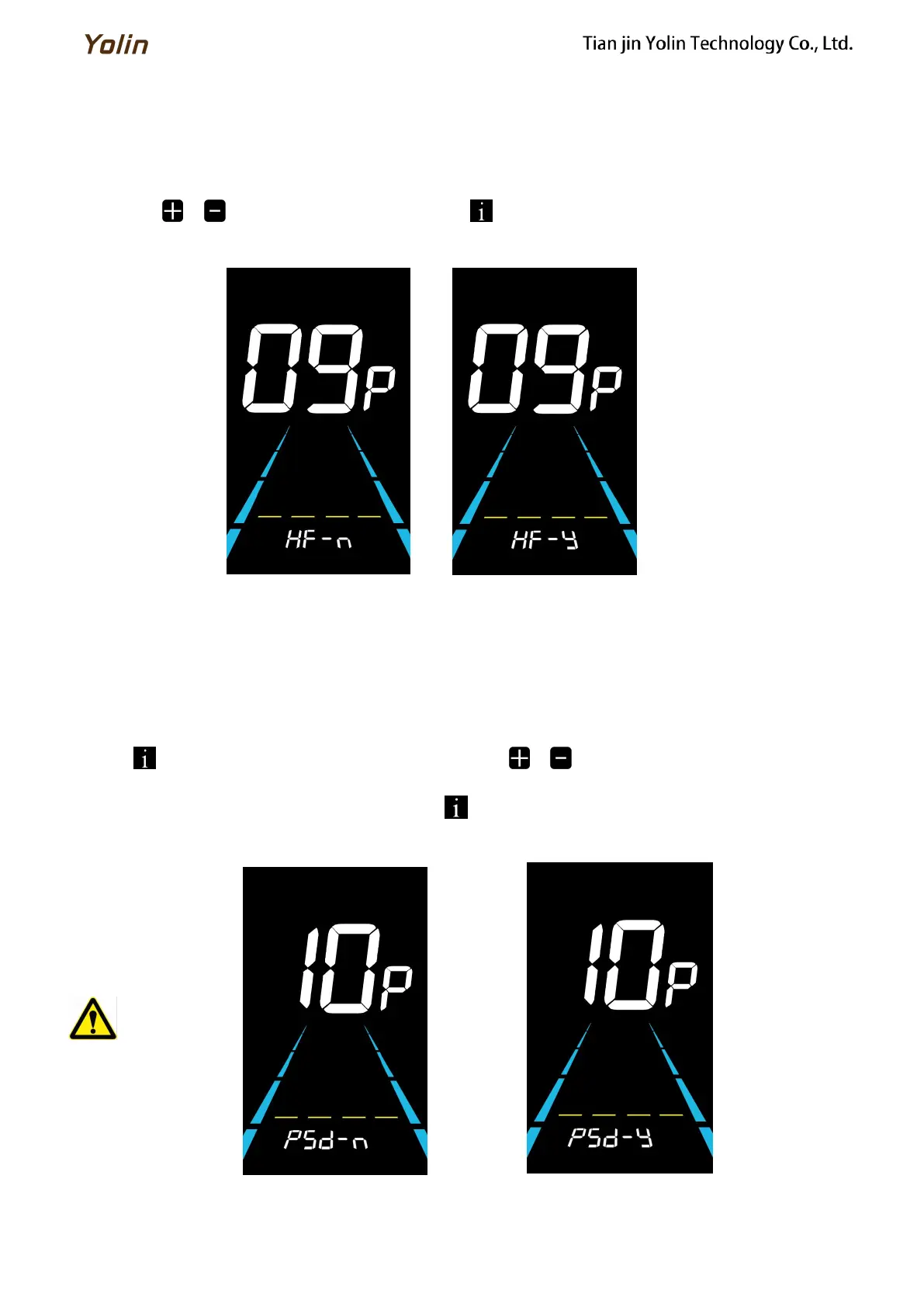
6.9.2 Throttle level setting
HF is the throttle Level setting. HF-Y is to enable the throttle level. When using the throttle, the max speed depends on
the throttle level. (0~3, 1~3, 0~5, 1~5, 1~7, 0~7, 0~9, 1~9) HF-N is to disable the throttle level. The speed is independent
with the throttle level and can reach the rated max speed.
Press the / to select the parameter and press to save the parameter setting and to return to the
personalized parameter setting interface.
Figure 6-13 Throttle level setting
6.10 Power-on password setting
10P is the power-on password setting. The power-on password is not activated by default but users can activate it from
setting PSd-y. The factory default password is 1212. Users can set other four-digit password. Please keep the password in
mind after changing it, otherwise you will not be able to use the display.
Press to enter the parameter changing state. Press the / to select the parameter. PSd-y means the
power-on password is activated while PSd-n is off. Press to confirm the mode and enter the state of setting the four
digits power-on password or exit to the personalized parameter setting interface.
Figure 6-14 Password OFF interface Figure 6-15 Password Activated interface
Remember your password
after changing it, or you will
not be able to use the meter!



 To Next Page