7. Shortcut Operation
7.1 Restore factory settings operation
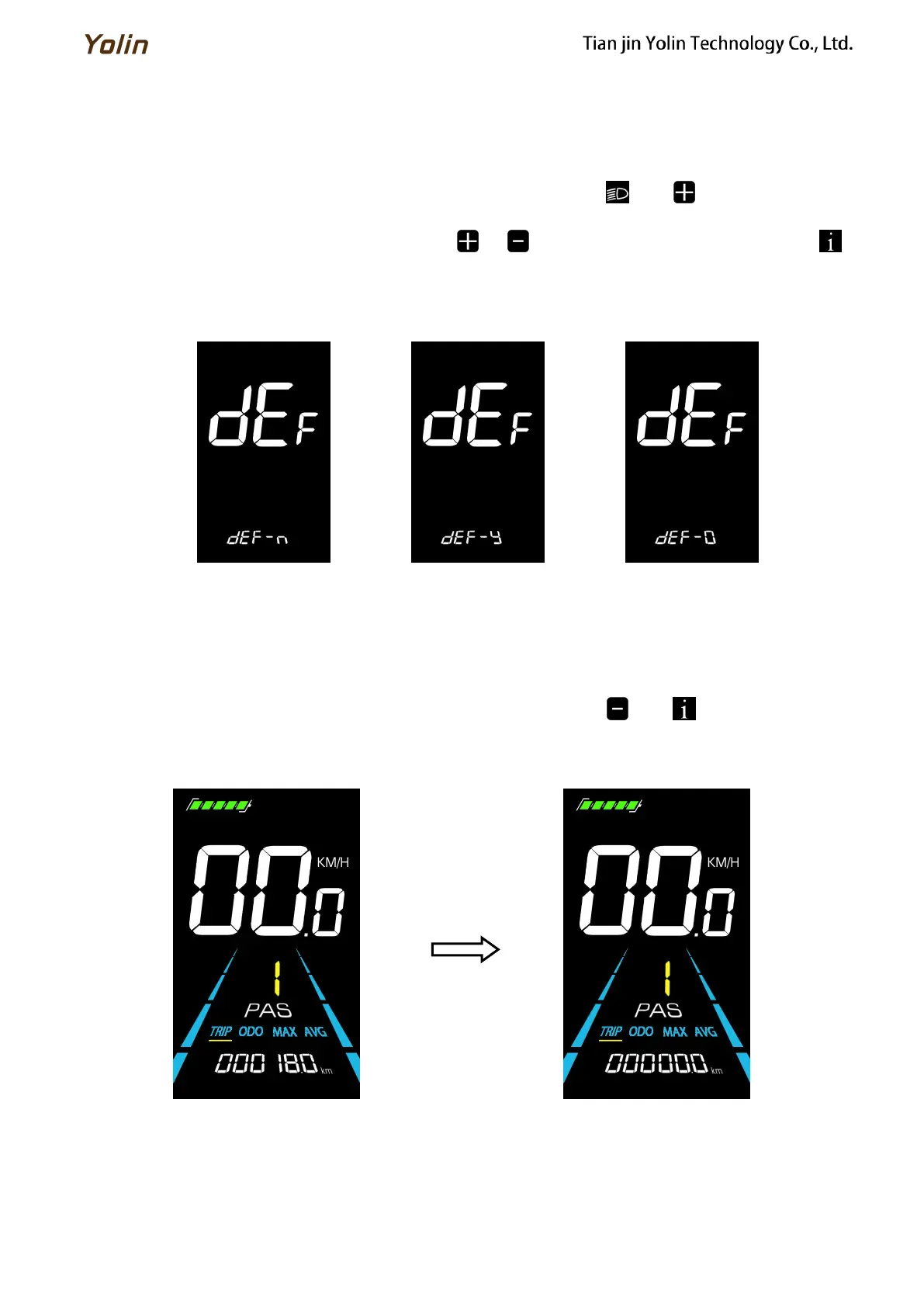
dEF is the restore factory default parameter settings. dEF-Y is to restore default settings, and dEF-N is not to restore.
Enter into the main setting interface and keep the speed at 0, press and hold and simultaneously for 2s to
enter the restore factory default setting interface. Pressing / to toggle to dEF-Y. Then after pressing to
confirm, the display will show dEF-0 for a few seconds and then automatically start to restore the factory default settings.
The display will automatically exit to setting interface after the restoration.
Figure 7-1 Restore Factory Default Settings Interface
7.2 Trip odometer reset operation
The display can record trip odometer and odometer. Trip odometer is not automatically reset after turning off. The trip
odometer needs to be reset manually.
Enter into the main setting interface and keep the speed at 0, press and hold and simultaneously for 2s to
reset the trip odometer. The main interface will flash during the reset process.
Figure 7-2 Trip Odometer Reset Interface



 To Next Page