2-23
Press [4] for Report.
Select sample report format: Brief
1-None 2-Brief 3-Detail
The default setting is "brief" report. Press [ENTER] to choose brief Sample report, then press
[ENTER] again to choose brief Cal report. See Appendix D for example printouts of each type
of report.
Select cal report format: Brief
1-None 2-Brief 3-Detail
The Select setup menu is again displayed.
Select setup: 1-General 2-MeasParameter
3-RunMode 4-Report 5-PrntSetup 6-Default
Press [5] for PrntSetup.
Printing instrument setup... Please wait
The instrument will print the setup information. The information is an itemized list of the key
parameters that you have entered into memory for running the 2700 SELECT. See Appendix C
for an example of this report.
When finished, the display again shows the Select setup menu.
Select setup: 1-General 2-MeasParameter
3-RunMode 4-Report 5-PrntSetup 6-Default
Press [6] for Default.
Reset all system parameters? No
1-No 2-Yes
This menu allows you to reset all system parameters to the default settings, that is, those that
would appear if you were to unpower the instrument (including backup battery power).
Do not
select 1-Yes now
. Instead, press [ENTER] to confirm "No" to resetting system parameters. The
instrument will return to the Select setup menu.
Select setup: 1-General 2-MeasParameter
3-RunMode 4-Report 5-PrntSetup 6-Default
YOU HAVE NOW COMPLETED THE INITIAL SETUP EXAMPLE.
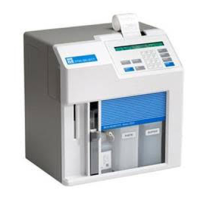
As you learn more about the 2700 SELECT you will gain greater familiarity with the menu
system. If you would like to revisit levels of the Select setup menu, press the appropriate
number(s). If not, press [0] to return to Select instrument function.


 To Next Page