27
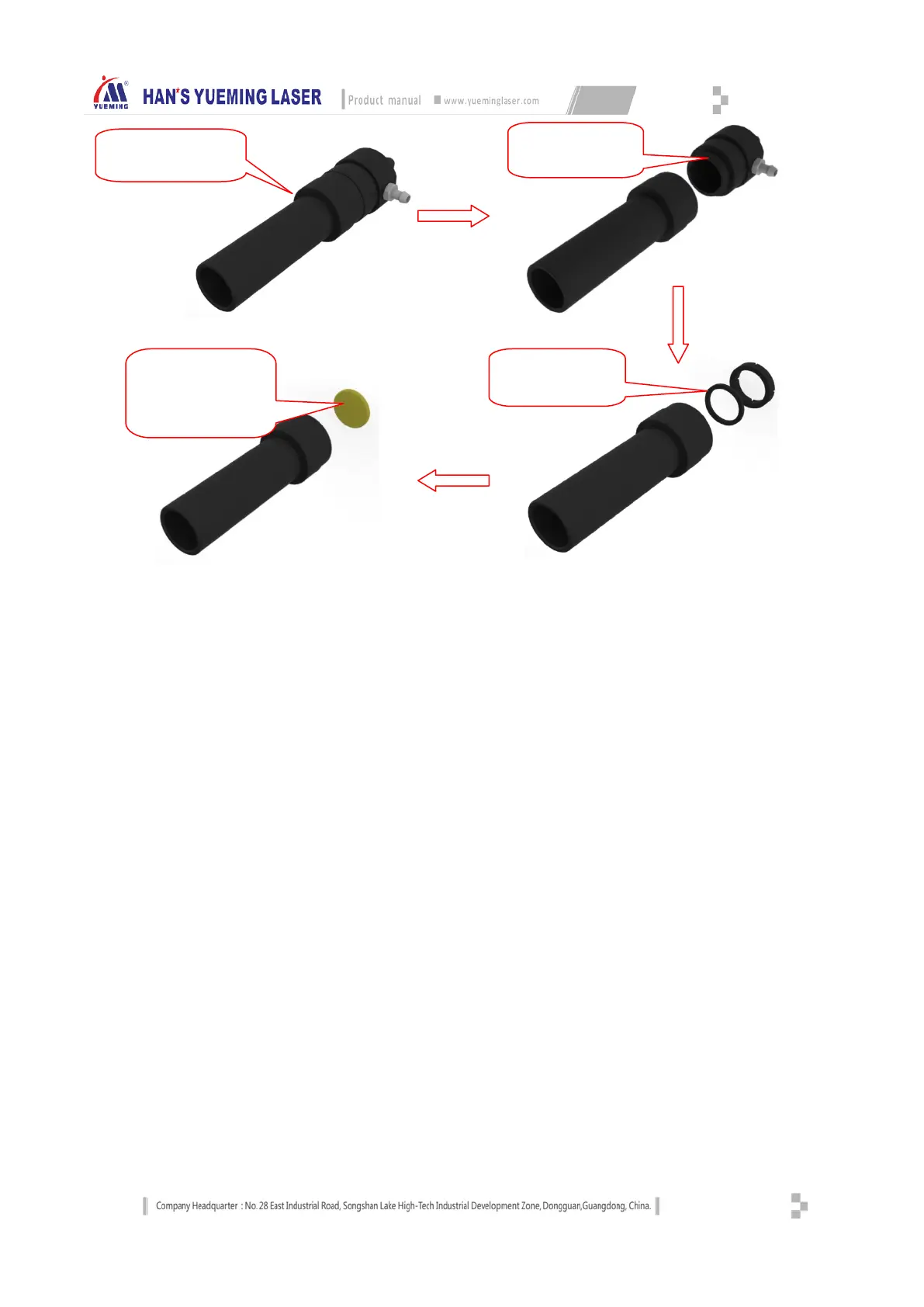
Fig.5-1 Focusing Lens Removal Procedure
Storage of optical lens:
Proper storage can maintain intact quality of the optical lens.
Storage temperature: 10 ~ 30 °C; do not place the lens in the freezer compartment or a similar environment,
or else it is easy to damage the lens when it is taken out; the storage temperature shouldn’t be greater than 30 °C,
or else it will affect the surface coating of the lens.
Store the lenses in a box and put it in an environment without vibration, or else it causes lens deformation
easily and affects the lens performance.
4.4 Auxiliary equipment maintenance
4.4.1 Cleaning the fan
Clean the air ducts and fans every week to prevent affecting the ventilation effect due to debris
accumulation. Check for leaks and foreign materials, and repair or cleanup. Prolonged use of fans will accumulate
a lot of solid dust inside and cause a lot of noise, which is not conducive to the exhaust and odor removal. If the
suction of fans is insufficient or the exhaust is impeded, turn off the power, remove the air inlet duct and outlet
duct of the fan, clean the dust inside, put the fan upside down, turn the blades inside until clean and then install
the fan, as shown below:
assembly
focusing barrel
Unscrew the pressing
nut and lens washer
focusing lens (arrow
indication surface is
the convex surface)


 To Next Page