AFMNA0AA – EPS-BLI HYG – User Manual Page – 69/75
14 UPLOAD FIRMWARE IN E-STEERING
MOTOR CONTROLLER
This chapter explains how to update firmware in E-steering motor controller memory flash.
Inside E-steering motor controller are present two memories (one for master microcontroller
and one for the slave microcontroller), both have to be updated.
14.1 Required tools
1) Pc with windows operating system (Win XP or later) with at least one USB port
available.
2) USB to CAN Converter. Suggested is IXXAT device. Software can support also
PEAK, IFAK and KVASAR device.
3) Driver for USB to CAN Converter already installed in your PC.
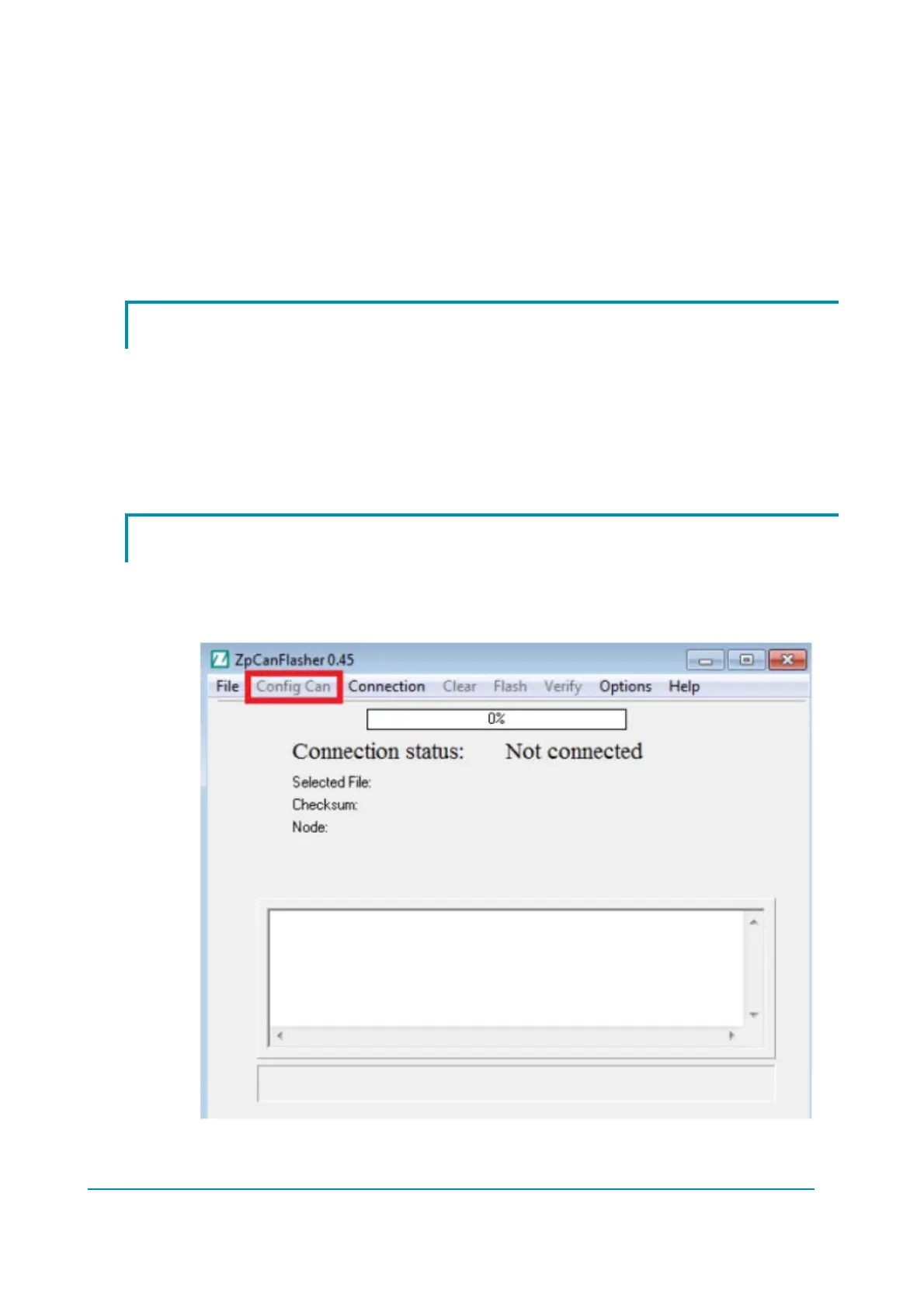
4) Zapi software tool for Firmware Download: ZpCanFlasher.
14.2 Upload sequence
After launching the software ZpCanFlasher, it is necessary to configure the USB-to-
CAN device: select ‘Config Can’ to set the connection parameter between your
programming device and the controller.
Tick the ‘Ixxat’ option as shown below and press the ‘OK’ button to confirm.



 To Next Page