Pressure Sensor Calibration
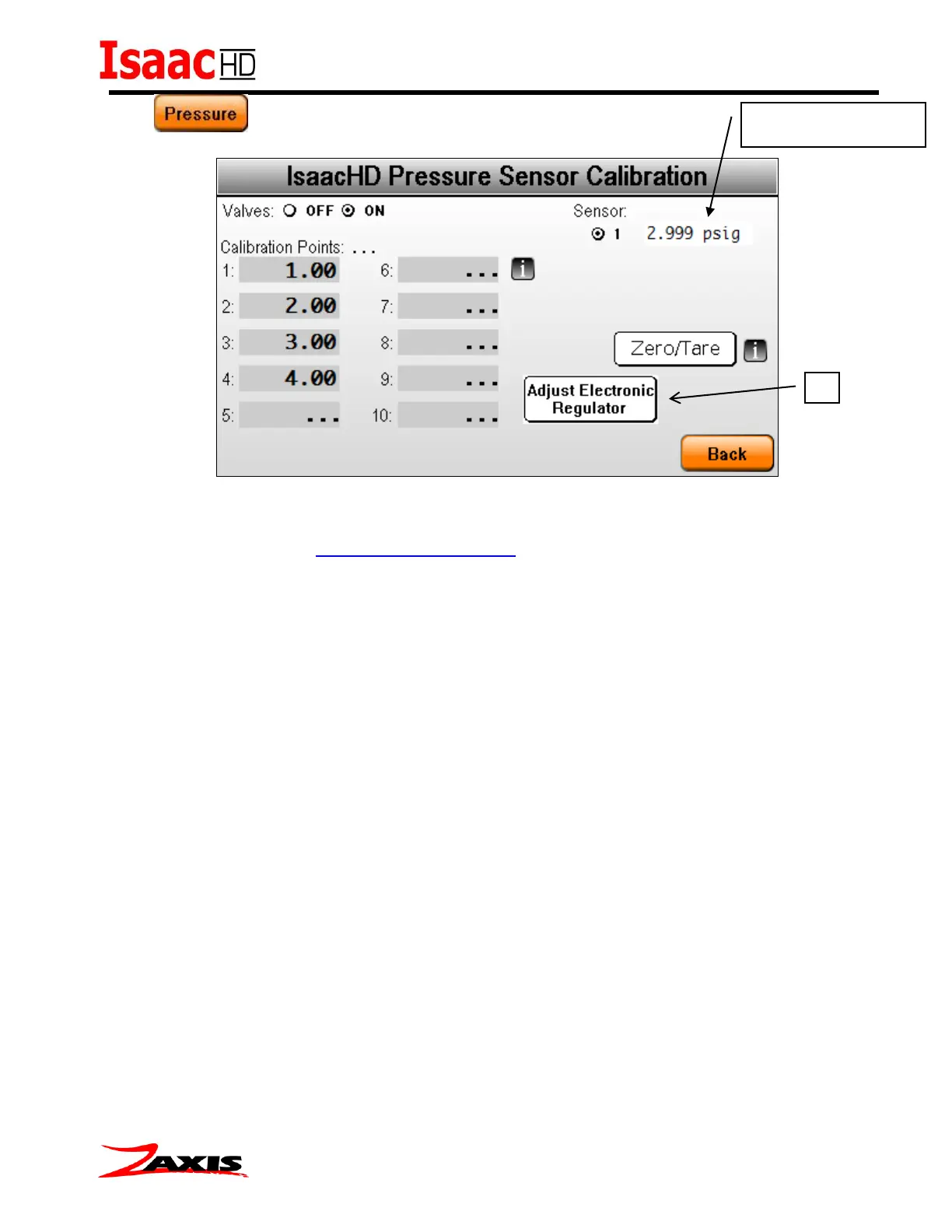
The following procedure is done with a manual regulator. * For machines with the optional
Electronic Regulator see the adjustment control section for fine-tuning details.
1. Enter calibration screen and connect the test port of the Isaac to a pressure standard.
2. Select the sensor number to be calibrated in the upper right corner.(Concurrent models have
multiple sensors to calibrate)
3. To apply regulated air to the sensor, press the Valves: “ON” button.
4. Adjust the regulator to the desired pressure reading on the pressure standard, and compare
the reading of the sensor. (upper right corner)
5. Repeat step 5 for all required calibration points.



 To Next Page