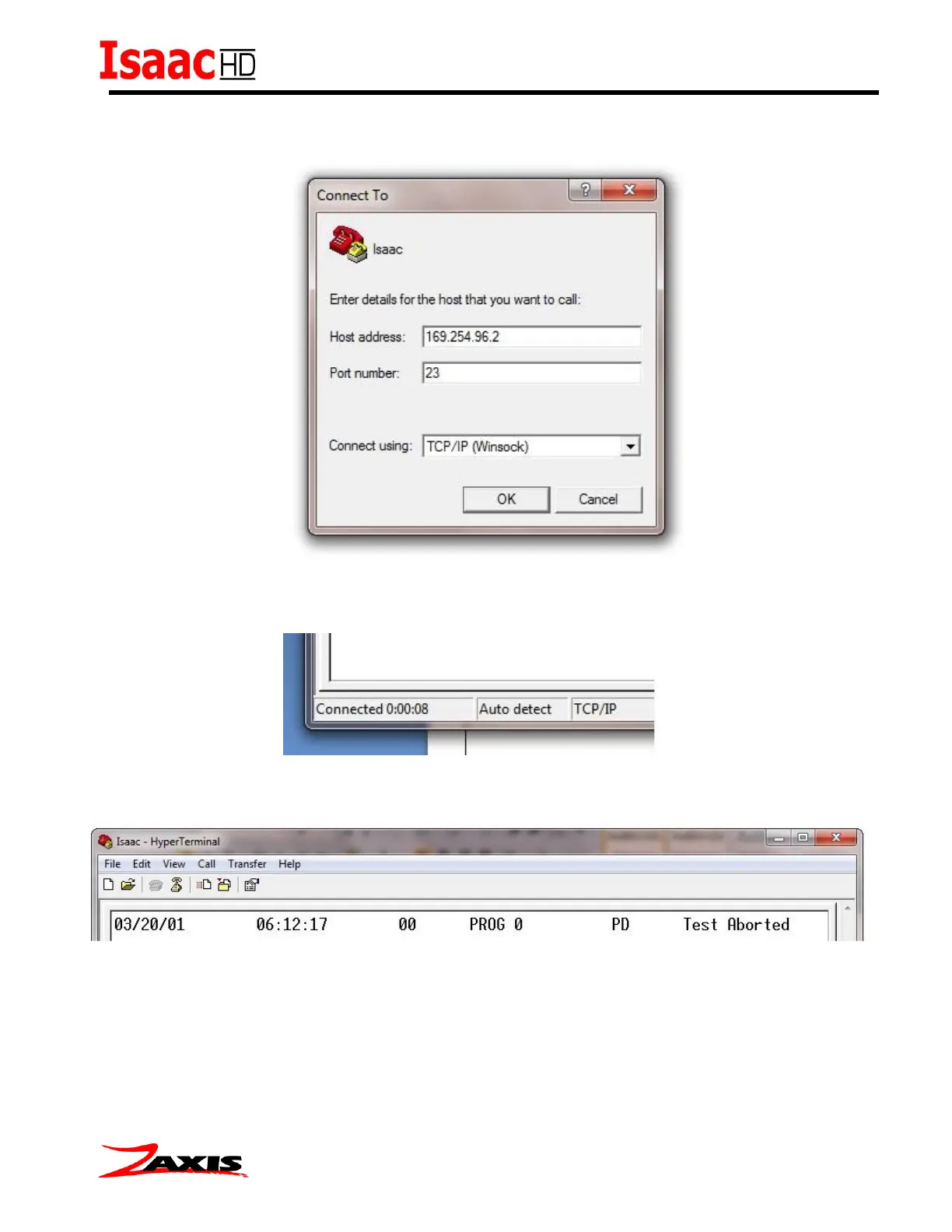
With the TCP/IP selection made the Host address and port numbering must be entered. The IP of
the Isaac is the Host. The port number is always 23.
Pressing OK will initiate the socket connection from HyperTerminal to the Isaac. A successful
connection will be show by the connected counter in the lower right corner of the HyperTerminal
screen.
The easiest way to verify communication is to start and abort a test. The data string will display
after the abort. A typical string is shown below.



 To Next Page