17
Zaxis Inc. LLC
801.264.1000
2442 South 2570 West
West Valley City, UT 84119
LEGEND
Positive/Negative
±
USB not plugged in
Tester unlocked
Δ
P
Test type: Pressure
Decay
More Info
Next Program
Previous Program
4.3
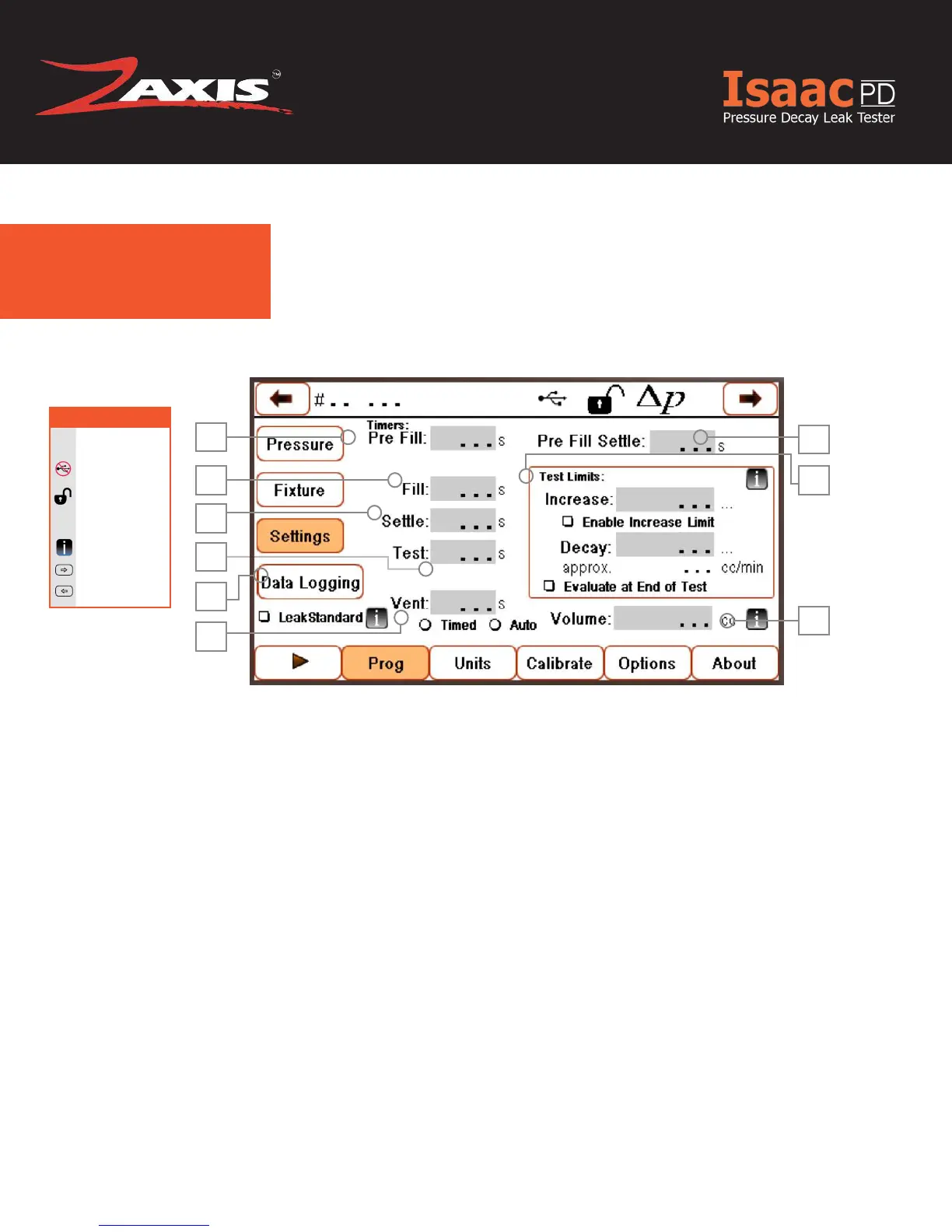
Settings.
1
2
7
9
1. Pre-Fill — Allows the test device to
be lled via a second regulated source,
typically at a higher pressure for in-
creased air volume.
2. Fill — The amount of time the pneumat-
ic outputs will be active to ll the test
part with regulated pressure.
3. Settle — The amount of time the pneu-
matic outputs have to isolate the test
part from any incoming pressure.
4. Test — The amount of time the test will
measure the change in pressure.
5. Data Logging — Output the results via
USB or Ethernet.
6. Vent — A safety mechanism to allow
test pressure to be evacuated form the
test part before the user removes the
part from the tester.
3
4
5
6
8
7. Pre Fill Settle — A settling time
during ll before pressure tolerance
limits are measured (typically half of
the total ll time).
8. Test Limits — A limit amount of de-
cay before the timer expires.
a. Increase: pressure increase during
test timer to trigger failure (if En-
abled Increase Limit checkbox is
checked).
b. Decay: pressure decrease during
test timer to trigger failure.
9. Volume — Combined product and
tester air volume used to calculate
approximate leak rate.
Fig. 8. Settings Screen.



 To Next Page