8. Dry contact management
The Connext device can also be used to manage external loads such as heat pumps, hot water
boilers, etc.
There are 4 outputs in total, please refer to the table below for physical connections.
Table20 - Output settings on app
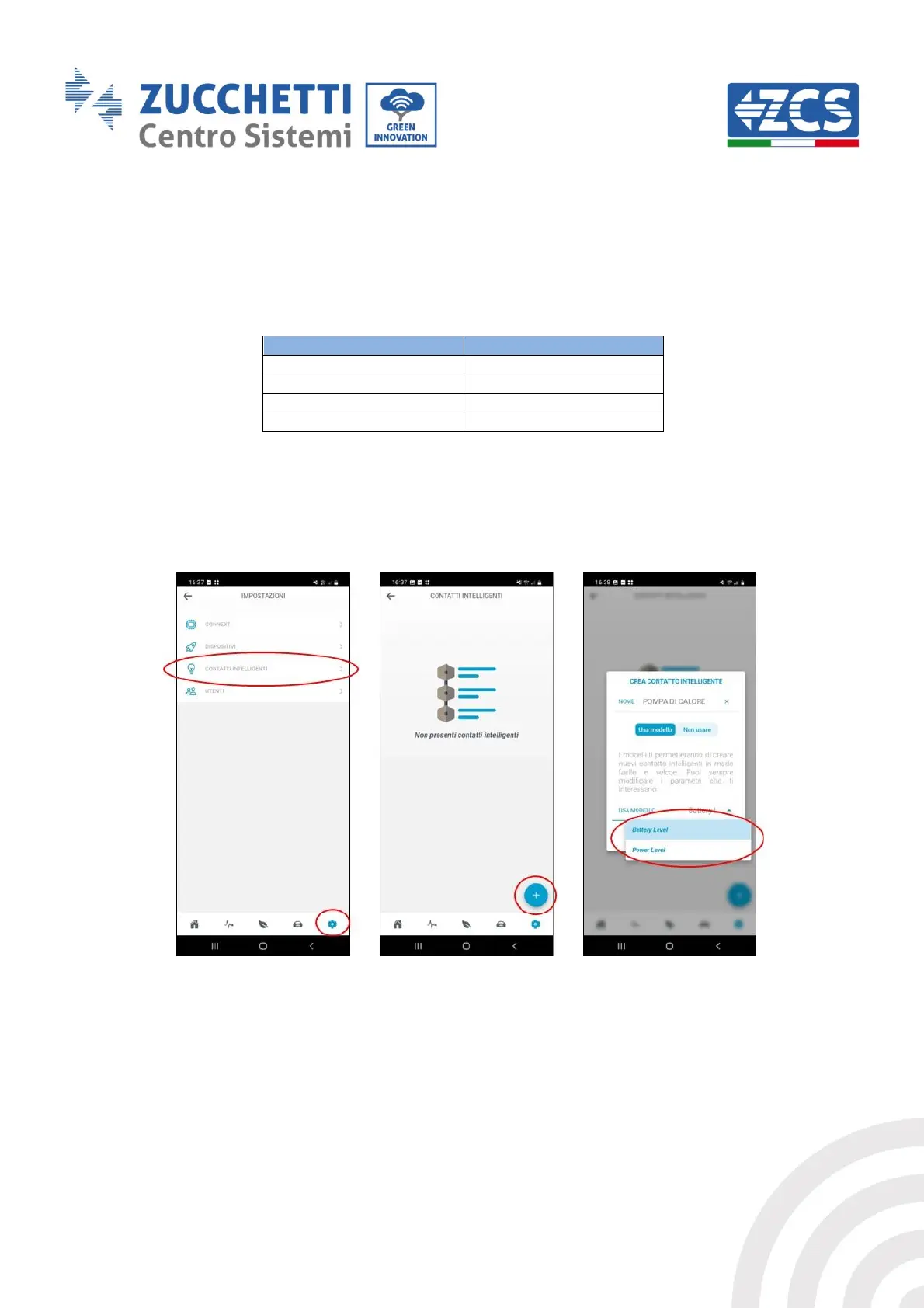
8.1. Setting dry contacts from app
ONLY THE OWNER AND ADMINISTRATORS CAN ADD, REMOVE AND CHANGE SETTINGS FOR DRY
CONTACTS
Figure 61 - Setting dry contacts (1)
Each output can be set using several variables as a control. These are: battery status (SoC %),
photovoltaic power produced (W), vehicle charging power (W), power fed into or withdrawn from
the grid (W), in-feed power (W).



 To Next Page