Start Of Configuration
HID mode
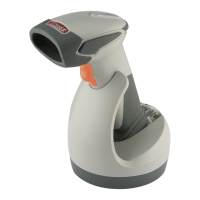
1. Power on the scanner and program it with “HID Mode”. To connect a smart
mobile phone (for example, Android phone), the Smart phone mode must
also be enabled.
HID mode
Smart phone mode
2. Enable wireless function on your host and follow the instructions in your
host to set it to discover other wireless devices in its surrounding.
3. The scanner should be on the list of discoverable devices. The default name
of the scanner is “ZBBT”. You will be prompt to enter paring pin code. Select
“ZBBT” and input the pin code that appears on your mobile device to
connect scanner to the phone.
4. Scan the Enter barcode to confirm. A short beep should be heard upon
connection.
Enter
Full ASCII ---CR
Function key-----“Enetr(num.)”
26
End Of Configuration


 To Next Page