Primovert Start-Up and Operation ZEISS
12/2014 415510-7244-001 31
3.3.3.2 Data Transfer to the PC via USB 2.0 Port
The USB port is used for data transfer to the PC. A mini USB 2.0 cable is required for transferring data to
the PC.
The built-in camera is compatible with ZEN or ZEN lite.
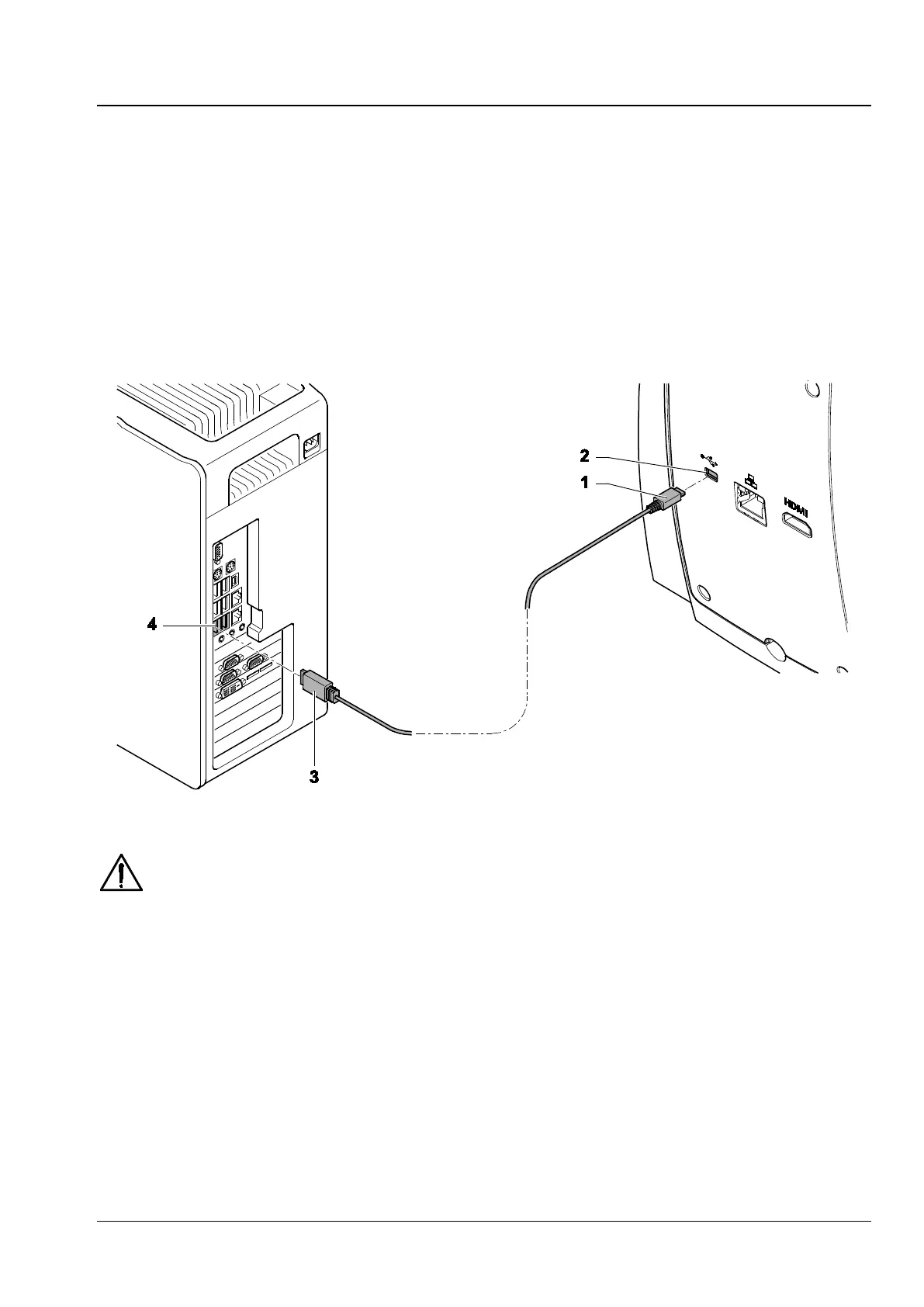
• Insert the mini USB plug (Fig. 19/1) of the USB cable into the USB 2.0 port (Fig. 19/2) on the reverse
side of microscope.
• Insert the USB 2.0 plug (Fig. 19/3) into the PC (Fig. 19/4).
The visualized images of the integrated camera may only be used for training and research.
Direct generation of diagnostic results from these images is not proposed.
Fig. 19 Data transfer to the PC via USB port











 To Next Page