Primovert Start-Up and Operation ZEISS
12/2014 415510-7244-001 33
3.3.3.4 Integrate the Camera into the Network via an Ethernet Port
The integrated camera has a fast Ethernet port for communication and image data transfer.
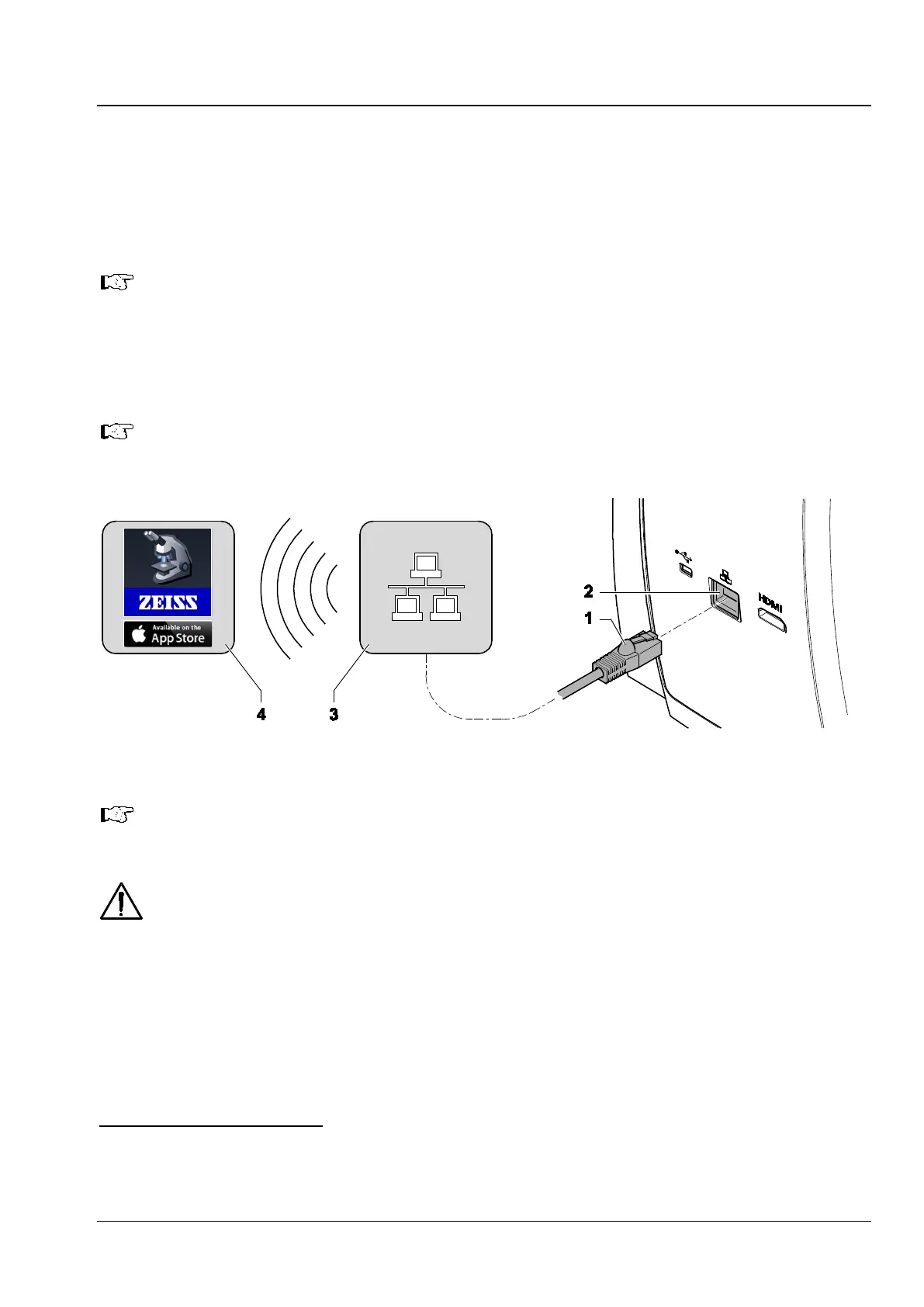
• Integrate the camera into the network via the fast Ethernet port.
To do this, insert the Ethernet cable (Fig. 21/1) into the jack on the reverse side of the microscope
(Fig. 21/2).
A WLAN router will be required to use the built-in camera together with the ZEISS Labscope
app. Existing WLAN infrastructure may be used
1
or a separate microscope WLAN set up
2
.
The integrated camera will identify itself automatically to the network (Fig. 21
/3) on Dynamic
Host Configuration Protocol (DHCP)
and will be automatically recognized by Labscope,
provided the iPad (Fig. 21/4) is in the same network.
Consult your network administrator for further guidance.
Further information on the Labscope app can be found at www.zeiss.com/labscope.
For an overview of all ZEISS Microscopy apps visit www.zeiss.com/micro-apps.
The visualized images of the integrated camera may only be used for training and research.
Direct generation of diagnostic results from these images is not proposed.
1
Prerequisite: High-performance 802.11n WLAN with sufficient free bandwidth. In the event of an overloaded or slow
WLAN the live image of the built-in camera may be delayed or incorrectly displayed on the iPad.
2
For further information on this subject visit www.zeiss.com/micro-apps.
Fig. 21 Establishing a network connection











 To Next Page