Step 1: Set the MAS7.1 to the preferred initial power on state
Setup the MAS7.1 to the initial
power on state you’d prefer. In
this case we want the MAS7.1
to turn on and switch to Input
3 when first plugged in.
Step 2: Save the new initial power on state
Start by pressing and
holding the Power
button...
Setting the Initial Power On State
As long a s the MAS7. 1 is plug ge d in, i t will re me mber th e prev iousl y
selec te d input i n sta nd by mode. When powered up b y pressing th e
Powe r but to n, it wil l re turn to t hat previou sl y sel ec ted c ha nnel.
Howe ve r, if po we r is removed (for ins ta nce a p lu g str ip u sed to
powe r the MAS7. 1 is turn ed off ), a nd then re-a pp lied, the M AS 7.1’s
default b ehavior i s to enter in to t he stan db y mode.
It is poss ib le to cha ng e the i ni tial po wer on behavi or o f the MAS 7. 1.
To change t he in it ial power o n default s...
Step 1: Setup the MAS7.1 to your preferred power on state
.
Us e the f ro nt p anel bu tt ons to se tu p the MAS 7. 1 to the op -
erat ing s et tings you’d l ik e at in it ial p ower u p.
Step 2: Save the new initial power on state.
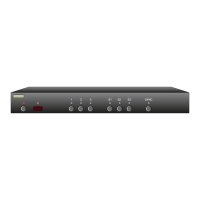
First pr es s and h ol d the Po we r button.
Wh ile conti nu ing to ho ld the Power b utton, pres s and h ol d
the ‘1 ’ bu tton.
Af ter h ol ding bo th button s fo r about ‘4’ seconds, th e dis-
play will b link in di cating th e new p ower o n defau lt s have
been accepted.
Test the new initial power on state
Yo u can tes t the new d efaul ts b y eithe r disconnec tin g th e
powe r suppl y fr om the ba ck of t he MA S7.1 or by unplu g-
gi ng the po we r supply fr om the wall.
Reconne ct power. T he MAS7.1 w il l power up in to yo ur ne w
powe r on de fa ul t state.
•
1.
2.
3.
•
•
1
2
...while continuing to hold the Power
button, press and hold the ‘1’ button.
After about 4 seconds, the display will
flash indicating the new Power On
Default state has been accepted.
3


 To Next Page
