More Remote Options
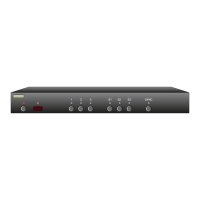
Front panel LED sequencing while learning
Durin g th e lea rn ing p roce ss, as each b ut to n of th e re mote is
pre ssed, the f ro nt pane l LE Ds wi ll sequen ce. At a ny g iven t ime, the
LED that is slowly f lashing, in di cate s the f unc ti on the MA S7 .1 is c ur -
re nt ly waitin g to lear n. T he sequ en ce is:
St andby LED Wai ting for Pow er To gg le IR cod e.
'1' - L ED Wa it ing for t he ' 1' IR c od e.
'2' - L ED Wa it ing for t he ' 2' IR c od e.
'3' - L ED Wa it ing for t he ' 3' IR c od e.
'S1' - LE D Wa it ing for the ' S1' I R co de.
'S2' - LE D Wa it ing for the ' S2' I R co de.
'S3' - LE D Wa it ing for the ' S3' I R co de.
'SYN C' LED Wa it ing for 'SYNC ' IR code.
If th e LEDs do not se qu ence, and t he IR LED d oes n ot f lash, w hen a
button is p re ssed on t he remote, then t he MAS7.1 d oes n ot re co g-
nize the IR code bei ng sent. Make su re t he remote's b at terie s ar e
fre sh.
Th e MA S7.1 wi ll work w it h most re mo te s, h ow ev er there are a few
exc ep tions. So me techni ca l re asons for n ot work ing w it h som e re -
motes are: The remote ma y be usin g a car rier freq ue ncy outsid e the
ra nge of th e MAS7.1 (3 4KH z to 42KH z), or it may be u sing on e of the
fe w pro tocols th e MA S7.1 do es not un de rstan d, l ik e the P hi lip' s RC5
and RC6 p ro to co ls.
If th e MA S7.1 do es not le arn t he r em ote codes you a re using, you
will have to us e anoth er re mote, or in t he ca se of usi ng a univer sa l
re mo te , yo u' ll have to pi ck a different ma nufac ture r's cod e.
Skipping or Deleting IR codes
Durin g th e IR le arnin g pro cess you ca n choos e to delete t he current
co de (dis ab le IR for t hat function ) or sk ip th e current cod e (leave it
unchang ed ) by pressi ng the 'S 2' or ' S3 ' buttons :
'S2' Disable I R fo r cur re nt f unc ti on.
'S3' Ski p current cod e, l eave i t unc ha ng ed.
The IR LED will flash...
...and the LEDs will sequence each time a
remote control button is pressed if the IR
code is compatible with the MAS7.1.


 To Next Page
