Using a Different Remote
Th e MA S7.1 features Zek to r ’s Exc lusive In te lligent-I R™ , and w it h ver y
fe w exc ep tions c an be s et u p to us e any remote you c an point at i t!
Th is is u se ful if yo u have m ore than on e MAS7.1 in the sa me room.
Pick a new remote
Start by p ic k in g a new rem ot e yo u’d like to u se wi th the
MA S7 .1.
If you pl an on u si ng a un ive rsal remo te, st art by set ti ng
it up a s a re mote for a T V or VCR t hat you don't ow n. (For
instance if you don’t ow n a Sony T V, setu p yo ur universa l
re mo te to control a S ony T V. )
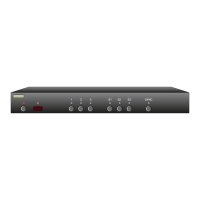
Step 1: Put the MAS7.1 into the Setup Mode
Th e MA S7.1 is p laced i nt o the set up mode by pr es sing an d
holding t he Po wer bu tton for ab ou t 4 secon ds .
Step 2: Select the Intelligent-IR™ Learn Mode
Selec t the I ntellig en t- IR™ Learn M ode by pr es sing ‘ 1’.
Once the ‘1’ button is p re ssed, the s tandby LE D will fl as h
slowe r and a ll the ot her LED s will tu rn of f. T he MA S7.1 is
now waiting f or n ew IR c od es to b e se nt from your re mo te
co nt ro l.
Step 3: Teach the MAS7.1 your new remote control codes
On your remote co nt ro l, p re ss the foll ow in g butto ns, in the
fo ll ow ing order :
Power 1 2 3 4 5 6 0
Th e front pan el LED's wi ll se qu ence as e ac h butto n is
pre ssed, and t he IR L ED will f lash for ea ch button - - if no t,
see the fol lo wi ng section o n "More R em ote O pt ions".
Th at ’s i t! T he MAS7.1 w il l retur n to the st at e it was in before
setup, a nd wi ll n ow work w it h your ne w re mo te!
e new control buttons on your remote are...
Power To ggles t he MAS7.1’s p ower.
1 - 3 Selec ts in pu ts 1 th ro ug h 3.
4 - 6 S el ect s inputs S1 through S3 .
0 Togg le s the S YN C LED.
Note: A ll remote control codes a re saved i n non -volatil e
memor y and w ill not b e los t du ring a power fa ilure.
•
•
•
•
•
•
•
•
Press the following sequence of buttons on
your remote control:
Power 1 2 3 4 5 6 0
That’s it! The MAS7.1 now operates with
your new remote control!
Once the 1 button is pressed, the
standby LED will flash slower, and
all the other LEDs will turn off.


 To Next Page
