Th ank you for your pu rc hase of t he MAS7.1 M ulticha nn el Audio an d
HDMI Switch .
Ever y c are has b ee n taken t o assure you of a succes sf ul inst al lation
and sub se quent o pe ra ti on of you r new MAS7. 1 video s witch, however
should so mething g o wrong, and wa rranty re pa ir work i s neede d, we
re qu est t ha t yo u hold on to the o riginal p ac k ag in g mater ia ls.
Pl ease ta ke this t ime to veri fy the co nten ts of the M AS 7.1 box.
Th e fo llowing s ho uld be in clude d:
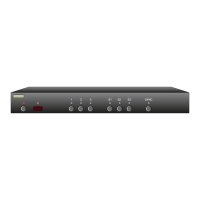
MA S7 .1
Remote Cont rol (Z RM1)
Powe r Sup pl y Mod ul e
Th is User ’s M anual
If anyt hi ng is m is sing pl ea se ge t in touch wi th us a s soon as possib le
so that we ca n correct the si tuation .
1.
2.
3.
4.
What’s Inside
Contents
What’s Inside ..................................... 1
An Overview of the MAS7.1 ................ 3
Rear Panel Connectors ....................... 5
Easy, Simple, Instructions! ................. 7
Using a Different Remote ................. 11
More Remote Options ...................... 13
Learning New Discrete IR Codes ....... 15
Controlling the Front Panel Lights ... 17
Adjusting the Front Panel Intensity .. 19
Setting the Initial Power On State .... 21
Control Functions ............................ 23
Changing Switching Delays .............. 25
Primary / Secondary Mapping .......... 27
Resetting to Factory Defaults ........... 29
RS-232 Port ..................................... 30
K.I.S.S.™ (Keep It Simple Serial!™) .... 31
12V On / Off Control ........................ 32
Rear Panel IR Control ....................... 33
IR Code Format ................................ 34
IR Codes .......................................... 35
Features .......................................... 36
Specifications .................................. 37
Warranty Policy ............................... 38
Contact Information ........................ 39


 To Next Page
