Learning New Discrete IR Codes
Th e MA S7.1 al lo ws discrete I R co nt ro l ove r all o f it's fu nct io ns. Th ese
co des can a lso be re pr og ra mm ed to u se a ny re mote, as de sc ribed
here .
Pick a remote
Start by p ic k in g the remot e yo u’d like t o use wit h the
MA S7 .1. ( Un us ed bu tt on s on th e suppl ie d ZRM1 re mo te will
wo rk just f ine!)
Step 1: Put the MAS7.1 into the Setup Mode
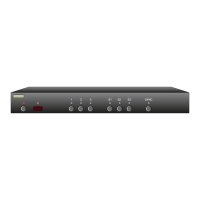
Th e MA S7.1 is p laced i nt o the set up mode by pr es sing an d
holding t he Po wer bu tton for ab ou t 4 secon ds .
Step 2: Select the Intelligent-IR™ Learn Mode
Discrete IR l earni ng is sel ec ted by pr es sing th e '2' b ut to n.
Once the '2 ' butto n is presse d, t he standby LE D wil l flash
slowe r and a ll the ot her LED s will tu rn of f. T he MA S7.1 is
now waiting f or n ew IR c od es to b e se nt from your re mo te
co nt ro l.
Step 3: Teach the MAS7.1 your new discrete IR control codes
On your remote co nt ro l, p re ss the bu ttons you'd l ik e to use
as disc re te I R codes, in t he following or de r:
Power O n - Turns On Power
Power O ff - Turns Off Powe r
Seque nce Pr i. - Seq ue nce pri ma r y input s
Seque nce Sec. - Seq ue nce seconda r y input s
Sync O n - Tu rn on S YN C LED
Sync O ff - Turn o ff SYNC L ED
Brea kaway Vide o - Set s video b re ak away mo de
Th e new cod es are lear ned in th e above order, fo r ins ta nce
the fir st button you p re ss, on the r em ote, w ill b e use as th e
new dis cr et e "Power On", the se co nd butt on p re ssed wi ll be
used as t he new "Powe r O ff ", et c.
Th e 'S2' ca n be pres se d to disa bl e the c urrent IR c od e.
Th e 'S3' ca n be pres se d to sk ip th e current I R co de, leavin g
it unch an ged.
Note: A ll remote control codes a re saved i n non -volatil e
memor y and w ill not b e los t du ring a power fa ilure.
•
•
•
•
•
•
•
•


 To Next Page
