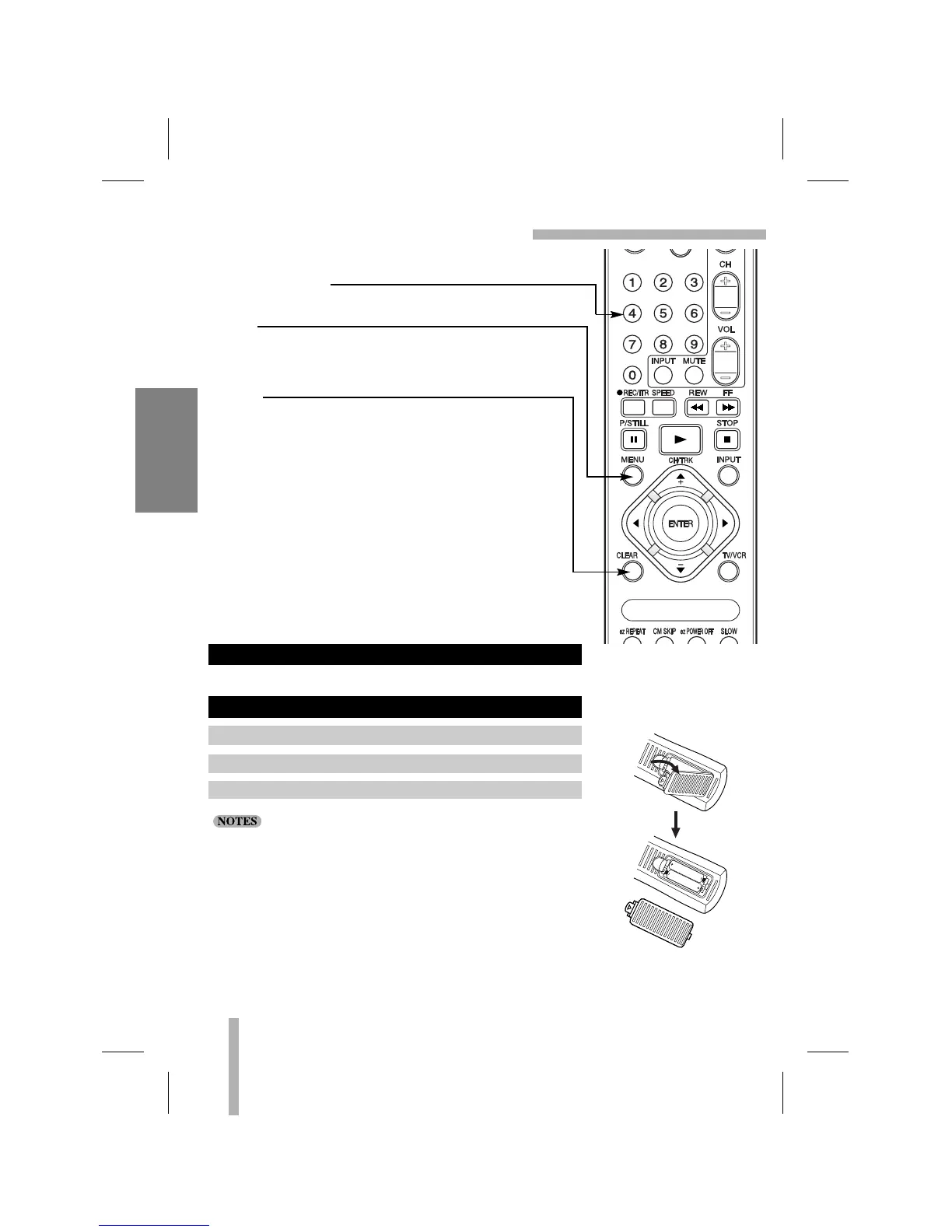
NUMBER buttons
Use these buttons, numbered 0-9, to select a channel.
MENU
Displays the programming menu on the TV screen.
Quits the current screen or Pop-up, or returns to the
currently tuned channel (pages 14, 16).
CLEAR
Cancels a timer recording (page 28).
Resets tape counter to 0:00:00 (page 34).
12
VCR SETUP
REMOTE CONTROL (Cont’d)
Aim the remote control at the sensor on the front panel of the VCR.
• The remote control will not operate properly if something
comes between the VCR and the remote control.
• If the effective range is short, try new batteries.
• An object between the VCR and remote control may block the
invisible light beam and operation will be impossible.
• Batteries installed with incorrect polarity may leak and damage
your Remote Control.
• Do not mix old and new batteries or carbon types with alkaline
types.
• Remove the batteries from the battery compartment if the
remote control will not be used for a long period of time.
HOW TO INSTALL THE BATTERIES
REMOTE CONTROL OPERATION
1.
Remove the battery compartment cover.
2. Insert 2 “AAA”-size batteries, match “+” and “-”.
3. Replace the cover.



 To Next Page