20
VCR SETUP
SETTING THE CLOCK (Cont’d)
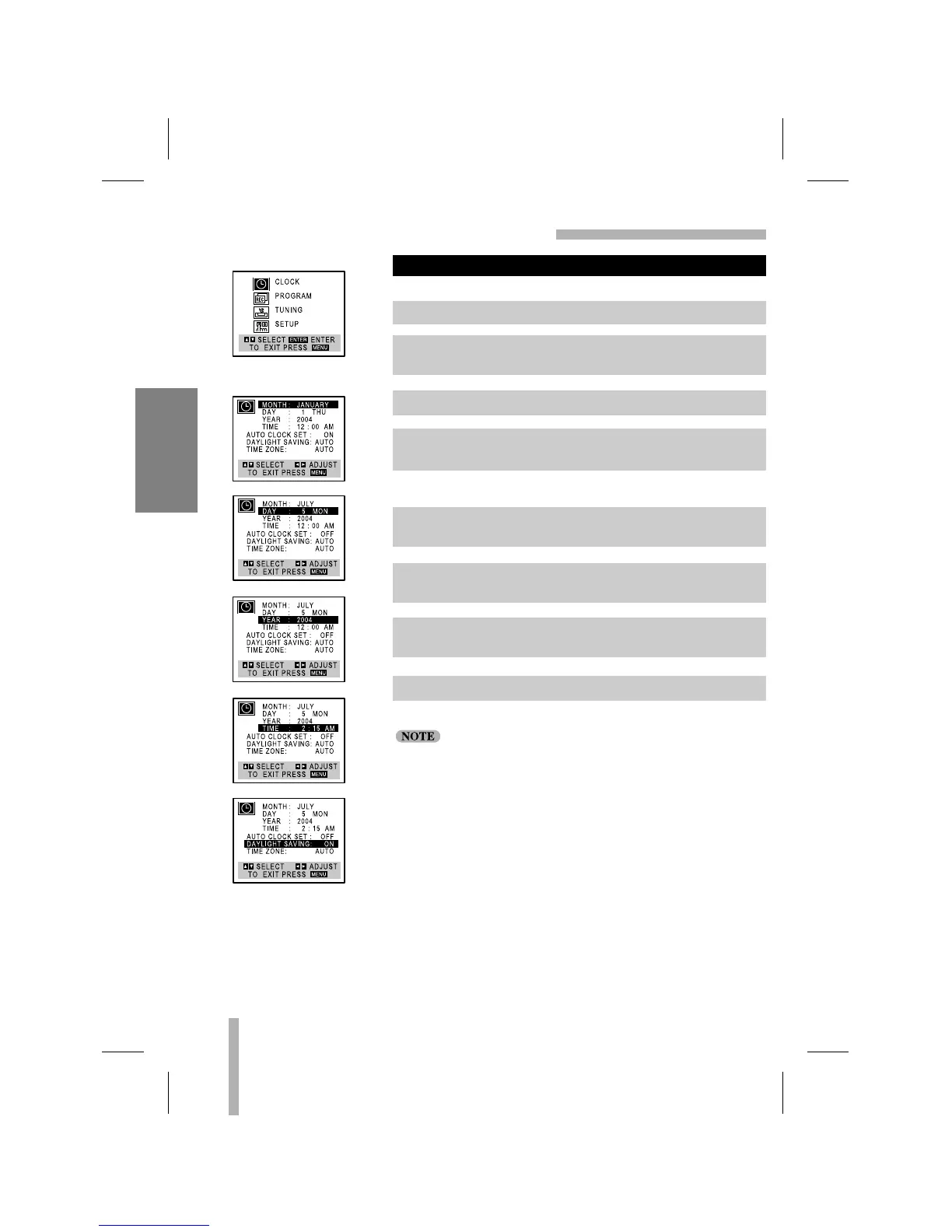
CLOCK MENU
Example: JULY 5, 2004 ; 2:15 AM
The day of the week will display automatically.
“AUTO CLOCK SET” must be set to “OFF”. If set to “ON”, an
incorrect date and/or time will be entered again when the VCR
is turned off.
MANUAL CLOCK SET
1. Press MENU and the MAIN menu will appear.
2. Use
DD
or
EE
to choose the CLOCK menu.
Press ENTER and the CLOCK menu will appear.
3. Use
FF
or
GG
to choose the month.
4. Use
EE
to choose the DAY option.
Use
FF
or
GG
to choose the day.
5. Use
EE
to choose the YEAR option.
Use
FF
or
GG
to choose the year.
6. Use
EE
to choose the TIME option.
Use
FF
or
GG
to choose the time.
7. Use
EE
to choose the DAYLIGHT SAVING option.
Use
FF
or
GG
to choose the ON or OFF option.
8. Press MENU when finished.
MAIN MENU



 To Next Page