32
VHS Hi-Fi STEREO SYSTEM/MTS BROADCAST
ADDITIONAL INFORMATION
This VCR is equipped with the VHS Hi-Fi audio sound system for
recording and playback. The information below gives a brief
description of Hi-Fi audio and how to record and play a tape in
the Hi-Fi audio mode.
A stereo TV with AUDIO/VIDEO input jacks or a stereo audio sys-
tem is required for true stereo playback. To experience the full and
rich stereo sound available with Hi-Fi recorded tapes, we recom-
mend connecting your VCR to a home stereo audio system.
(STEREO) POSITION: The left channel sound (L) is heard from
the left speaker and the right channel sound (R) is heard from
the right speaker.
(LEFT) POSITION: The left channel sound (L) is heard from both
speakers.
(RIGHT) POSITION: The right channel sound (R) is heard from
both speakers.
Adjust volume at your stereo system.
PLAYBACK WITH Hi-Fi STEREO AUDIO SOUND
1.
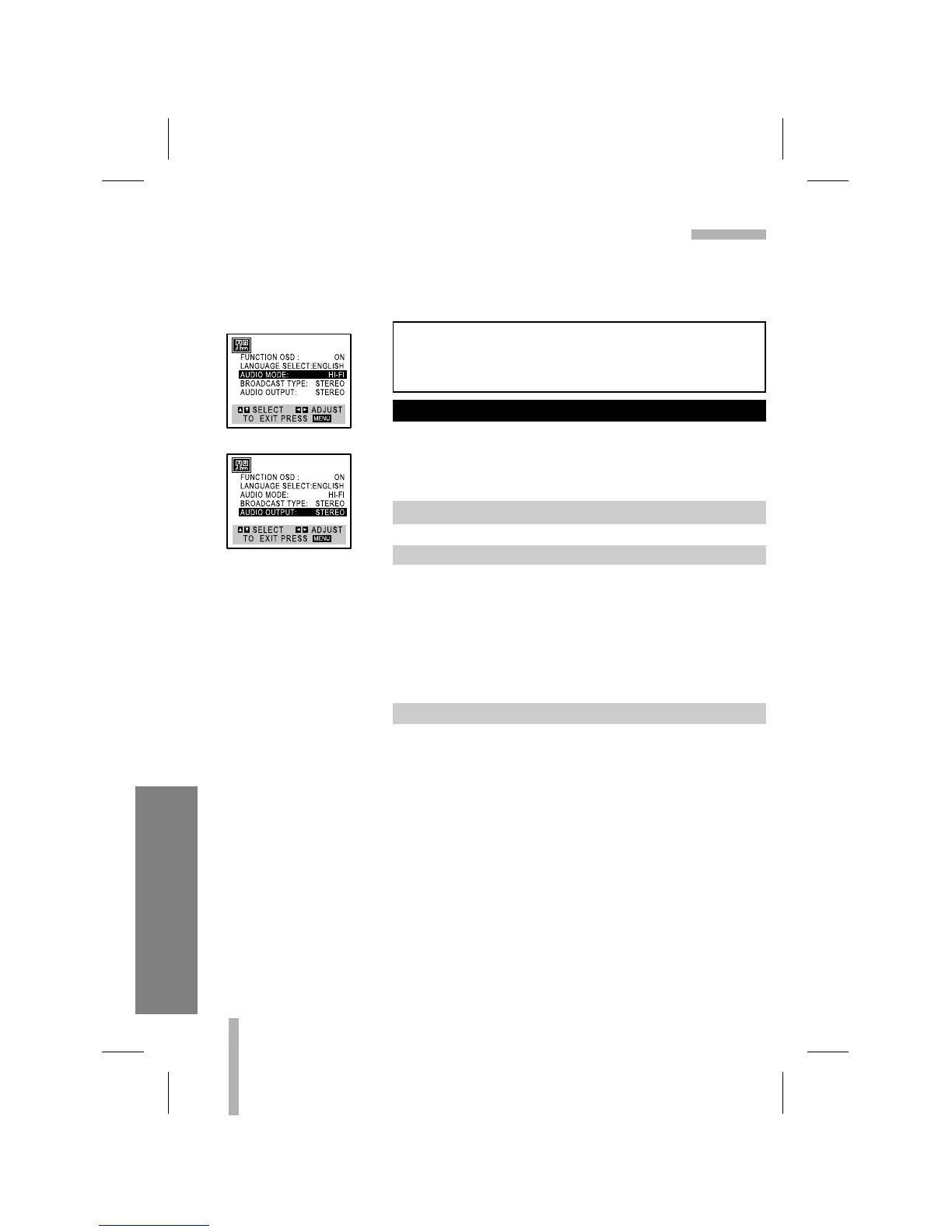
Set the AUDIO MODE option to HI-FI on the SETUP menu.
2. Set the AUDIO OUTPUT option to STEREO position.
3. Insert a cassette and press N (PLAY).
To enjoy a Hi-Fi stereo system, connect your VCR’s AUDIO
(R/L)/VIDEO OUT jacks to the AUDIO (R/L)/VIDEO INPUT
jacks on back your TV (or another A/V system) using A/V
cables.



 To Next Page