25
RECORDING
NORMAL RECORDING
PREPARATION
• Turn on the power of both the VCR and TV.
• Tune the TV to the VCR output channel (CH 3 or 4).
• If a direct VIDEO/AUDIO connection is made between the
VCR and the TV, set the TV’s source selector to VIDEO.
• If you are recording from an external source via audio/video
input jacks (at the Front panel), select AV using the INPUT but-
ton.
• This VCR is not designed to record in LP mode.
Recording will start. (REC will appear)
• If a cassette with no safety tab is loaded, the cassette will be
ejected automatically.
• If the tape reaches the end before STOP is pressed, the VCR
will automatically stop, rewind, eject, and turn itself off.
During the RECORDING mode...
RECP will show on the VCR indicator panel.
• After 5 minutes in pause mode, the tape will be stopped
automatically to protect the tape and the video heads.
The VCR indicator disappears.
To record one TV program while watching another
To PAUSE the recording
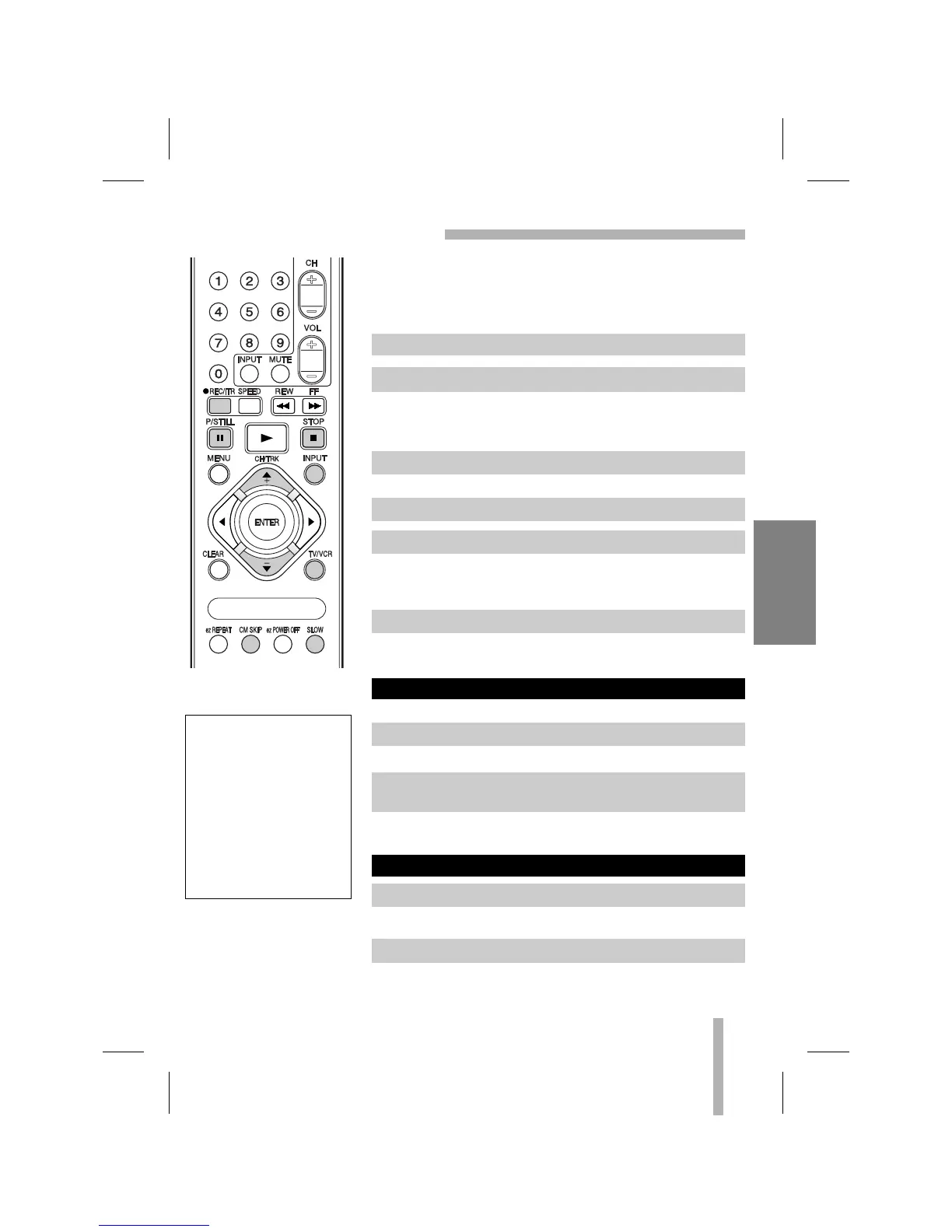
1. Insert the video cassette with the safety tab in place.
2. Select the desired channel by using CH/TRK (▲/▼).
3. Set the desired speed (SP or SLP) using SPEED.
4. Set the MTS mode as desired (See page 15, 33).
5. Press REC/ITR once.
6. Press STOP to stop recording.
1. Press P/STILL to pause the tape.
2. When you want to continue recording, press P/STILL
again or press REC/ITR.
Always use PAUSE for
best results when making
changes during recording.
For example: To change
channels during recording,
first press P/STILL to put
the unit in pause mode.
Then select the desired
channel on the VCR, and
press P/STILL again to
resume recording.
1. Press TV/VCR to select the TV mode during recording.
2. Using the TV tuner, select the channel to be viewed.



 To Next Page