16
VCR SETUP
CHANNEL/SOURCE SELECTION
This VCR is equipped with a frequency synthesized tuner capa-
ble of receiving up to 181 channels. These include VHF chan-
nels 2-13, UHF channels 14-69 and CATV channels 1-125.
PREPARATION
• Connect the VCR to the desired type of antenna or cable TV
system, as shown in ANTENNA TO VCR CONNECTIONS and
CABLE ANTENNA (CATV) CONNECTION (page 6).
• Switch on the power to the VCR and TV.
• Tune the TV to the VCR output channel (CH 3 or 4).
Press
FF
or
GG
repeatedly to select TUNER, AV.
• The tuner will automatically cycle through all available chan-
nels (TV/CATV) in the area and place them in the tuner’s
memory.
• After the AUTO CHANNEL SET is complete, the TUNING
menu will hide and return to the TV screen automatically.
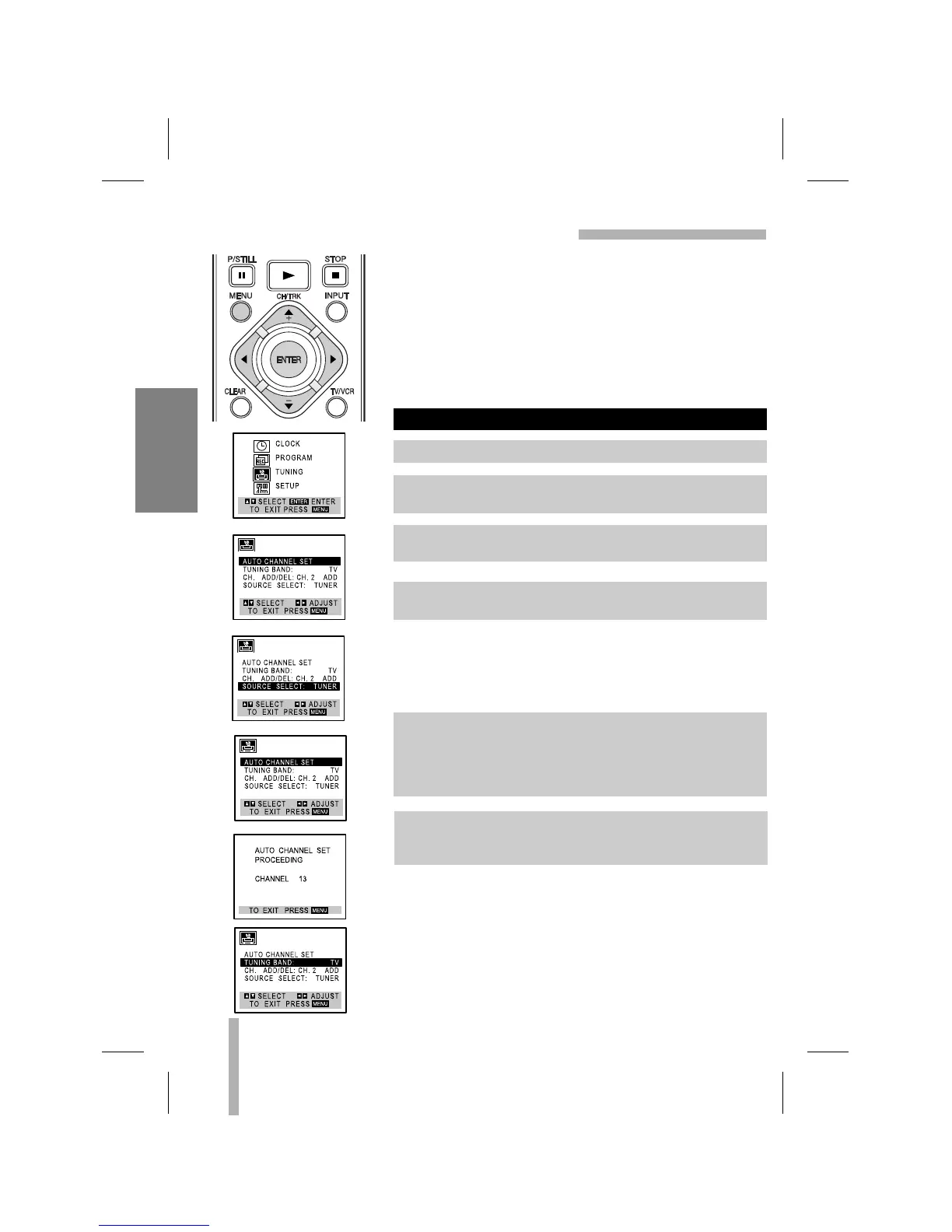
AUTO CHANNEL PROGRAMMING
1. Press MENU and the MAIN menu will appear.
2. Use
DD
or
EE
to select the TUNING menu option, then press
ENTER. The TUNING menu will appear.
3. Use
EE
to choose the SOURCE SELECT option, then Use
FF
or
GG
to select TUNER.
4. Use v/V to choose the AUTO CHANNEL SET option, then
press b/B to set the channel.
5. Make sure the TUNING BAND is set appropriately (TV or
CATV).
• TV : If you are using a standard antenna to receive channels.
CATV : If you are using basic cable to receive channels.
• Change the setting of TUNING BAND to check the TV channels.
6. Use CH/TRK (v/V) on the remote control or CH (V/v) on
the front panel to cycle the VCR through the channels in
memory.



 To Next Page