28
RECORDING
TIMER RECORDING (Cont’d)
• If the program preset time is past, the PAST TIME PRO-
GRAMMED message will appear on the TV screen. Return to
the incorrect program and reprogram it with the correct time.
• If you had entered a past date, the timer recording will be per-
formed on that date of the next year.
• Additional programs may be entered by repeating steps 1-12.
Cable Users: If your cable hookup is via a TV converter box, you
can program multiple recordings only on the converter box out-
put channel. This is because the converter determines what
channel you view through your VCR.
You can stop timer recording by pressing POWER
during timer recording.
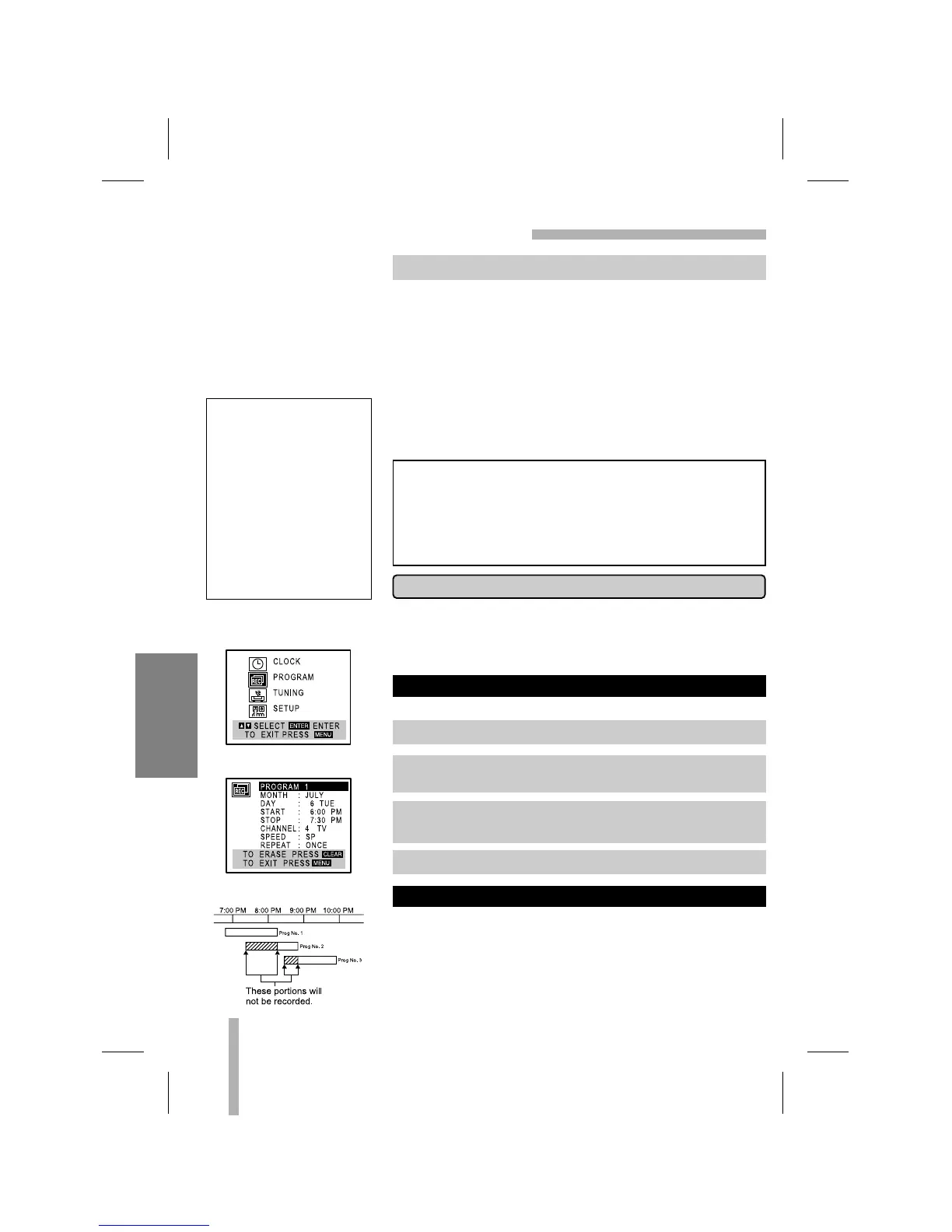
Programming can be checked whenever the VCR is turned on.
If the recording start and end times of preset programs overlap
on the same day (see the example and diagram left), program
number 2 will not be recorded until program number 1 is finished.
The first part of program number 2 will not be recorded. The
same thing will happen to program number 3.
PROGRAM PRIORITY
CHECKING (ERASING) A TIMER PROGRAM
The VCR must be off for Timer Recording to work!
1. Press MENU and the MAIN menu will appear.
2. Use
DD
or
EE
to choose the PROGRAM menu.
Press ENTER and the PROGRAM menu will appear.
3. Use
FF
or
GG
to select a program you want to check or
erase. If you want to erase the program, press CLEAR.
4. Press MENU to return to the TV screen.
12.
Press MENU, the program will be memorized by the VCR.
MAIN MENU
PROGRAM MENU
If you are finished programming and you want to set the VCR
to record the programs you have entered. A) MAKE SURE
YOU HAVE INSERTED A TAPE INTO THE VCR. B) YOU
MUST TURN OFF THE VCR BEFORE IT WILL RECORD
ANY TIMER PROGRAMS. (TIMER indicator lights). The
VCR is now set to record the preset programs.
If the power fails or the
VCR is unplugged from
the AC outlet, the correct
clock time and timer set-
tings are kept in memory
for approximately 3 sec-
onds. After 3 seconds,
the clock and program
timer must be reset
when power is restored.
Reset time according to
instructions.



 To Next Page