27
RECORDING
TIMER RECORDING (Cont’d)
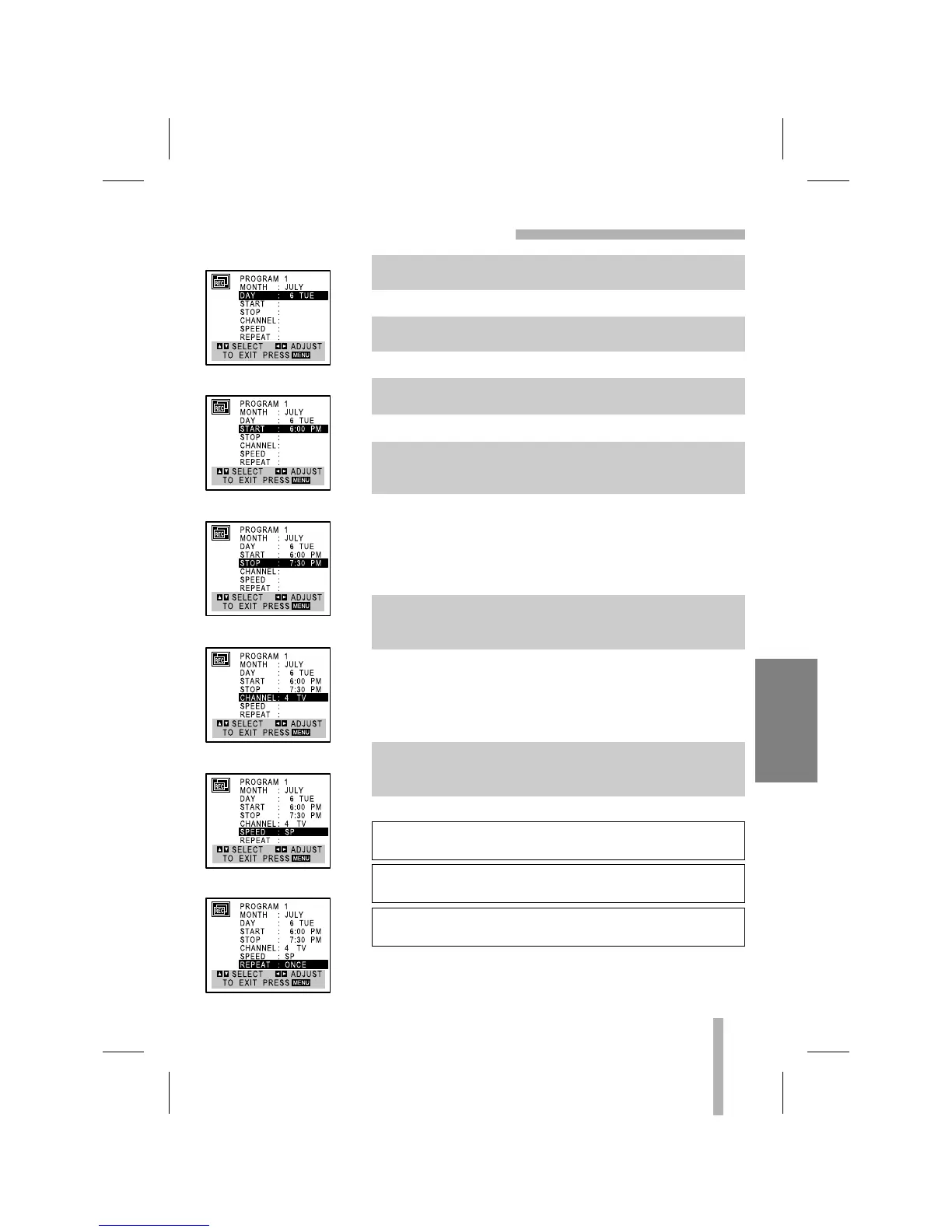
Example: 6 TUE
Example: 6:00 PM
Example: 7:30 PM
Example: CH 4
Cable Users: If you have CABLE TV and used the Cable Box
setup on the Cable Connections (page 7) using a cable box con-
verter, you must tune the VCR to the cable box output channel
(usually CH 3 or 4). Change channels with the cable box instead
of the VCR.
Example: SP
• The AUTO mode determines how much tape is left and
switches speed from SP to SLP, if necessary, to complete
recording the program. There will be some picture and sound
distortion at the point of the speed change.
Example: ONCE
If the recording data is wrong, Use
DD
to select the data and
correct it using
FF
or
GG
.
ONCE event....for recording up to 8 programs on a single day
or over the days within a period of 1 year.
WEEKLY event....for recording up to 8 programs on a certain
day of every week.
DAILY event....for recording up to 8 programs at the same
time(s) Monday through Friday.
6. Use
EE
to choose the DAY option.
Use
FF
or
GG
to choose the desired day.
7. Use
EE
to choose the START option.
Use
FF
or
GG
to choose the desired start time.
8. Use
EE
to choose the STOP option.
Use
FF
or
GG
to choose the desired stop time.
9. Use
EE
to choose the CHANNEL option.
Use
FF
or
GG
to choose the desired channel (Channel XX,
AV).
10. Use
EE
to choose the SPEED option.
Use
FF
or
GG
to choose the desired tape speed (AUTO, SP,
or SLP).
11. Use
EE
to choose the REPEAT option.
Use
FF
or
GG
to choose the desired repeat (ONCE,
WEEKLY, or DAILY).



 To Next Page