17
VCR SETUP
CHANNEL SELECTION (Cont’d)
You don’t need to disconnect the VCR from the TV to watch TV
separately. When the VCR’s power is OFF, or when the VCR’s
power is ON and the TV/VCR selector is set to TV, the TV will
operate as if it were connected directly to the antenna or cable.
• The power cord must be plugged into an AC outlet.
• To view or record cable TV programs with the VCR, the VCR’s
TUNING BAND option must be set to CATV (TUNING menu).
• Do not place the VCR directly on top of the TV. This may
cause interference in the picture and sound (of the VCR) dur-
ing the recording or playback mode. If this interference
occurs, move the VCR away from the TV.
Turn on the TV and tune it to the
channel that you wish to watch.
Set POWER to OFF.
This feature allows you to add or erase channels from memory
manually.
Repeat steps 3 and 4 to add or erase channels.
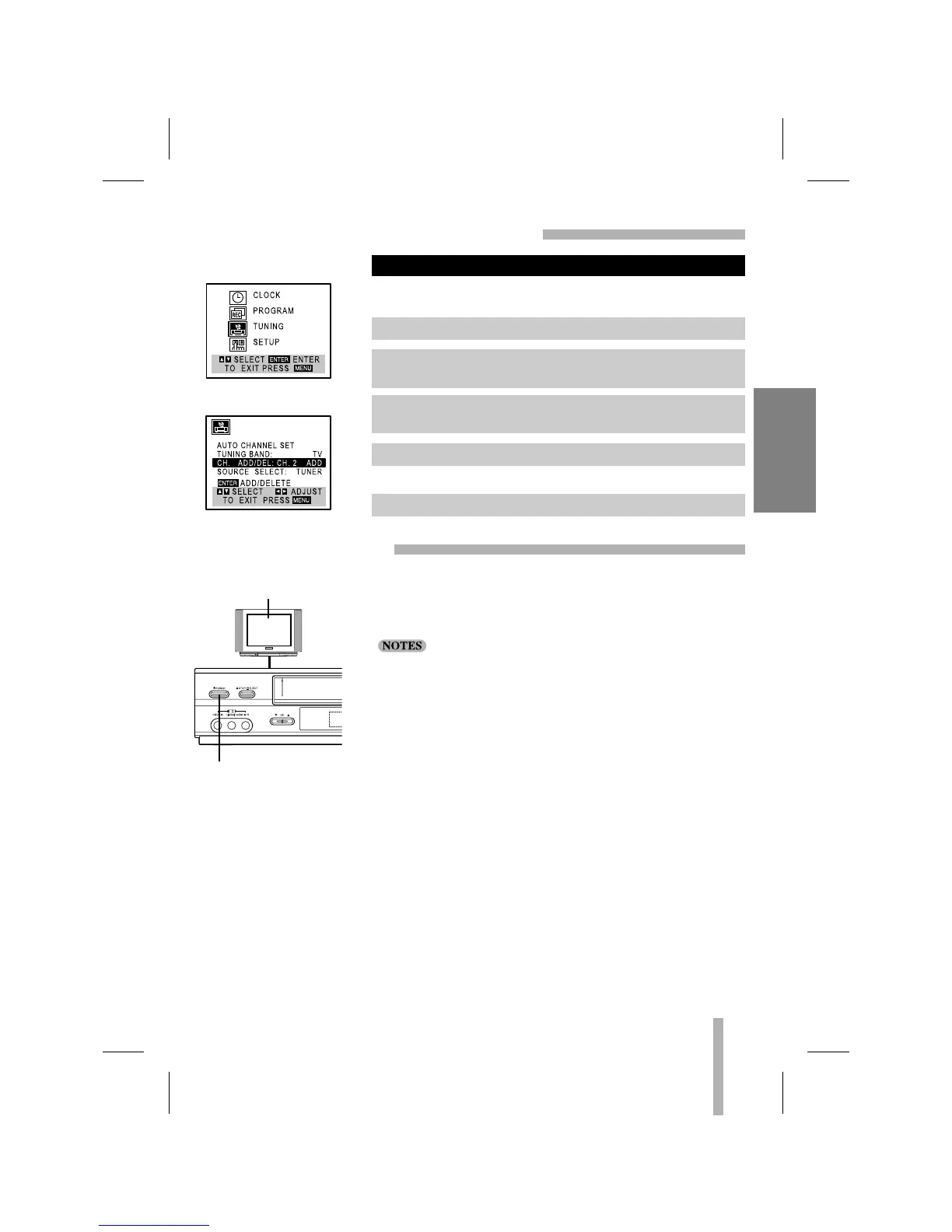
TO ADD OR ERASE CHANNELS FROM MEMORY
VIEWING TV ONLY
MAIN MENU
TUNING MENU
1. Press MENU and the MAIN menu will appear.
2. Use
DD
or
EE
to select the TUNING menu option, then press
ENTER. The TUNING menu will appear.
3. Use
EE
to choose the CH. ADD/DEL option. Use
FF
or
GG
to
select a channel to add or erase.
4. Use ENTER to add or erase the channel.
5. Press MENU to return to the TV screen.



 To Next Page