29
RECORDING
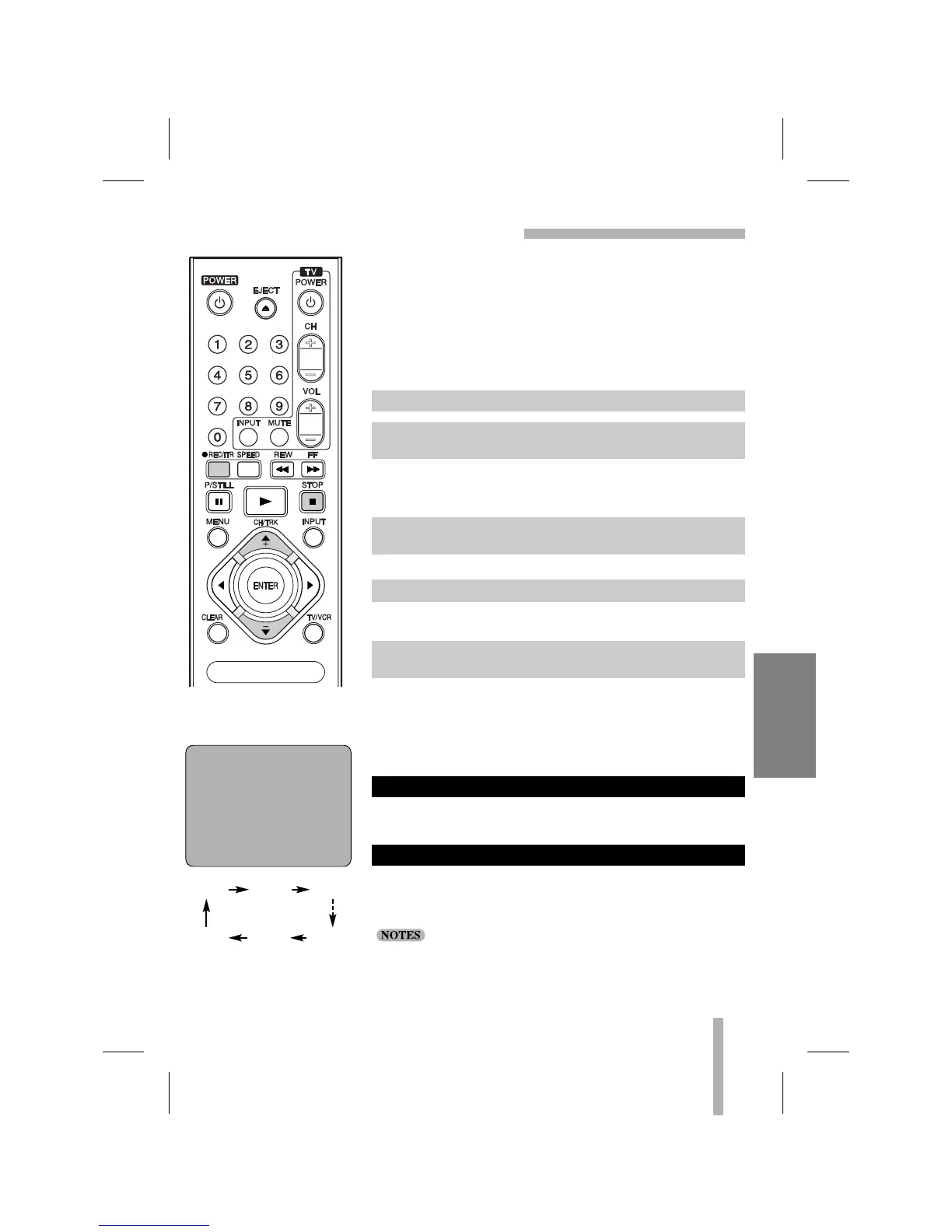
INSTANT TIMER RECORDING
0H30M 1H00M 1H30M
0H00M 9H00M 8H30M
Length Display
(
each additional press of
REC/ITR increases recording
time 30 minutes)
INSTANT TIMER RECORD
MENU
INSTANT TIMER RECORD
CHANNEL 2 CATV
SPEED SP
START NOW
LENGTH 0H30M
Instant Timer Recording allows you to make a recording easily of
a preset length without using the program timer.
PREPARATION
• Turn on the power of both the VCR and the TV.
• Tune the TV to the VCR output channel (CH 3 or 4).
• If a direct VIDEO/AUDIO connection is made between the
VCR and the TV, set the TV’s source selector to VIDEO.
The channel number appears on the TV screen and indicator panel.
• If you are recording from another source via audio/video input
jacks (at the Front panel), select the AV.
The tape speed will appear on the TV screen and indicator panel.
The menu as illustrated, will appear on the TV screen.
Recording will start (The TIMER indicator will light).
At the end of recording the display will read 0H00, the VCR will
stop recording and shut off.
• During Instant Timer Recording, changing the channel on the
VCR will not be possible.
• You can stop the recording by pressing STOP.
Press REC/ITR once to check the recording time. The recalled
setting will automatically return to the TV screen after 6 seconds.
The recording time can be extended anytime by pressing REC/ITR.
Subsequent presses result in advancing the recording time by
30-minute increments.
• If you press P/STILL during instant timer recording, the VCR
will enter the normal recording mode.
• If the VCR is set to “0H00M”, the VCR goes to normal record-
ing mode.
TO EXTEND THE RECORDING TIME
CHECKING THE RECORDING TIME
1. Insert a video cassette with the safety tab in place.
2. Select the desired channel by using CH/TRK (▲/▼) or
number (0-9).
3. Set the TAPE SPEED option to desired speed (SP or SLP)
by pressing SPEED.
4. Press REC/ITR twice.
5. Press REC/ITR repeatedly to select the recording time
length.



 To Next Page