Instant Timer Recording
/
I=OWlI
IIIIO_I.IICT
I ,L*V I I ,=wl.wo I I _ .... AM l ,_AN_L \
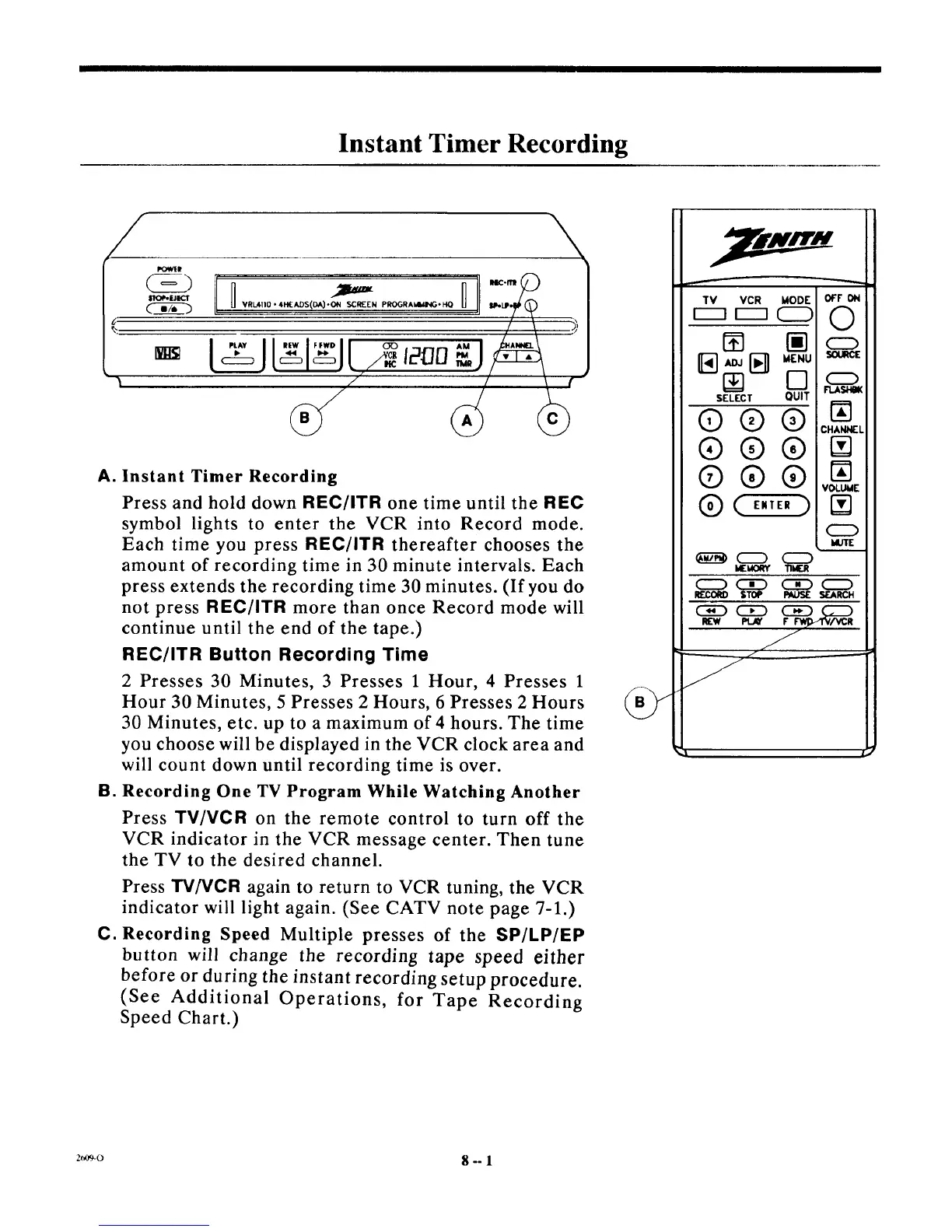
A. Instant Timer Recording
Press and hold down REC/ITR one time until the REC
symbol lights to enter the VCR into Record mode.
Each time you press REC/ITR thereafter chooses the
amount of recording time in 30 minute intervals. Each
press extends the recording time 30 minutes. (If you do
not press REC/ITR more than once Record mode will
continue until the end of the tape.)
REC/ITR Button Recording Time
2 Presses 30 Minutes, 3 Presses 1 Hour, 4 Presses 1
Hour 30 Minutes, 5 Presses 2 Hours, 6 Presses 2 Hours
30 Minutes, etc. up to a maximum of 4 hours. The time
you choose will be displayed in the VCR clock area and
will count down until recording time is over.
B. Recording One TV Program While Watching Another
Press TV/VCR on the remote control to turn off the
VCR indicator in the VCR message center. Then tune
the TV to the desired channel.
Press TV/VCR again to return to VCR tuning, the VCR
indicator will light again. (See CATV note page 7-1.)
C. Recording Speed Multiple presses of the SP/LP/EP
button will change the recording tape speed either
before or during the instant recording setup procedure.
(See Additional Operations, for Tape Recording
Speed Chart.)
SELECT QUIT
Q®®
®®®
®®®
Q ( E.,E.)
z_,og-o 8 -- l



 To Next Page