Timer Recording
jJ
j_
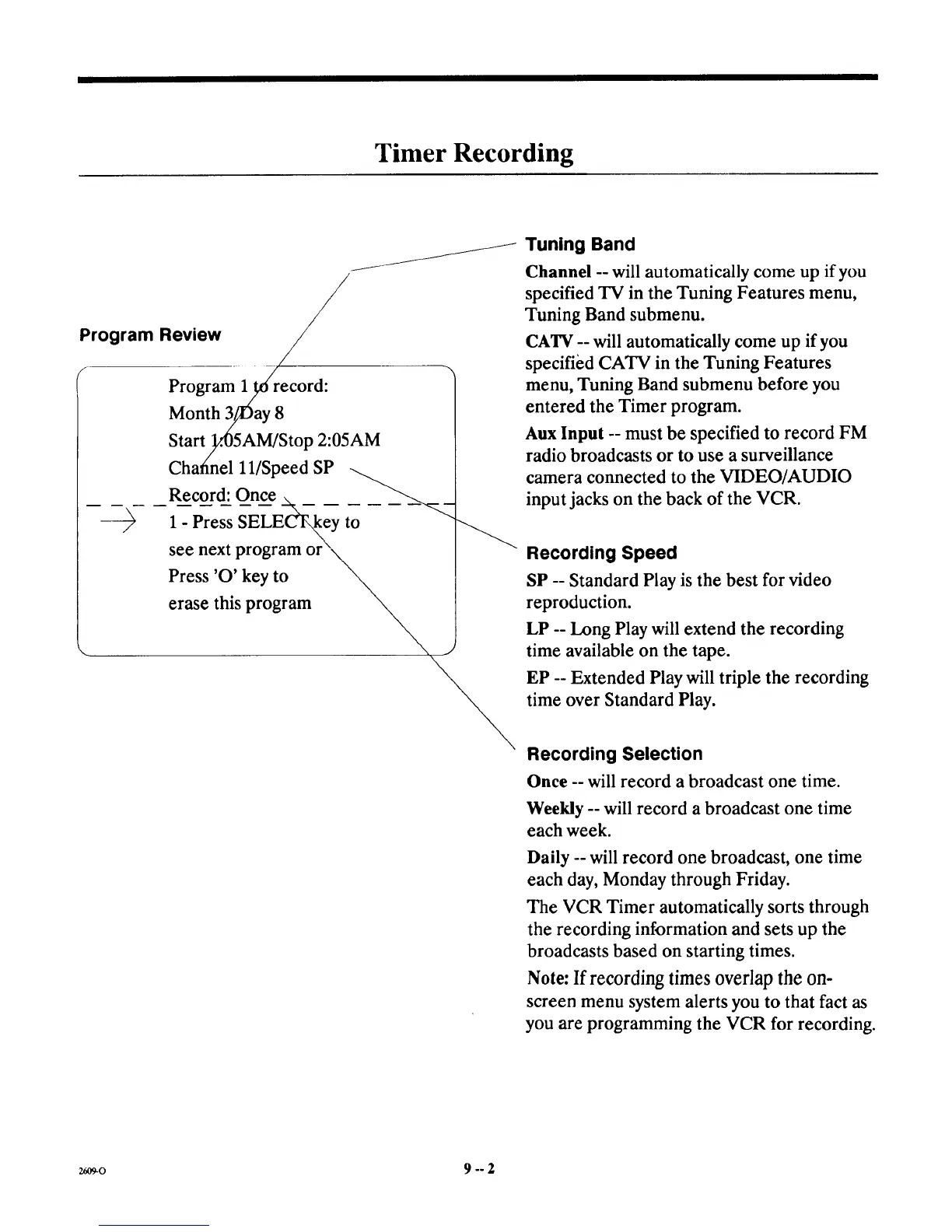
Program lit6 record:
Month 3//Day 8
Start/lA)5AM/Stop 2:05AM
Chafinel H/Speed SP
Record: Once __._ _ _ ___.___
see next program or
Press 'O' key to
erase this program
Tuning Band
Channel --will automatically come up if you
specified TV in the Tuning Features menu,
Tuning Band submenu.
CATV -- will automatically come up if you
specified CATV in the Tuning Features
menu, Tuning Band submenu before you
entered the Timer program.
Aux Input -- must be specified to record FM
radio broadcasts or to use a surveillance
camera connected to the VIDEO/AUDIO
input jacks on the back of the VCR.
Recording Speed
SP -- Standard Play is the best for video
reproduction.
LP -- Long Play will extend the recording
time available on the tape.
EP -- Extended Play will triple the recording
time over Standard Play.
Recording SeleeUon
Once -- will record a broadcast one time.
Weekly -- will record a broadcast one time
each week.
Daily -- will record one broadcast, one time
each day, Monday through Friday.
The VCR Timer automatically sorts through
the recording information and sets up the
broadcasts based on starting times.
Note: If recording times overlap the on-
screen menu system alerts you to that fact as
you are programming the VCR for recording.
2609-0 9 -- 2



 To Next Page