VRL 4110 Quick Reference Guide
Quick Play Setup
To play a tape follow this sequence.
1. Turn on the TV and tune it to Channel 3.
2. Make sure the slide switch is set to Channel 3
on the back of the VCR.
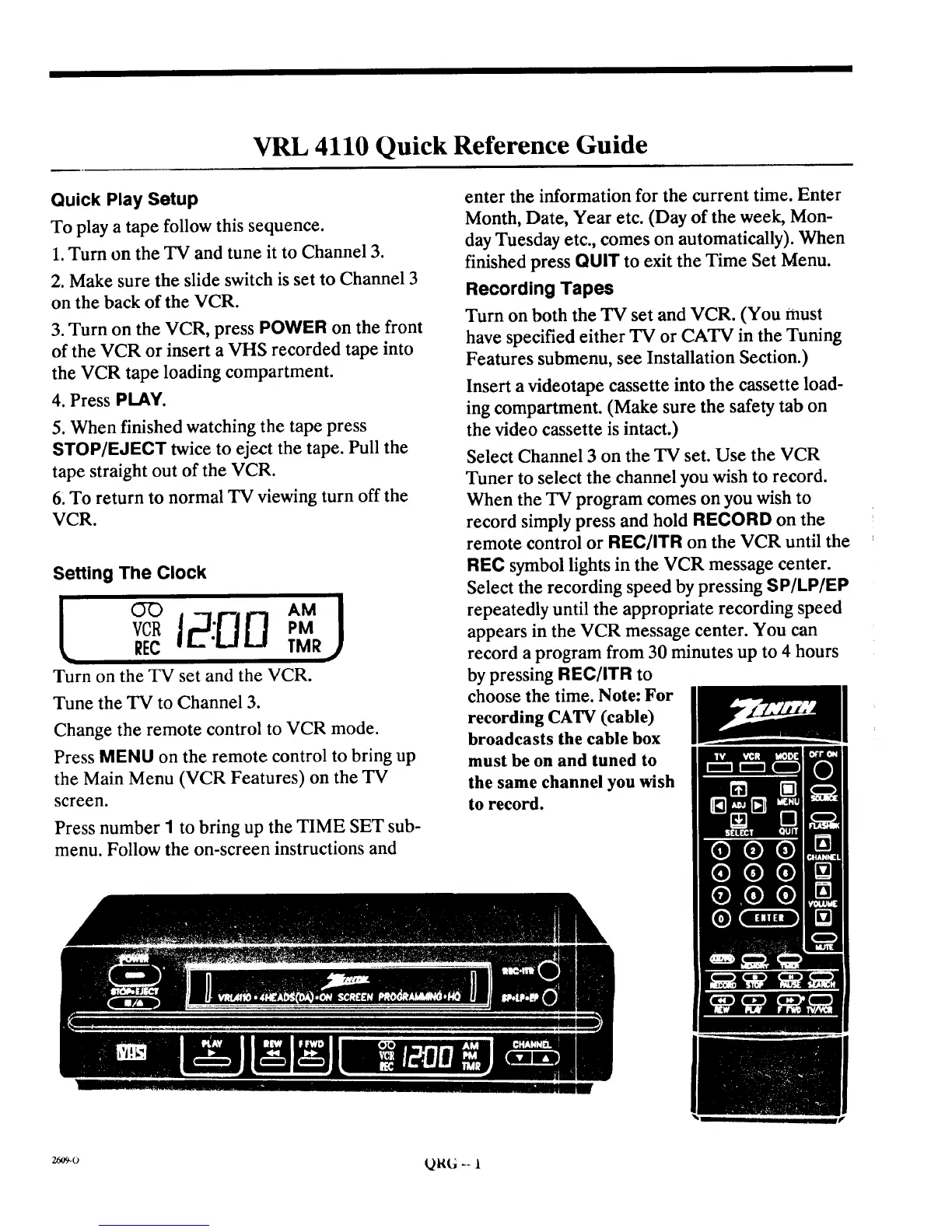
3. Turn on the VCR, press POWER on the front
of the VCR or insert a VHS recorded tape into
the VCR tape loading compartment.
4. Press PLAY.
5. When finished watching the tape press
STOP/EJECT twice to eject the tape. Pull the
tape straight out of the VCR.
6_To return to normal TV viewing turn off the
VCR.
Setting The Clock
YCl_ PM
REC TMR
Turn on the TV set and the VCR.
Tune the TV to Channel 3.
Change the remote control to VCR mode.
Press MENU on the remote control to bring up
the Main Menu (VCR Features) on the TV
screen.
Press number 1 to bring up the TIME SET sub-
menu. Follow the on-screen instructions and
enter the information for the current time. Enter
Month, Date, Year etc. (Day of the week, Mon-
day Tuesday etc., comes on automatically). When
finished press QUIT to exit the Time Set Menu.
Recording Tapes
Turn on both the TV set and VCR. (You must
have specified either TV or CATV in the Tuning
Features submenu, see Installation Section.)
Insert a videotape cassette into the cassette load-
ing compartment. (Make sure the safety tab on
the video cassette is intact.)
Select Channel 3 on the TV set. Use the VCR
Tuner to select the channel you wish to record.
When the TV program comes on you wish to
record simply press and hold RECORD on the
remote control or REC/ITR on the VCR until the
REC symbol lights in the VCR message center.
Select the recording speed by pressing SP/LP/EP
repeatedly until the appropriate recording speed
appears in the VCR message center. You can
record a program from 30 minutes up to 4 hours
by pressing REC/ITR to
choose the time. Note: For
recording CATV (cable)
broadcasts the cable box
must be on and tuned to
the same channel you wish
to record.
_o QRG -- 1



 To Next Page