Scene Object [disabled/enabled]: when marked, two specific textboxes will
show up to enter the scene numbers (1 - 64) that should trigger each action.
These values are to be received through the general “[General] Scene:
Receive” object.
2.1.6.2 WELCOME BACK OBJECT
Flat / Flat 55 can send a specific object (the welcome back object) to the KNX bus
when the user presses a touch button after a significant amount of time since the last
or presence detection (when the proximity sensor is enabled). Sending it or not can
also depend on an additional, configurable condition consisting in the evaluation of
up to five binary objects.
Any actions that in normal operation may be executed will not be if the welcome back
object is sent to the bus. Thus, if the user presses a button and this causes that the
welcome back object is sent, the normal action of that button will not be triggered.
On the other hand, if the additional condition is not evaluated to true, the device will
react normally. Hence, the action corresponding to the button touch will be executed.
The welcome back object can consist in a one-bit value or a scene value (or both),
depending on the parameterisation.
ETS PARAMETERISATION
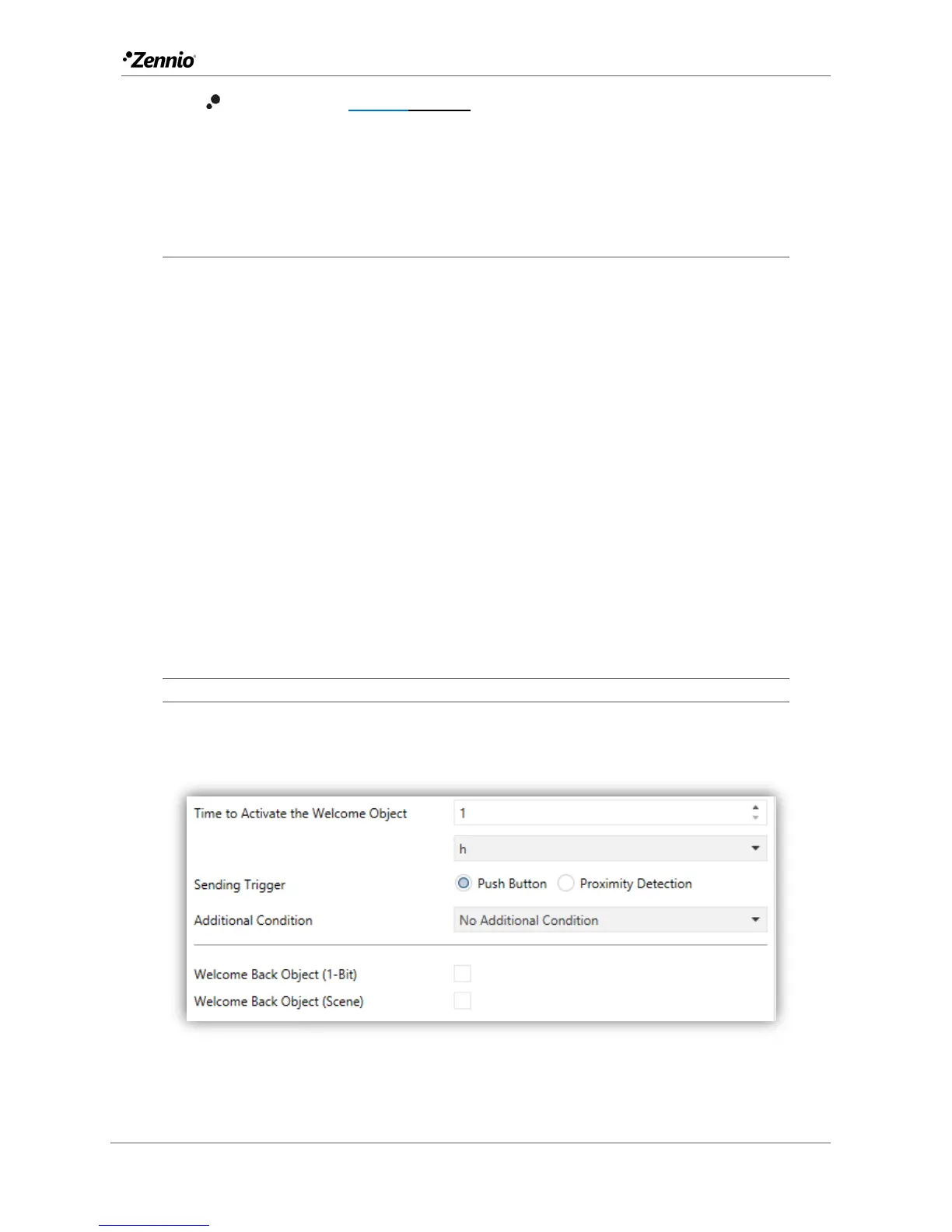
After enabling Welcome Back Object, a new tab will be incorporated into the tree on
the left.
Figure 9 Welcome Back Object.
This screen contains the following parameters:



 To Next Page