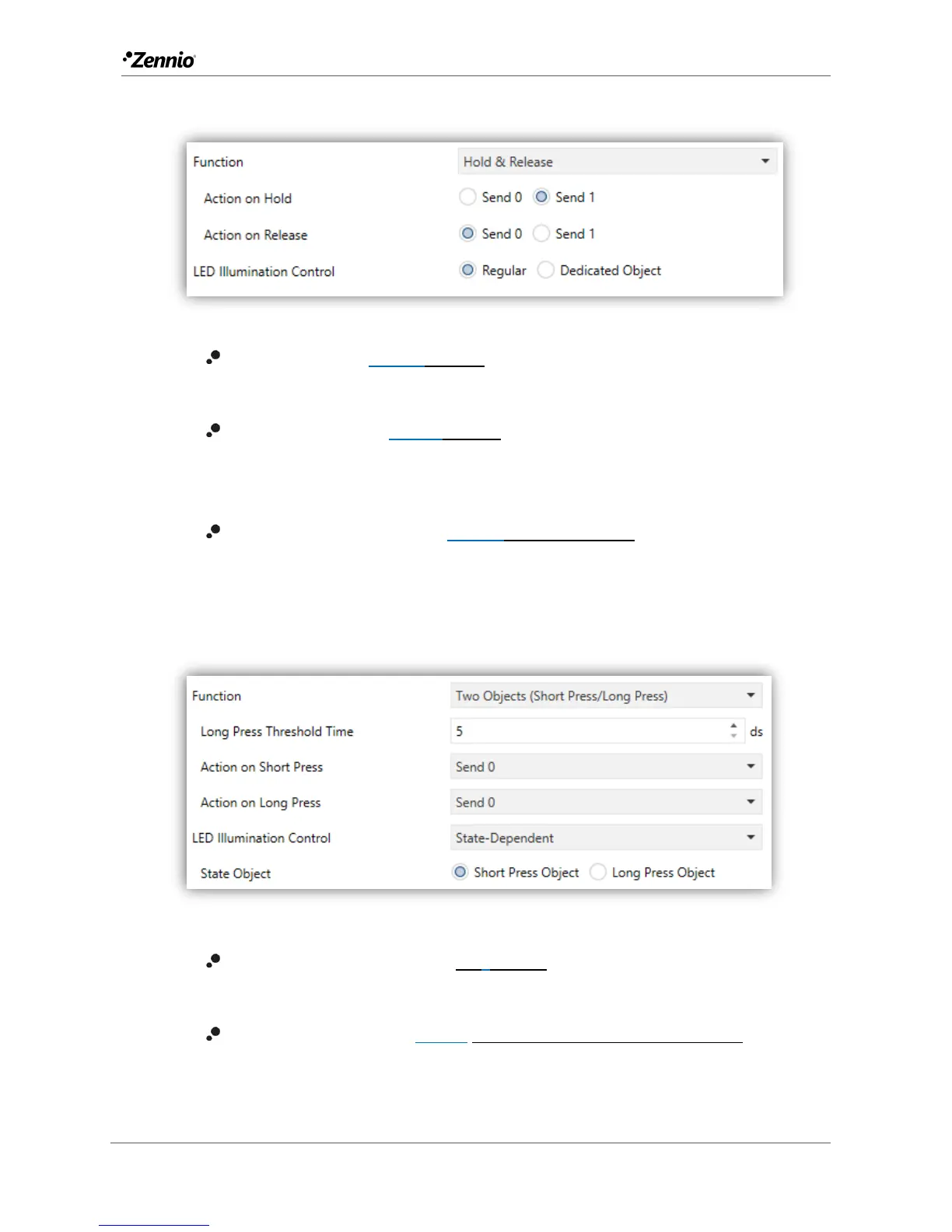
Hold & Release
Figure 19 Individual Button - Hold & Release.
Action on Hold [Send 1/Send 0]: sets the value to be sent to the bus
(through “[Btn] [In] Hold & Release”) when the user touches the button.
Action on Release [Send 0/Send 1]: sets the value to be sent to the bus
(again, through “[Btn] [In] Hold & Release”) when the user stops touching
the button.
LED illumination control [Regular/Dedicated object]: analogous to the
homonymous parameter for the “Disabled” and “Switch” functions (see
above).
Two Objects (Short Press / Long Press)
Figure 20 Individual Button - Two Objects (Short Press / Long Press).
Long Press Threshold Time [0…5…50 ds]: sets the minimum time the user
should hold the button in order to consider it a long press.
Action on Short press [Send 0/Send 1/Toggle 0/1/Send 1-byte value]: sets
the value to be sent to the bus (through “[Btn] [In] Two switches - Short
press”) when the user short-presses the button.



 To Next Page