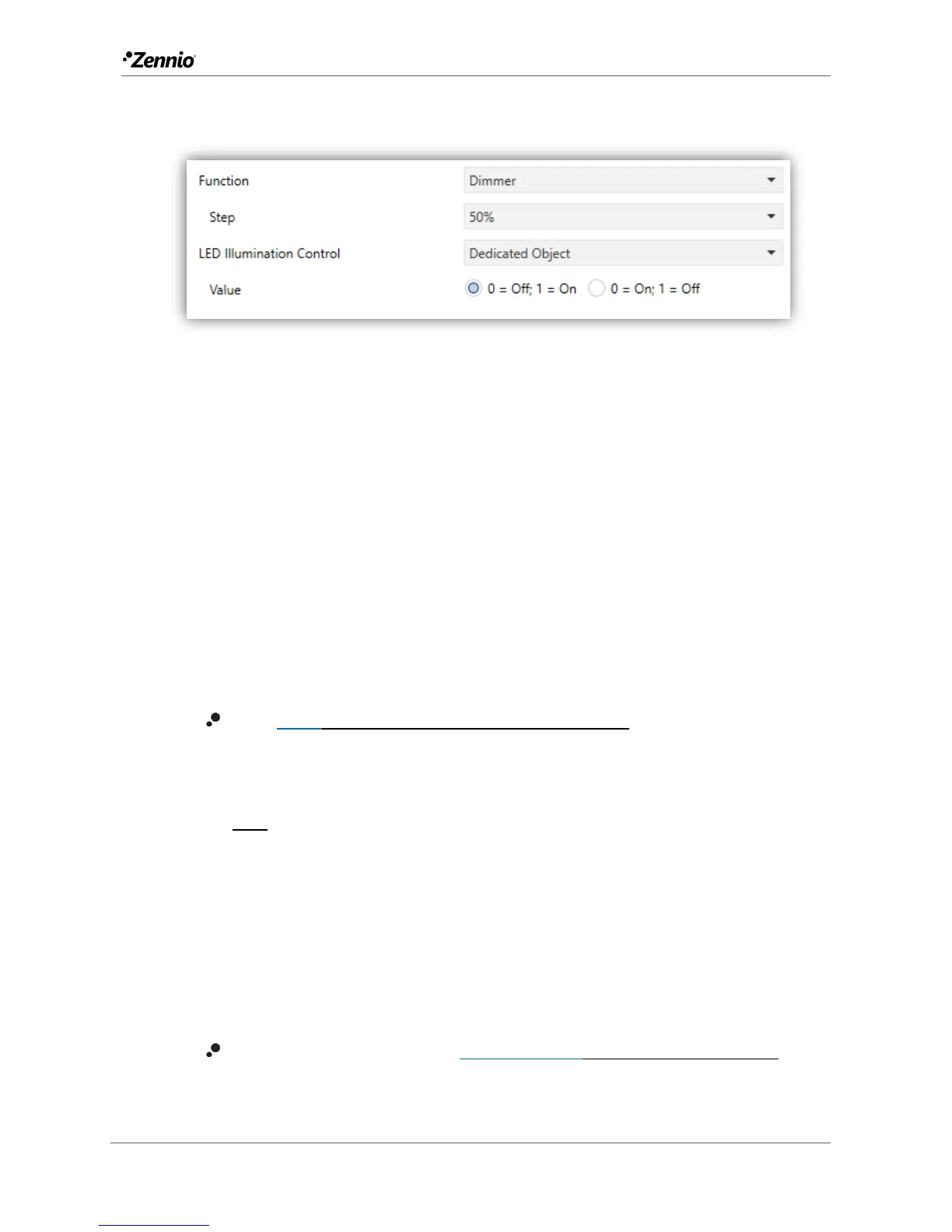
Dimmer
Figure 23 Individual Button – Dimmer.
The (alternating) switch orders will be sent through the “[Btn] [In] Light - On/Off” one-
bit object, while the (alternating) increase/decrease/stop orders will be through the
“[Btn] [In] Light - Dimming” four-bit object.
On the other hand, the “[Btn] [In] Light - Dimming (Status)” one-byte object may be
linked to the light level status object of the dimmer (in fact, this object is only intended
to receive values from the bus, not to send them). As explained at the beginning of this
section, the state-dependent LED lighting will be determined by the value of this object
(LED off at 0% and on at any other level).
The parameters for this function are:
Step [100% / 50% / 25% / 12,5% / 6,25% / 3,1% / 1,5%]: defines the dimming
step to be sent (through “[Btn] [In] Light - Dimming”) to the light dimmer with
every long press.
Note: since dimmers typically do not apply the new light level immediately
(i.e., the step is performed progressively) and since Flat / Flat 55 send an
order to interrupt the step dimming once the user releases the button, it is
advisable to configure a step of 100%.
This way, the user can perform any dimming step by simply leaving the
button pressed and then releasing it, without needing to make successive
button presses.
LED illumination control [State-Dependent/Regular/Dedicated object]:
analogous to the homonymous parameter for all the above functions (see
previous pages).



 To Next Page