SpeedFace M4 User Manual
Page | 31 Copyright©2021ZKTECO CO., LTD. All rights reserved.
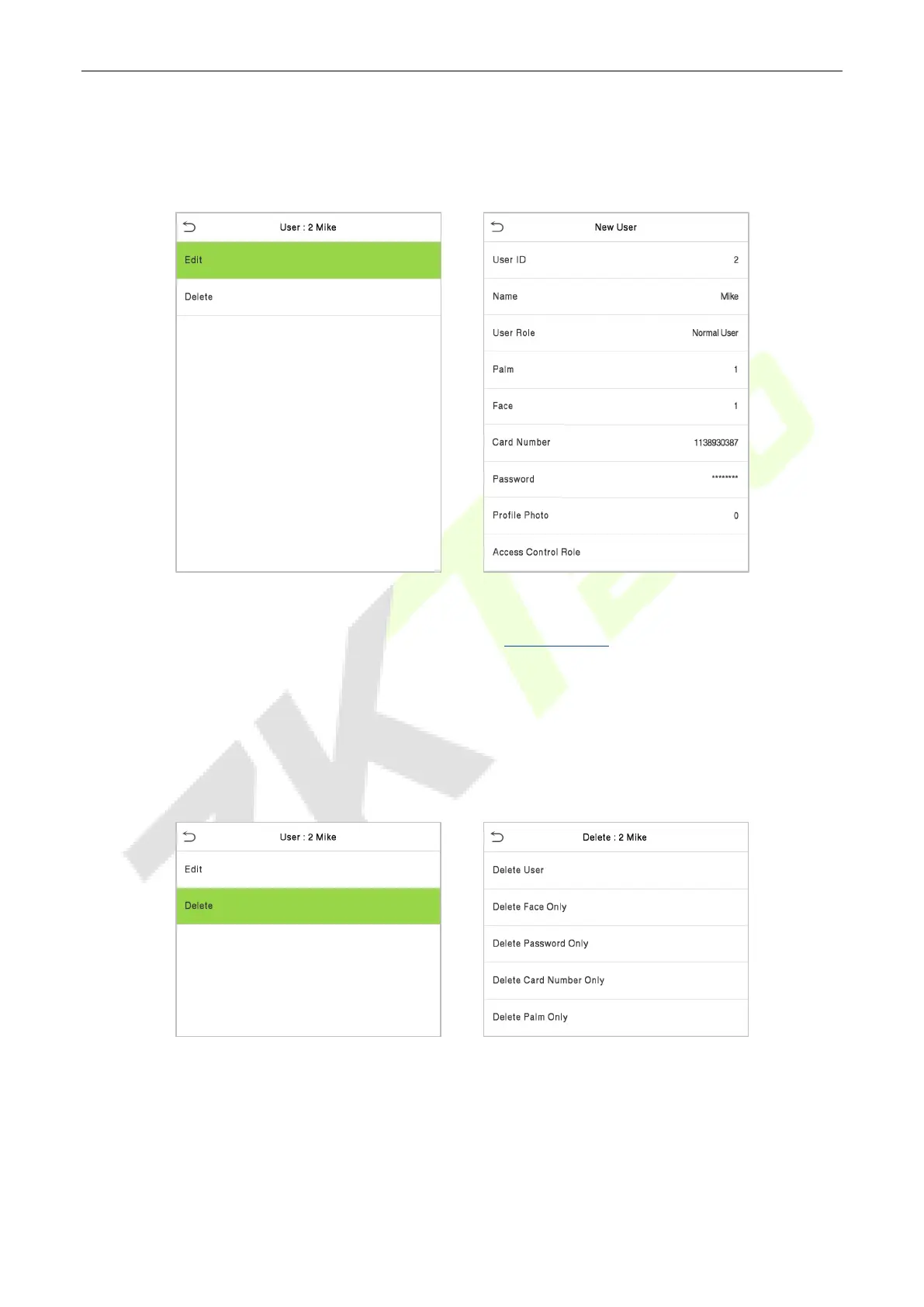
3.3 Edit Users
Select a user from the list and click Edit to enter the edit user interface.
Note: The operation of editing a user is the same as that of adding a user, except that the user ID cannot
be modified when editing a user. For further details, refers "3.1 Add users".
3.4 Delete Users
Select a user from the list and click Delete to enter the delete user interface. Select the user information to
be deleted and click OK.
Note: If you select Delete User, all information of the user will be deleted.
3.5 Display Style
On the Main Menu, click User Mgt., and then click Display Style to enter Display Style setting interface.



 To Next Page