SpeedFace M4 User Manual
Page | 66 Copyright©2021ZKTECO CO., LTD. All rights reserved.
9.5 Anti-Passback Setup
A user may be followed by some person(s) to enter the door without verification, resulting in a security
breach. So, to avoid such situations, the Anti-Passback option was developed. Once it is enabled, the
check-in and check-out record must occur alternatively to open the door to represent a consistent pattern.
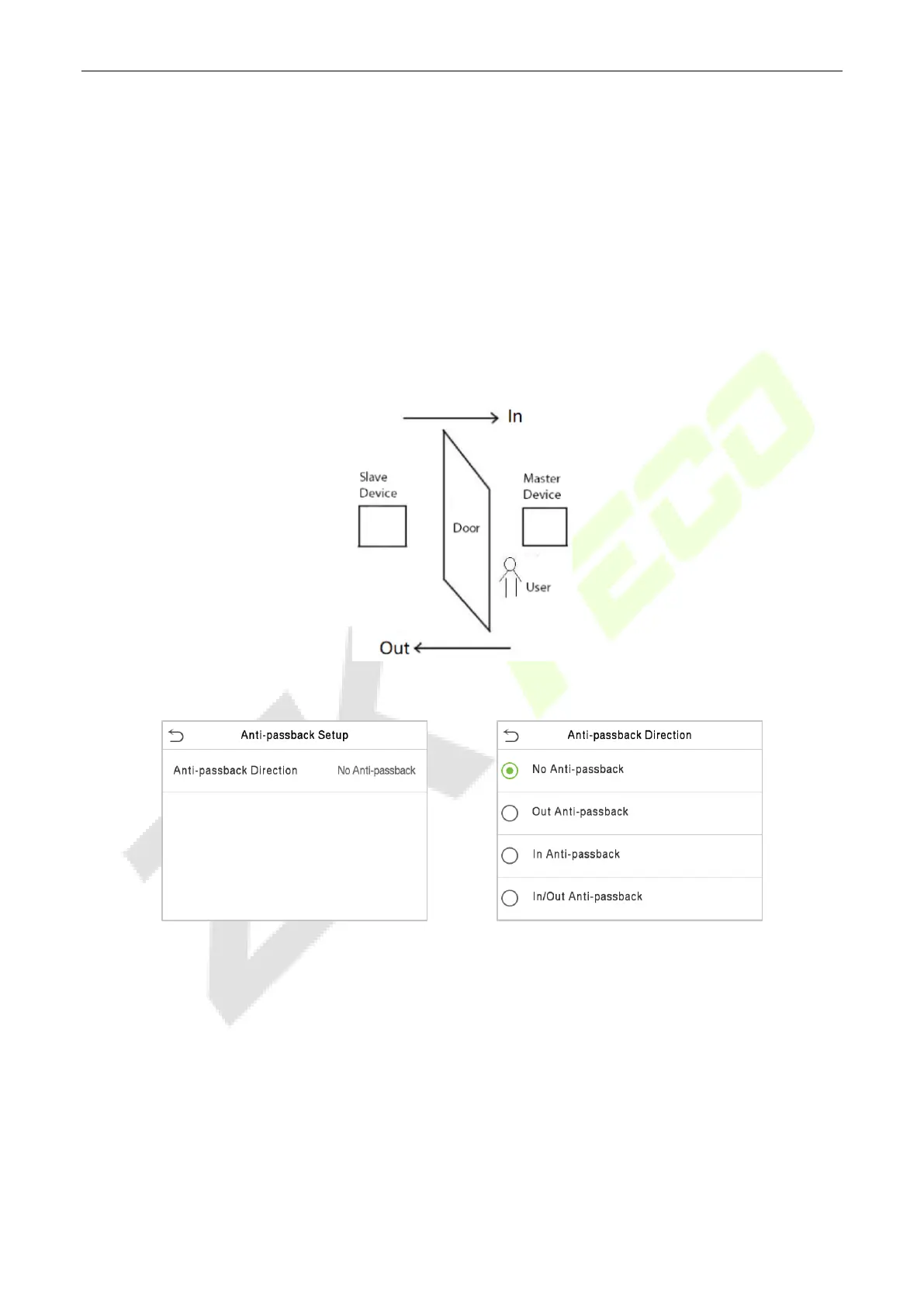
This function requires two devices to work together:
One device is installed on the indoor side of the door (master device), and the other one is installed on the
outdoor side of the door (the slave device). The two devices communicate via the Wiegand signal. The
Wiegand format and Output type (User ID / Card Number) adopted by the master device and slave device
must be consistent.
Click Anti-Passback Setup on the Access Control interface.



 To Next Page