SpeedFace M4 User Manual
Page | 35 Copyright©2021ZKTECO CO., LTD. All rights reserved.
5 Communication Settings
Communication Settings are used to set the parameters of the Network, Serial Comm, PC connection, Wireless
Network, Cloud server, and Wiegand, Network Diagnosis.
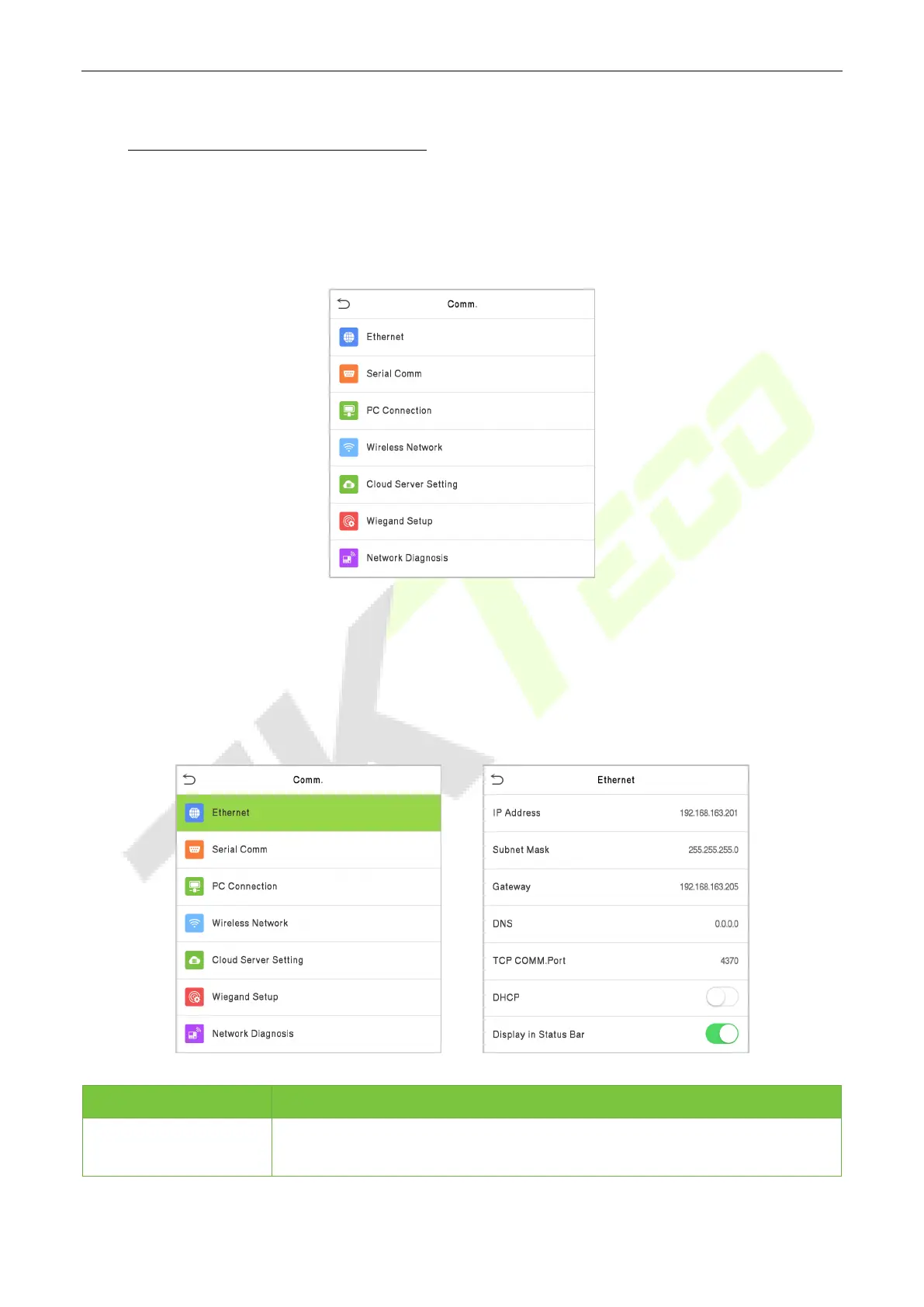
Click COMM. on the main menu.
5.1 Network Settings
When the device needs to communicate with a PC over the Ethernet, you need to configure network
settings and ensure that the device and the PC are connecting to the same network segment.
Click Ethernet on the Comm. Settings interface.
Menu Description
IP Address
The factory default value is 192.168.1.201. Please set the IP Address as per the
requirements.


 To Next Page