SpeedFace M4 User Manual
Page | 48 Copyright©2021ZKTECO CO., LTD. All rights reserved.
6.3 Face Parameters
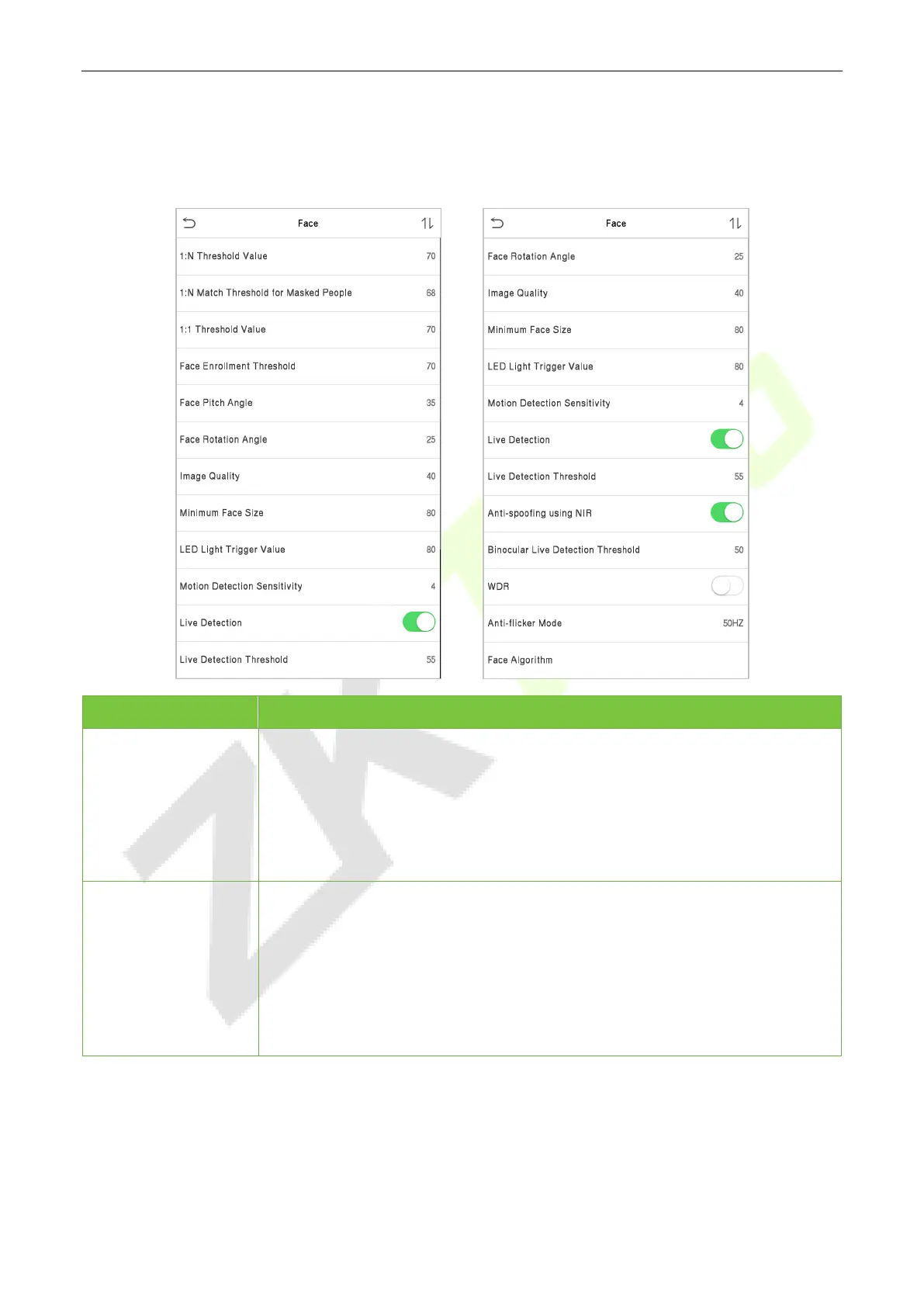
Click Face on the System interface.
Menu Description
1:N Threshold Value
Under 1:N verification mode, the verification will only be successful when the
similarity between the acquired facial image and all registered facial templates
is greater than the set value.
The valid value ranges from 0 to 100. The higher the thresholds, the lower the
misjudgement rate and the higher the rejection rate, and vice versa. It is
recommended to set the default value of 47.
1:N Match Threshold
for Masked People
Under 1:N verification mode, the device will perform similarity matching
between the face currently wearing the mask and the registered face template
in the device. When the similarity is greater than this value, it means the
matching is successful, otherwise it means the matching fails.
The valid value ranges from 0 to 100. The higher the thresholds, the lower the
misjudgement rate and the higher the rejection rate, and vice versa. It is
recommended to set the default value of 68.



 To Next Page