SpeedFace M4 User Manual
Page | 44 Copyright©2021ZKTECO CO., LTD. All rights reserved.
Site Code
It is
similar to the Device ID. The difference is that a site code can be set manually,
and is repeatable in a different device. The valid value ranges from 0 to 256 by
default.
Pulse Width(us)
The pulse width represents the changes in the quantity of electric charge
with high-frequency capacitance regularly within a specified time.
Pulse Interval(us)
The time interval between pulses.
ID Type
Select between the User ID and Card number.
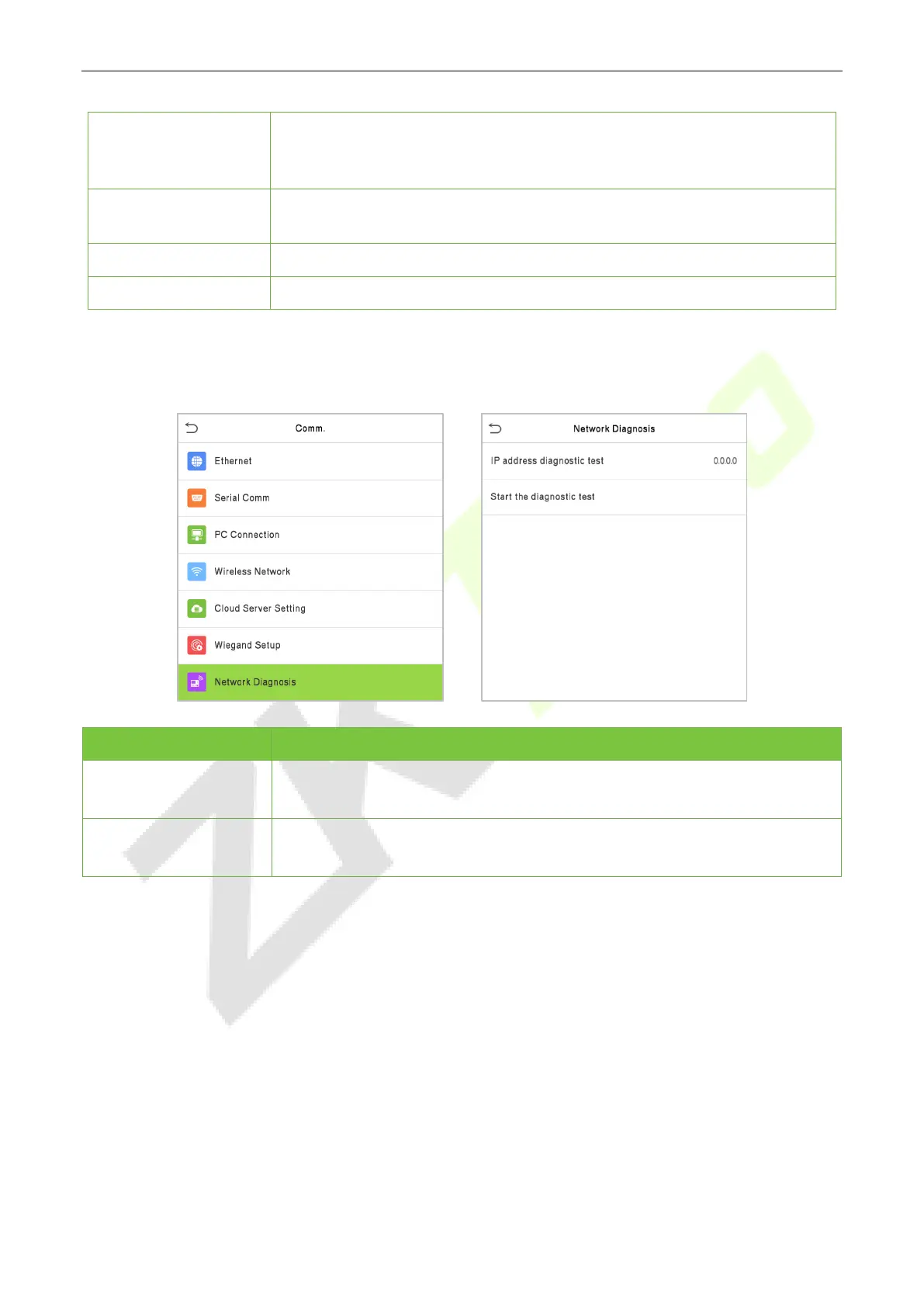
5.7 Network Diagnosis
Menu Description
IP address diagnostic
test
The factory default address is 0.0.0.0. Please set the value as per the
requirements.
Start the diagnostic
test
Click start to automatically diagnose the network.



 To Next Page