SpeedFace M4 User Manual
Page | 55 Copyright©2021ZKTECO CO., LTD. All rights reserved.
Idle Time To Slide
Show (s)
When there is no operation, and the time exceeds the set value, a slide show
will be played. It can be disabled, or you may set the value between 3 and 999
seconds.
Slide Show Interval
(s)
This refers to the time interval switching different slide show pictures. The
function can be disabled, or you may set th
e interval between 3 and 999
seconds.
Idle Time To Sleep
(m)
If you have activated the sleep mode, when there is no operation, the device
will enter the standby mode. You can disable this function or set a value within
1-999 minutes.
Main Screen Style
To select the main screen style according to your personal preference.
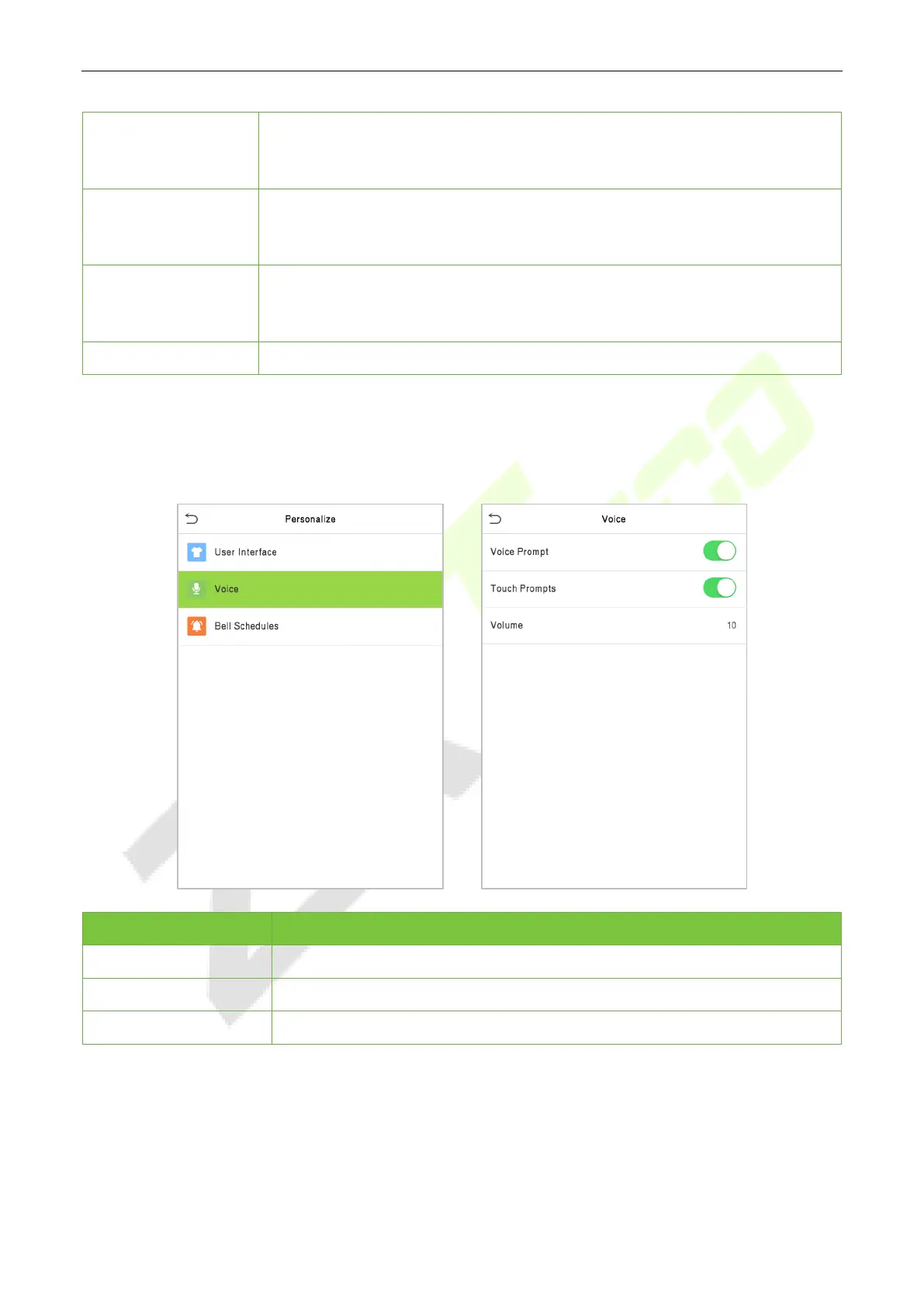
7.2 Voice Settings
Click Voice on the Personalize interface.
Menu Description
Voice Prompt
Select whether to enable voice prompts during operation.
Touch Prompt
Select whether to enable keypad sounds.
Volume
Adjust the volume of the device; valid value: 0 to 100.



 To Next Page